

During our recent trip to Boston for the AI Music Summit at Berklee College we had a chance to get a tour of the Record Co from Wilce Mascary.
The Record Co. is a Boston-based nonprofit music workspace that provides affordable access to recording studios, rehearsal rooms, production suites, community space, and training programs for artists, producers, engineers, and students. Its mission is closely aligned with access, education, and community-based music creation.

A particularly relevant program is ARPs for All, a collaboration between The Alan R. Pearlman Foundation and The Record Co. The program gives musicians access to rare vintage ARP synthesizers, including a publicly available ARP 2500 collection, so artists can learn, perform, and record with historically important electronic instruments that would normally be inaccessible.
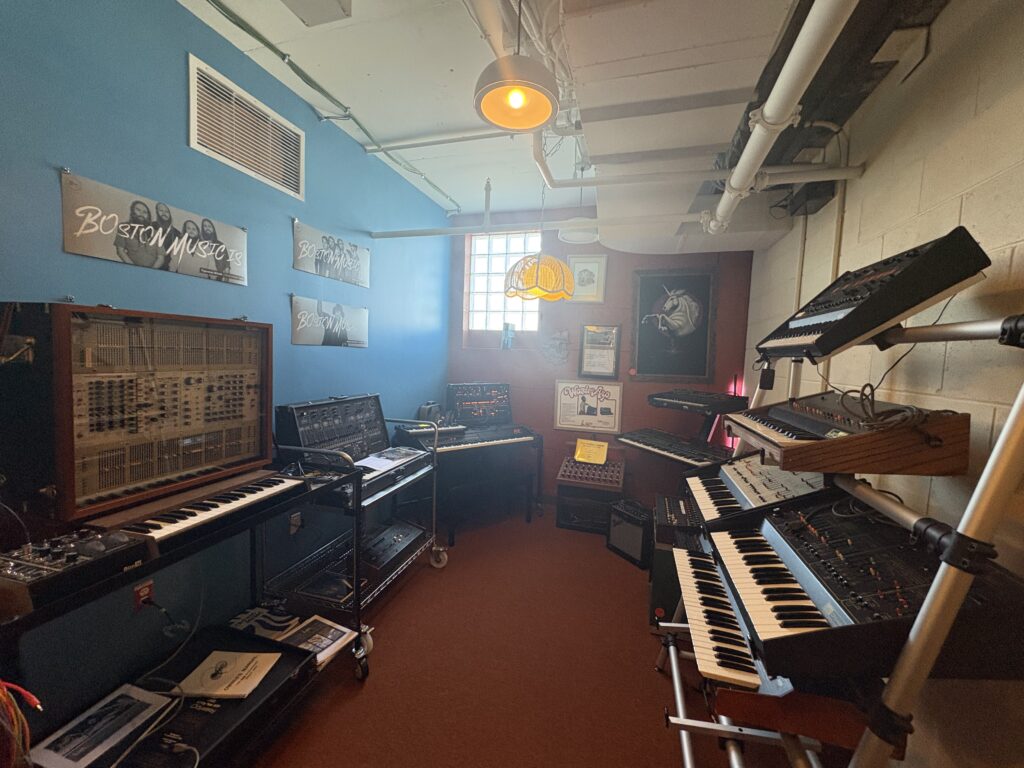
This is important to The MIDI Association because The Record Co. sits at the intersection of music technology, education, access, history, and hands-on creative practice.
For MIDI.org, it is a strong example of how legacy electronic instruments, modern MIDI workflows, affordable studio access, and community education can work together.

MIDI Association relevance:
- Education: A practical partner for MIDI learning, synthesis education, and music-production workshops.
- Accessibility and inclusion: Their affordable-access mission aligns with MASSIG and the MIDI Association’s broader goal of enabling more people to make music.
- History of electronic music: ARPs for All connects directly to the history of synthesizers, electronic instruments, and the creative culture that helped make MIDI necessary. The MIDI Association gave a Lifetime Achievement Award to Alan Pearlman in 2023.
https://midi.org/alan-r-pearlman-and-arp-synthesizers
Learn more about The Record Co.
Use up and down arrow keys to resize the meta box pane.Move upMove downToggle panel: WP Social Share Style Settings
- Choose where to show share buttons.
- Global Setting
- After Content
- Before Content
- Before & After Content
- Disable