Tag: MIDI

A mannequin dressed in white stands inside a large circular electronic keyboard with colored lights. An information plaque and a screen displaying the same scene are in front of the display. The background is purple.

The Circle Piano Comes to The Met: PianoArc at Musical Bodies

The Metropolitan Museum of Art’s exhibition Musical Bodies explores a powerful idea: the human body is itself a musical instrument, and musical instruments often reflect the shape, movement, identity, and imagination of the people who play them.

For anyone interested in the future of music technology, one of the most striking objects in the exhibition is the PianoArc circular keyboard, sometimes called the Circle Piano or Piano Arc. It is both a performance controller and a sculptural object, and its presence at The Met places modern MIDI-based instrument design in direct conversation with 4,000 years of musical instrument history.
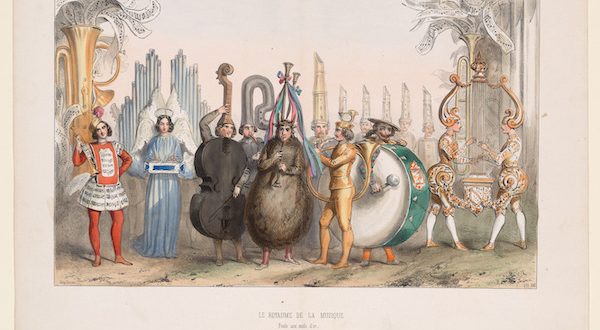

A group of people dressed in elaborate costumes that resemble musical instruments, including a cello, tuba, drum, lyre, and trumpet, stand together outdoors with a background of tall, decorative pipes.
The Kingdom of Harmony, from the theater production of La Poule aux Oeufs d’Or (The Goose that Laid the Golden Eggs) in the Galerie Dramatique, 1848 Unknown French artist Ink on paper 11 × 14 in. (27.94 x 35.5 cm) Private collection, New York
A large, mechanical, creature lies on top of a reclining human figure in a suit, set against a detailed, monochrome cityscape with bridges, buildings, and fields in the background.
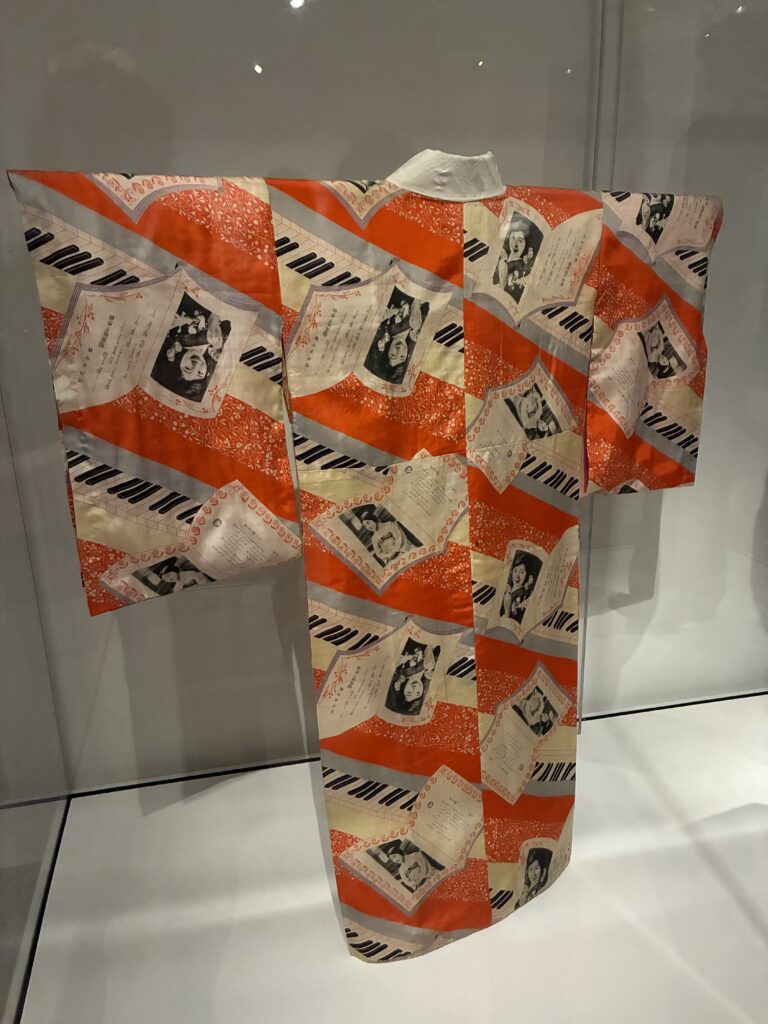
A colorful kimono displayed in a glass case, featuring a repeating pattern of photographs, handwritten notes, and musical staff designs on a red, white, and beige background.
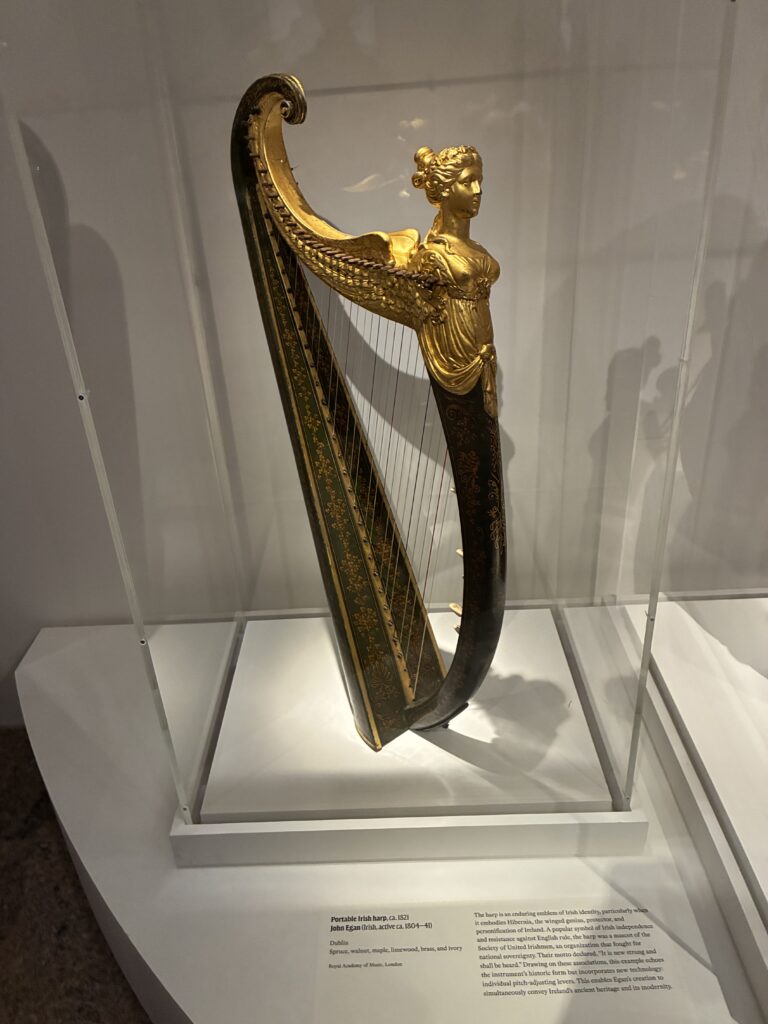
A decorative harp with a gold figure of a woman at the top stands in a glass display case on a white platform; information about the instrument is shown on a plaque below.
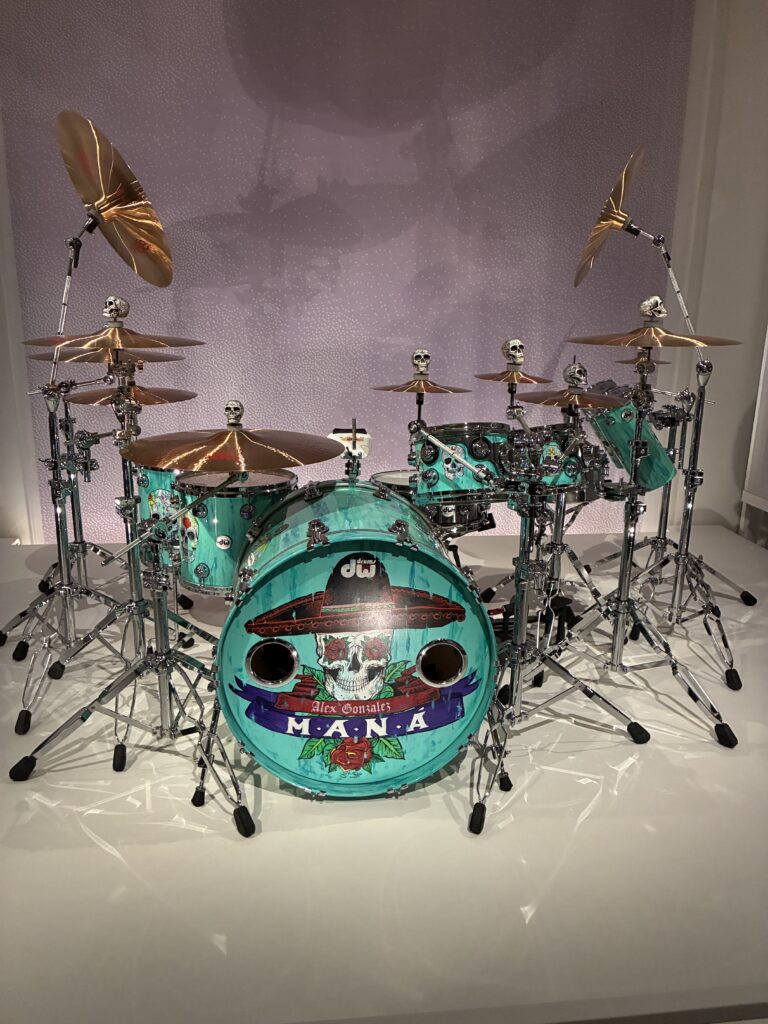
A turquoise drum set with skull-shaped decorations on the hardware, featuring artwork and the word “Maná” on the bass drum, displayed on a white platform against a light textured background.
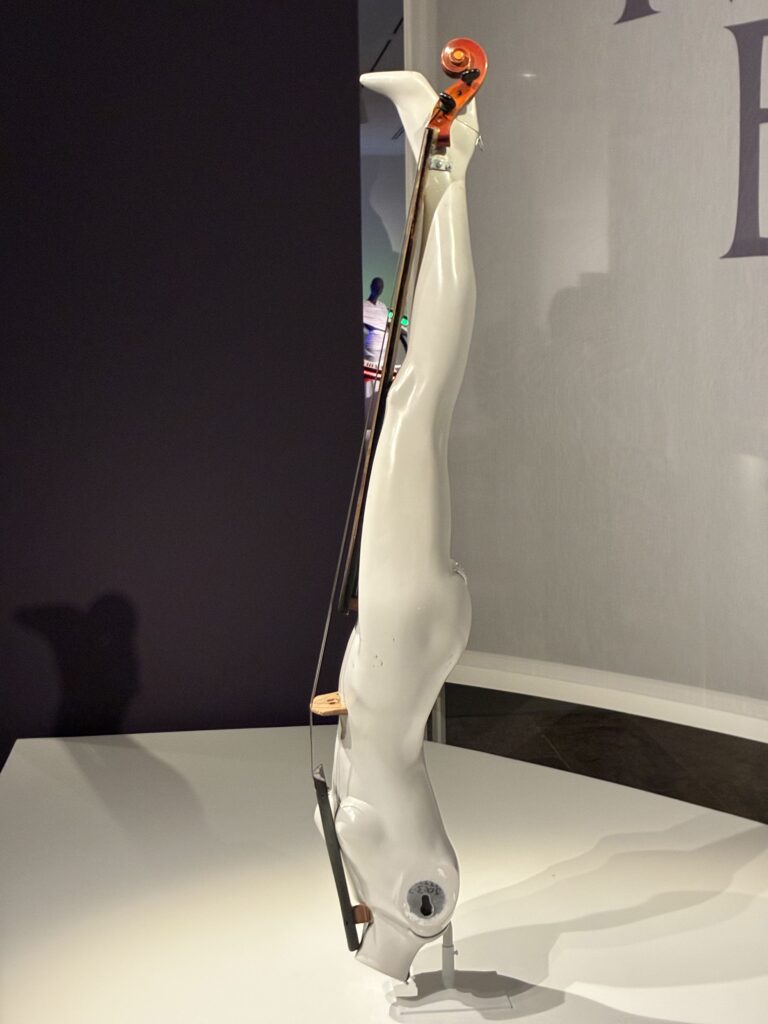
A sculptural artwork shaped like an upside-down human figure, painted white, with a violin integrated along its back, displayed on a white pedestal against a dark background.

What Is Musical Bodies?

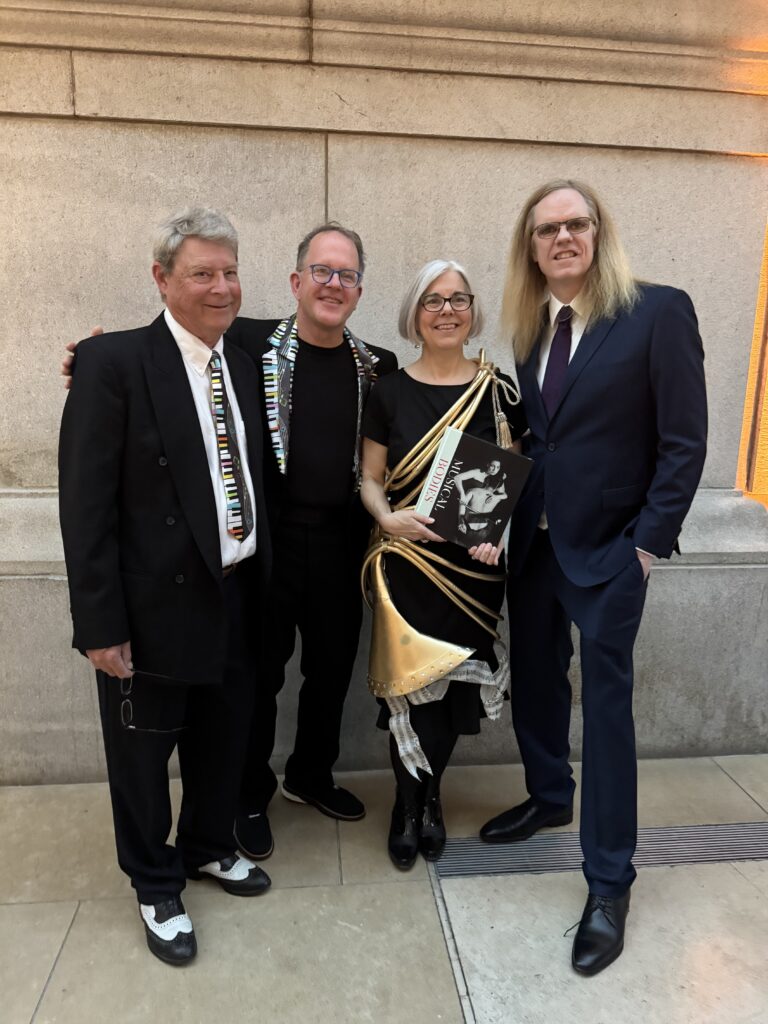
Four adults in formal attire stand together, smiling for the camera. One woman holds a book; two men wear suits and one wears a jacket with a piano-key design. They are standing against a stone wall indoors.
Dave Starkey, Chuck Johnson (Piano Arc developers) , Bradley Strauchen-Scherer (Exhibition Curator) Brockett Parsons (Keyboardist for Lady Gaga and inspiration for of the Piano Arc)

Musical Bodies is an exhibition at The Metropolitan Museum of Art in New York City that examines the relationship between musical instruments and the body. The exhibition brings together instruments, paintings, sculptures, drawings, and other works to show how music is connected to voice, gesture, identity, ritual, performance, and visual culture.

The exhibition includes works from The Met’s collection as well as loans from institutions and collectors around the world. It places ancient instruments, visual art, popular culture, and contemporary instrument design side by side, showing that musical instruments are never just tools for producing sound. They are also extensions of the body, expressions of culture, and objects of design.

That makes the PianoArc a natural fit. It challenges the familiar straight-line shape of the piano keyboard and turns it into a circular performance environment. The result is an instrument that changes not only how a keyboard looks, but also how a performer physically relates to it.

The PianoArc: A Keyboard Reimagined as a Circle
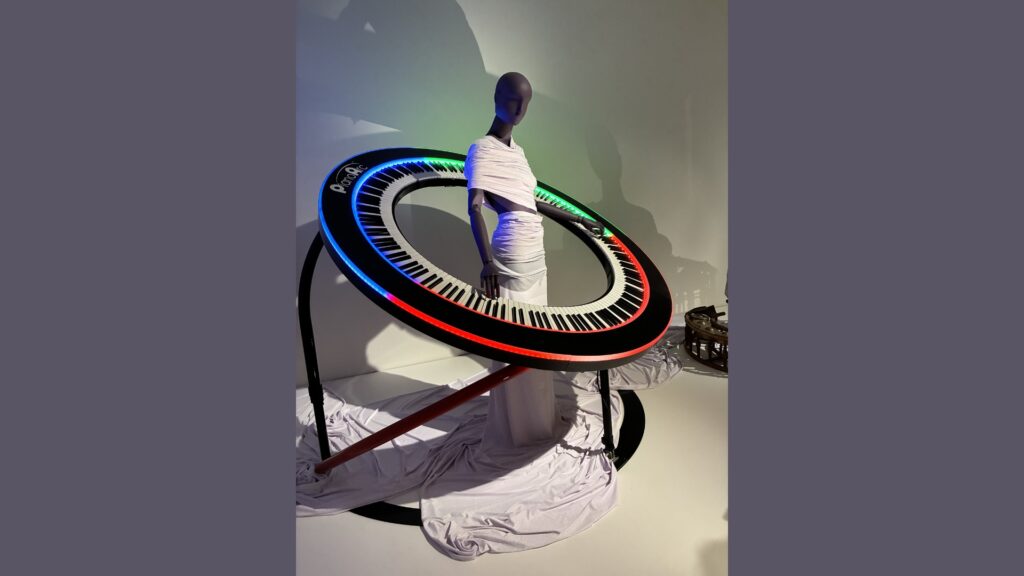
A mannequin wrapped in white fabric stands inside a large, circular keyboard with colorful lights, resembling a futuristic piano. The keyboard is tilted and supported by black stands; draped fabric pools at the base.

The PianoArc transforms the traditional keyboard into a circular controller. Instead of presenting keys in a straight horizontal line, the PianoArc wraps the keyboard around the performer. This changes the visual identity of the keyboardist on stage and makes the instrument feel more like a performance sculpture than a conventional keyboard stand.

The PianoArc was originally inspired by keyboardist Brockett Parsons’ desire to rethink the stage presence of the keyboard player. In many live performance settings, the keyboardist can appear hidden behind racks of equipment or placed to the side of the stage. The PianoArc reverses that relationship. It surrounds the player, puts the performer at the center, and turns keyboard performance into something more visibly physical and theatrical.

For The Met’s Musical Bodies exhibition, the PianoArc team developed a new circular instrument and support system. The latest design includes 288 radial keys arranged across three contiguous musical sections. One section spans 10 octaves, corresponding to the approximate range of human hearing, while two additional sections each span 7 octaves. Together, the instrument covers 24 octaves across 288 notes.

Why the Circle Matters

The familiar piano keyboard is one of the most influential interfaces in music history. It has shaped how generations of musicians understand pitch, harmony, melody, and musical space. Yet its physical form has remained largely unchanged: a straight row of keys organized from low to high.

The PianoArc keeps the recognizable logic of the keyboard but changes its geometry. The player still encounters black and white keys in a familiar pattern, but the instrument curves around the body. This creates a different relationship between musician and machine. The performer is no longer simply standing behind a keyboard. The performer is inside the instrument’s visual field.

That is exactly the kind of relationship that Musical Bodies invites visitors to consider. Instruments are not separate from the body. They are shaped by bodies, activated by bodies, and often designed to amplify what bodies can do. The PianoArc makes that relationship visible in a contemporary electronic instrument.

A MIDI Controller as a Museum Object
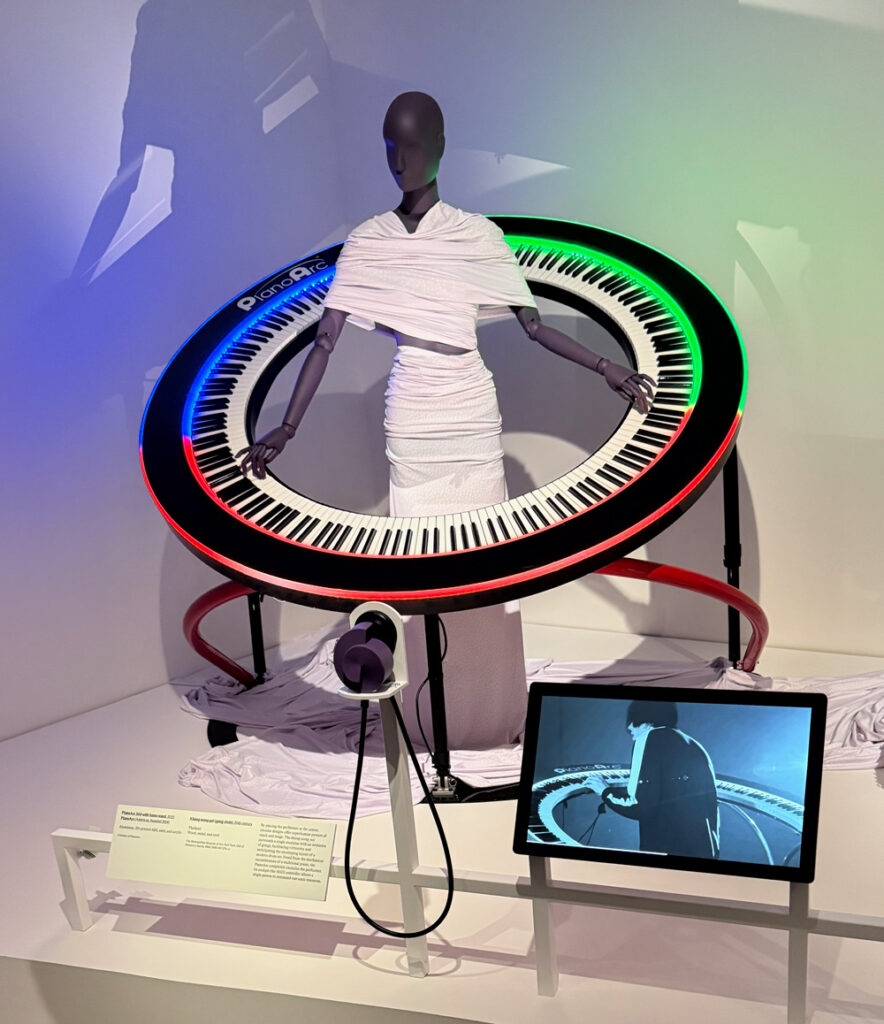
A mannequin in a white wrap dress stands inside a large circular keyboard with colored LED lights; a screen nearby displays a video of a performer using the same instrument.

The PianoArc is also important because it shows how MIDI controllers can be understood as designed instruments, not just pieces of technology. MIDI has always separated the physical gesture from the sound source. A keyboard, pad controller, wind controller, drum controller, or other MIDI device can trigger sounds from synthesizers, computers, samplers, and software instruments. That flexibility allows instrument designers to rethink the body’s relationship to music making.

The PianoArc takes advantage of that freedom. Because the instrument is a controller, its shape does not have to follow the mechanical limitations of an acoustic piano. It can be circular, modular, illuminated, and customized for performance. The instrument demonstrates one of MIDI’s great strengths: it allows the interface for musical expression to evolve independently from the sound-generating system.

The current PianoArc design includes USB-C MIDI and MIDI 2.0-capable output. That points toward the future of expressive performance controllers, where instruments can provide richer communication between the performer, the controller, and the sound system. In that context, the PianoArc is not just visually dramatic. It is also part of a broader history of MIDI-enabled innovation.

From Performance Tool to Work of Art

Many electronic instruments live in a practical world of cables, stands, cases, and stage plots. The PianoArc certainly belongs to that world, but it also crosses into the world of sculpture and visual design. Its circular form makes it instantly recognizable. Its radial keys and illuminated arcs create a visual identity that is inseparable from the musical experience.

This is why its appearance at The Met is significant. The exhibition does not treat musical instruments only as sound-making devices. It presents them as cultural objects that carry meaning through their materials, forms, decorations, and relationships to performers. The PianoArc fits that frame perfectly. It is an instrument that asks viewers to think about what a keyboard can be, how a performer can inhabit an instrument, and how technology can reshape musical presence.
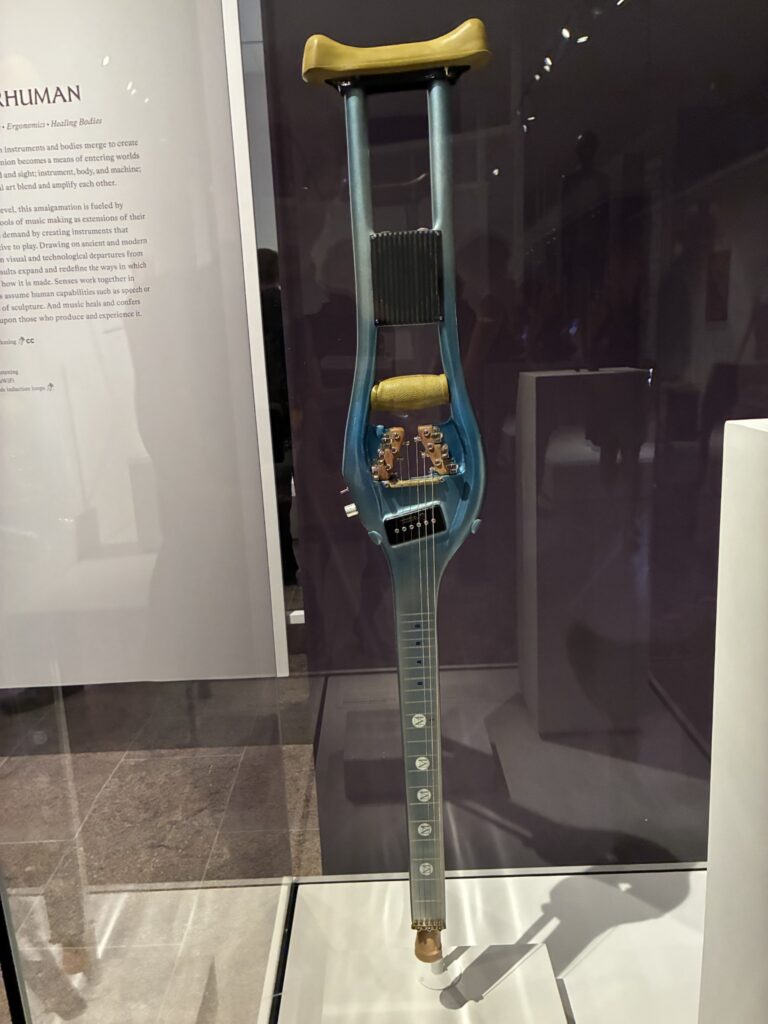
A guitar shaped like a crutch with strings, tuning pegs, and internal electronic components is displayed upright in a museum case. The crutchs handle and padding are visible at the top.

Connecting the Past and Future of Musical Interfaces

One of the most exciting aspects of Musical Bodies is that it places contemporary instruments alongside objects from deep musical history. This reminds us that instrument design has always been a human-centered activity. Across cultures and centuries, people have created instruments that fit the hands, the breath, the voice, the feet, the torso, and the imagination.

The PianoArc belongs to that same story. It is a modern electronic controller, but it addresses an ancient question: how should a musical instrument relate to the human body?

Its answer is bold. The keyboard does not need to be a straight line. The performer does not need to disappear behind the instrument. A controller can be playable, expressive, theatrical, and sculptural at the same time. MIDI technology makes that kind of experimentation possible because it allows designers to separate musical control from a single fixed instrument architecture.

Why This Matters to the MIDI Community

For the MIDI community, the PianoArc’s inclusion in Musical Bodies is a reminder that MIDI is not just a technical protocol. It is a platform for musical imagination. Since its introduction, MIDI has allowed musicians and manufacturers to create new kinds of instruments, new performance setups, and new ways of connecting human gesture to sound.

The PianoArc shows how far that idea can go. It uses the familiar language of the keyboard but expands it into a completely different physical and visual form. It demonstrates that the future of musical instruments will not only be about new sounds. It will also be about new shapes, new gestures, new performance practices, and new relationships between musicians and technology.

At The Met, the PianoArc stands among instruments and artworks that show how deeply music is connected to the body. For MIDI users, developers, manufacturers, educators, and performers, it is also a powerful example of what happens when digital control becomes an art form.

Visit and Learn More

Musical Bodies is on view at The Metropolitan Museum of Art, Fifth Avenue, in New York City through September 27, 2026.

Learn more about the exhibition at The Met:
https://www.metmuseum.org/exhibitions/musical-bodies

Learn more about the PianoArc circular keyboard:
https://pianoarc.com/brock360/


A humanoid robot sits in front of blue curtains, playing a blue electric guitar. The robot appears focused, with its hands positioned on the strings and frets of the guitar.

Turning MIDI Melodies Into Full Songs with Meta’s MusicGen

The popularity of generative AI software has reached an all time high this year, with music lagging behind other mediums like image and text. Nevertheless, two applications dropped in May and June 2023 that marked a major improvement in the technology. It probably comes as no surprise that the companies behind these apps are Google and Facebook-Meta.

One of Google’s research teams published a paper in early January 2023, describing a generative AI music app called MusicLM. The paper detailed a product that could turn text prompts into songs. But perhaps more impressively, it could also take in a melody and incorporate that tune into its final output. Some demos in the paper featured humming and whistling, combined with written descriptions of attributes like genre and instrument, to output a song with that tune, in that style.

When Google launched their MusicLM beta app in May 2023, it included the text prompt feature but lacked the option to upload a melodic condition. This was a bit disappointing to those of us who had been eagerly awaiting the experience of turning our musical ideas into the genre of our choice.

Fortunately, just one month later, Meta has released their own music generator called MusicGen. As if responding to Google and one-upping them, Meta included the melodic audio input feature that Google omitted from their beta app.

In this article I’ll share a quick overview of how MIDI generation fits into the picture, along with tips about how to get started with your own experiments. 

Current limitations in AI MIDI generation

To date, even the most high profile AI MIDI melody generators have been underwhelming. OpenAI decommissioned their MIDI generation app MuseNet in December 2022, right after the launch of ChatGPT. Google offers a DAW plugin suite called Magenta Studio that includes MIDI generation, but it simply doesn’t deliver the quality that any of us would have hoped for.

Experimentally minded folks might have some fun using ChatGPT music prompts to generate MIDI melodies. WavTool is a browser app that supports the ability to do this within a DAW, but it takes a great deal of trial and error to create a good melody. In many cases, you could have composed something yourself in a shorter period of time. This comes down to the fact that large language models are not trained on music composition, despite having a solid grasp of music theory concepts.

AudioCipher’s text-to-MIDI generation VST is another option you may have already explored. It lets you control key signature, chord extensions, and rhythm automation. However, the plugin does not use artificial intelligence. Users encode words and phrases into the MIDI tracks as a source of creative inspiration. The algorithm draws from a classical tradition practiced by both spies and composers, called musical cryptography.

Suffice to say, each of these options has pushed the game forward, but none of them have perfected the MIDI song generation experience. Instead of waiting around for AI MIDI generators to get better, I propose using Meta’s MusicGen application in combination with an audio-to-midi converter. We’ll get into that next. 

Turning your MIDI melodies into full songs

To get started, create a MIDI melody in your DAW and export it as an audio file. It’s best to use a sine wave or a clean instrument without any effects. Once the audio file is ready, upload it to MusicGen and include a text prompt that describes the type of music you want to generate.

I’ve created a video demo (shown above) with AudioCipher’s text-to-MIDI melody generator and MusicGen. We created a short MIDI track, exported it as a wav file and then fed it into the Melody Condition container in Hugging Face. From there, we were able to use text prompts to turn the same tune into 15 different genres of music. 

To learn more, see this article on how to use MusicGen for music production, including suggestions on the best prompts to use with the app. I’ve also included an important tip for managing your Hugging Face account settings, to avoid accidentally racking up a large bill! 

Convert MusicGen audio back into MIDI

Now that you’ve seen how MusicGen works and may have even created an audio file of your own, the last step is to pass that file back through a polyphonic audio-to-midi converter like Samplab 2, Basic Pitch, or Melodyne.

A word of advice; MusicGen produces a lot of noise, so if you have noise reduction software, I recommend using that before passing it through a MIDI converter. Noise tends to be misinterpreted as tonal content, so cleaning it up will save you time later.

Here are the three best audio-to-midi converters that I’ve found:

Samplab 2 is my favorite option for audio-to-midi because it detects and separates instrument layers before transposing each one into MIDI. MusicGen tends to add drum layers to tracks even when you ask it not to. Samplab will separate those drums out, so you can isolate tonal instruments like piano, guitar and bass. The app is available as a DAW plugin and standalone app, with drag-to-midi capabilities.

Basic Pitch is a free alternative to Samplab that was built by Spotify and runs in your browser. It mashes everything together in a single piano roll, so I would only recommend using it for single-instrument audio files. If the track is too complex, Basic Pitch will omit a large part of the music, while simultaneously adding excessive rhythmic articulations due to noise and effect layers.

Melodyne 5 is a high quality application that supports single-instrument polyphonic MIDI conversion only. It won’t separate instruments into their own tracks, but it handles solo piano and guitar very well. You get what you pay for and to be blunt, Melodyne is expensive. So if you already have Melodyne, go ahead and try it out with this workflow. Otherwise Samplab is probably your best bet.

There you have it. Once you’ve converted the MusicGen audio file into MIDI, you can pull it down to your DAW and clean things up further in the piano roll. You’ll have an expanded arrangement based on the initial MIDI idea. But now you can add your own virtual instruments and sound design to tighten up the quality.

This might seem like a lot of information, but the whole process takes about 2 minutes, from creating an audio file in MusicGen to passing it through an audio-to-MIDI converter. You may need to spend more time fine tuning your text prompt to get the sound that you’re after. MIDI clean up in the DAW will also require a little work. But hey, it is what it is. 

I hope this primer has given you some food for thought and an entry point to deepening your AI music discovery process. These workflows might become obsolete in the coming year as the technology continues to improve. For now, this is one of the best methods I’ve found for developing a MIDI melody and turning it into a full song with artificial intelligence. Visit our site to find this complete guide to AI music apps in 2023.

A glowing blue MIDI connector diagram with cables and plugs surrounds the words MIDI Demystified at the top. The background features tangled MIDI cables and connectors.

THE TOP EDUCATIONAL MIDI RESOURCES ON THE WEB

We collected up links to the top MIDI educational resources from around the web. Links are embedded in the logos, the pictures and the text in blue. Clicking on a link in a picture takes you to directly to what is pictured. 

Link to Berklee Online

Berklee Online is the online extension school of Berklee College of Music, delivering access to Berklee’s acclaimed curriculum from anywhere in the world. Berklee Online’s award-winning online courses, multi-course certificate programs, and Bachelor of Professional Studies degree are accredited and taught by the college’s world-renowned faculty, providing lifelong learning opportunities to people interested in music and working in the music industry.

Berklee Online has a huge number of videos on Youtube which are of course free to view. 

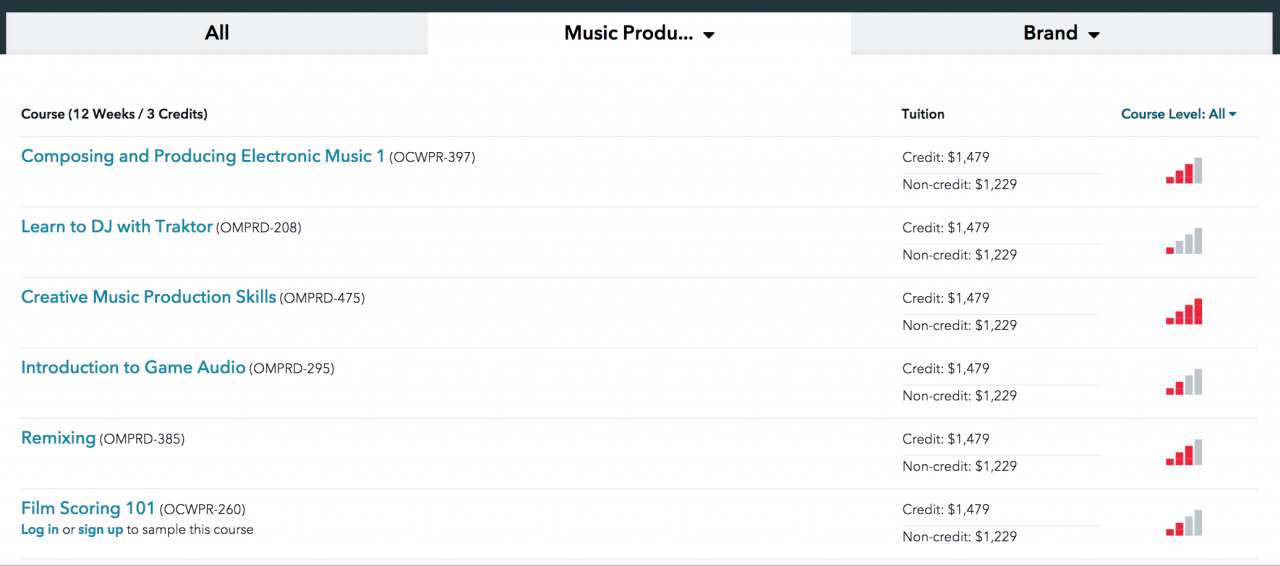
Berklee Online offers 12 week online courses with instructors. You can take them for collegiate credit or non-credit. As they are actual Berklee College courses with accreditation, they are similar in price to other college courses. 

Download the free Music Production Handbook Featuring lesson content from Berklee Online’s 12-week courses 


We have partnered with NonLinear Educating to integrate video tutorials on MIDI and music production directly into the MIDI.org site. For less than $17 a month, you can watch as many videos as you want and take certification tests. 

Knowledge is power and whether you want to learn more about MIDI, improve your ear training, or increase your skills with the DAW of your choice including Pro Tools, Cubase, Logic, Ableton, GarageBand and many more, MIDI.org’s online videos provide it all. 

NonLinear Educating has created a unique business model that donates a portion of the revenue for courses back to the The MIDI Association. As the MIDI Association is an all volunteer, nonprofit organization we take whatever revenue we receIve from the courseS and put it back into improving member services. 

So when you sign up for a subscription for video courses, you are not only getting a great deal on some of the best video training on the planet, you are also helping The MIDI Association bring more services to all it’s members. 

The MIDI Association courses

You can either purchase a monthly or annual pass to view all of the hours and hours of videos or purchase single courses. 


Our mission at Dubspot Online is to help you expand your knowledge of music and technology so you can bring your creative visions to life. We offer programs in Music Production, Sound Design, Mixing and Mastering, DJing, and Music Foundations.

Our innovative curriculum helps you learn how to create and perform your music using state-of-the-art software such as Ableton Live, Logic Pro, Maschine, and Traktor, with a top-notch faculty of professional DJ/producers, musicians and engineers to help guide your journey

by DubSpot Online

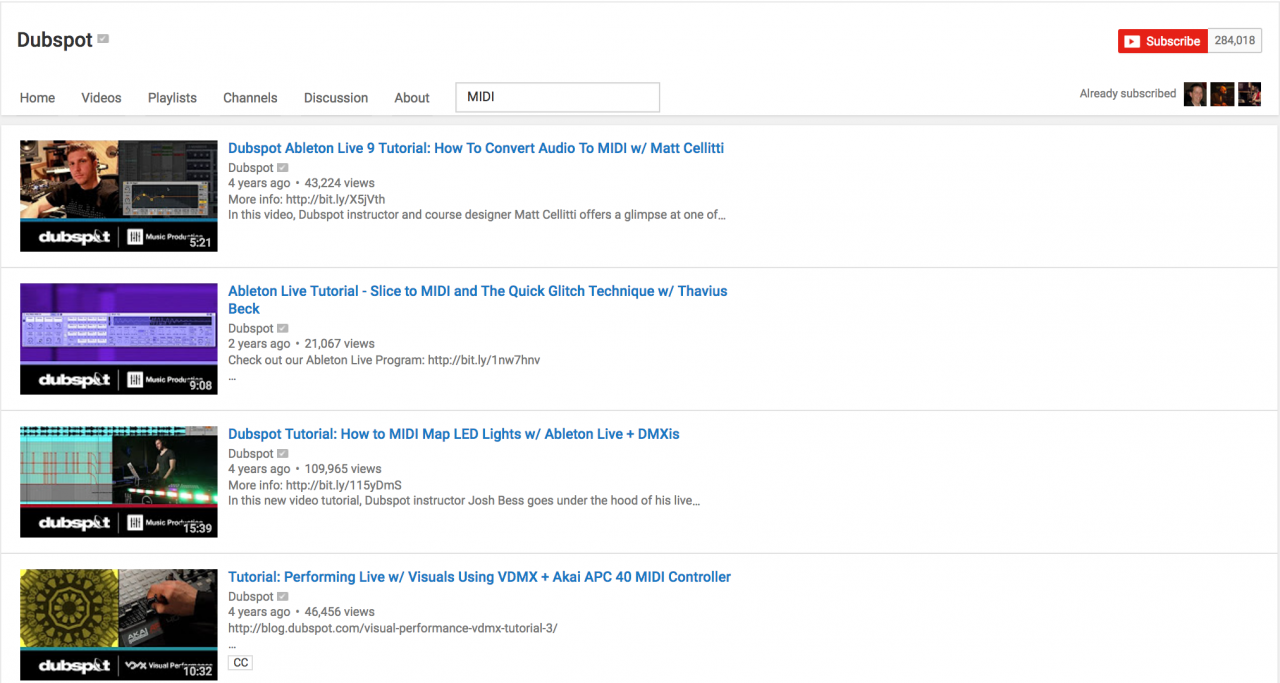
Like Berklee, DubSpot has tons of Youtube videos you can view at no charge.  


The MISSION of TI:ME
The mission of TI:ME is to assist music educators in applying technology to improve teaching and learning in music. The initial goals stated in 1995 were:

  • To codify music technology into a cohesive set of standards.
  • To develop a certification process to recognize the achievement of in-service music teachers in music technology.
  • To develop an organization, national in scope and focused on the subject of teacher training in music technology.

A music studio filled with mixing consoles, synthesizers, and audio equipment. Two large racks of colorful modular synthesizers are lit up, surrounded by monitors, keyboards, and sound panels in a dim, bluish light.

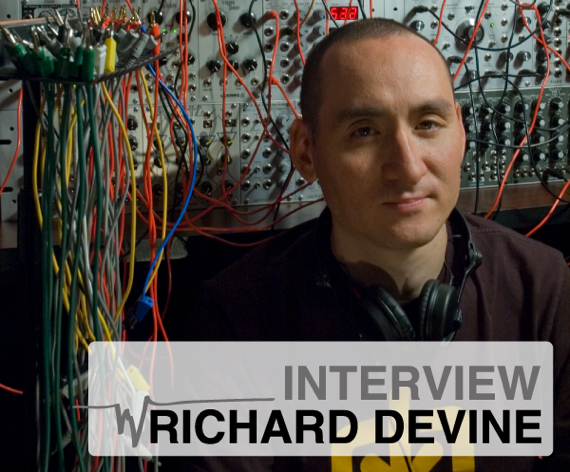
MIDI Artist Interview with Richard Devine and Michael Loh

TMA:

When were you first introduced to MIDI?

Richard Devine:

It was during high school when I was about 16 years old so maybe 1991. I had started buying a bunch of analog and digital keyboards at second hand shops. I had Jupiter 6 (one of the two first instruments to have MIDI), a Roland TR909, and I noticed that it had these jacks on the back- MIDI In and Out,

I started researching ways to connect things together. I initially started out with CV/gate connections on my Arp-2600. I began experimenting with CV and controlling the Arp-2600 with the Arp sequencer. Learning the basics about sequencing. Shortly after this I was decided to integrate MIDI into my workflow, and began researching how build my setup around a MIDI sequencer. I got a computer, and also bought two Alesis MMT8 midi sequencers. I spent several months learning this setup, and discovered that MIDI was going to play a big role in my musical productions.

At that time there wasn’t a big Internet presence. So I would read magazines like Future Music and Electronic Musician and they used cover a lot of midi setups of artists that I was heavily following at the time. I learned a lot about how to work with bigger MIDI setups, and soon after this bought my first MIDI interface by MIDIman. 

TMA:

You mentioned CV and Gate, it is amazing that there was never a standard for such a simple interface protocol, There were two ways to do it and they both still exist. How important is it to you that MIDI products from 20 years still work with your newer gear?

Richard Devine:

For my work in particular it’s extremely important, I need access to both old and new technology at the drop of a hat. I never know what the client will ask for. I do a lot editing with piano roll editor, and MIDI CC automation. Almost every job that I have worked on has used MIDI extensively, in controlling Virtual Instruments or hardware units in the studio. It’s become the central communication system to all my instruments.

I don’t know what I’d do if it went away. Without MIDI I’d be totally screwed. 

by Richard Devine

Sometimes I have to turn in stuff within an hour. I’m working with Google on a pretty hefty virtual reality project and the turn around times and deadlines are incredibly tight and hectic. So in designing my studio I have two setups, the mixing area and editing station. Both areas are completely MIDI’ed together and ready to go. Everything is always armed and ready to record.

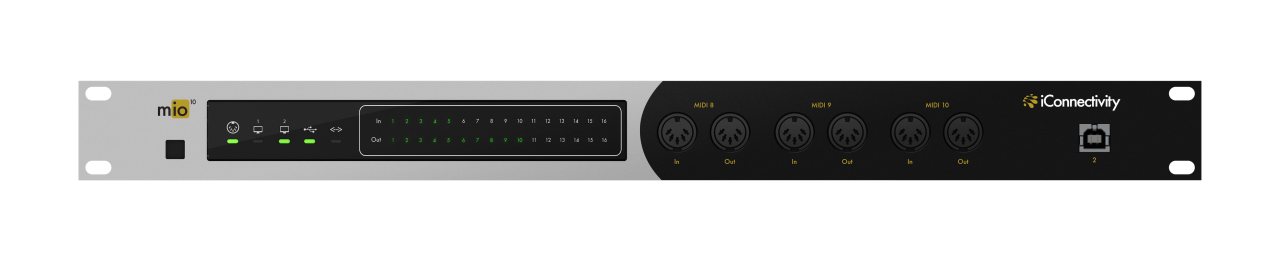
I’m really excited because after this Google project is finished I am going to rewire the entire studio and use the new iConnectivity MIO10 systems. I have Cat5 wiring on both the rear and back walls of my studio. I use them now for connectivity to my digital console and to my personal cloud storage work drives. I am going to make the leap to network MIDI, and use the Ethernet connections on my Mac Pro and Macbook Pro. The goal is to have either computer be the controller of all my MIDI devices. With the built in software I can map out different port configurations/filtering very quickly and also store and recall presets. I thank god a company like iConnectivity has stayed up with the latest trends in technology. I haven’t found any other company that is currently addressing MIDI interface design with more modern computers and hardware. 

It’s great time to making music with MIDI now.

by Richard Devine

Article Update

Our Friends at Synthtopia let us know that Richard created a free sample library  based on samples of the Mysterious Ringing Rocks of Montana.

The Ringing Rocks are a unique geological formation that features rocks that ring musically, when taped with a hammer. They are natural lithophones – instruments that are struck.

TMA:

What was motivation for starting iConnectivity.

Michael Loh Founder and CTO at iConnectivity:

A little over 7 years, when we started we were going to be gas and oil services company. The original idea was allow people to use a iPhone to take data from oil fields. We pivoted and thought about products and product that would connect to an iPhone. One of the people in the company was a professional musician. So we decided would be a good place to start because MIDI is from an engineering point of view it’s pretty simple. We ended up having a distribution channel and manufacturing in the music channel so we decided to stay. It’s been a constant evolution of building our brand. Last year at NAMM was the first time that we really started to have brand recognition where people would come to our booth at NAMM and say “hey, we know you and you can solve our problems.”

We think the new MIO series is really the culmination of our goal of developing the most sophisticated MIDI devices on the planet. 

We sent Richard two MIO10s because you can connect two MIO10s together and control all the mapping and filtering for both.

All our products have our core MIDI Data management system. One of the advantages of that system is we can send System Exclusive messages to change all the channel and port mappings and filtering. It’s amazing because we use MIDI to control the MIDI managment in our devices so our products are completely MIDI centric.

Another advantage is how efficient MIDI is. In our MIDI management system we process everything within 200 nanoseconds. 

Check out this video about using the iOS app iMIDIPatchbay with iConnectivity devices.  It’s got lots of great tips about MIDI routing.


...

iConnectivity mio Series USB/MIDI Interfaces Overview by Sweetwater – YouTube

Michael Loh from iConnectivity gives a brief overview of the mio series of USB/MIDI interfaces. Not only can you connect multiple computers to mio interfaces…

A close-up of a DJ’s hand adjusting controls on a mixing console, illuminated by vibrant purple and pink lights, creating a dynamic and energetic atmosphere.

Winter NAMM 2016 MIDI Minutes

If you had a minute to tell us what MIDI means to you, what would you say?

At the Winter NAMM show 2016, we wanted to capture what people felt about MIDI.  Thanks to Lawrence and Mick Levine we were able to capture people’s instant reaction to the question- What does MIDI mean to you?  It is amazing how articulate and passionate people are about MIDI.  Check out some random people at NAMM talking about MIDI.  Make sure to check out former Keyboard editor Stephen Fortner in MIDI Minute 3!