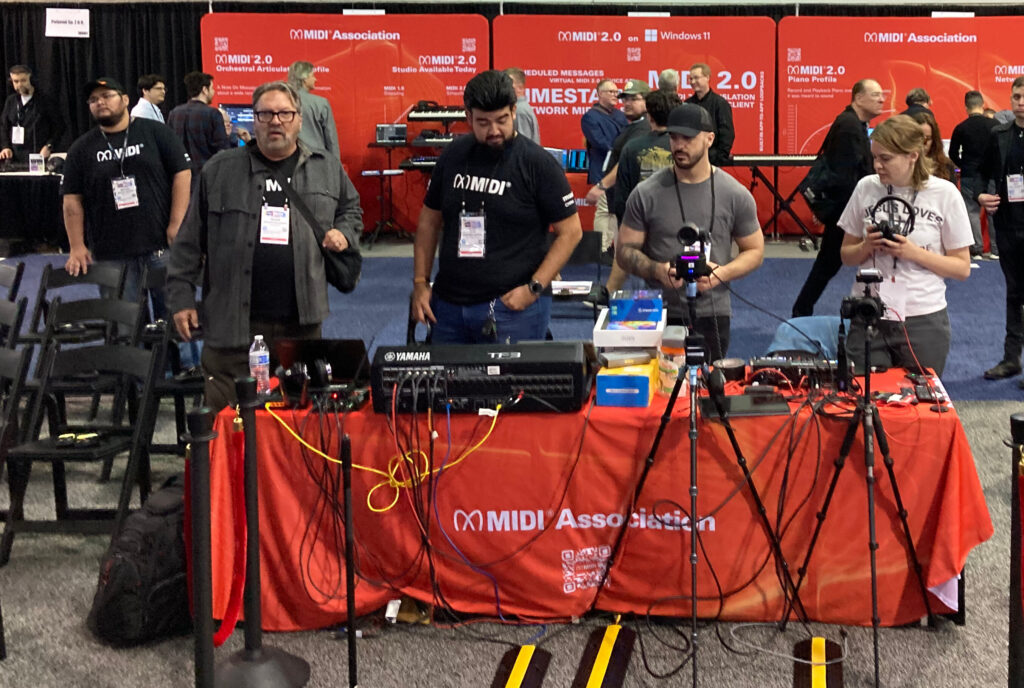
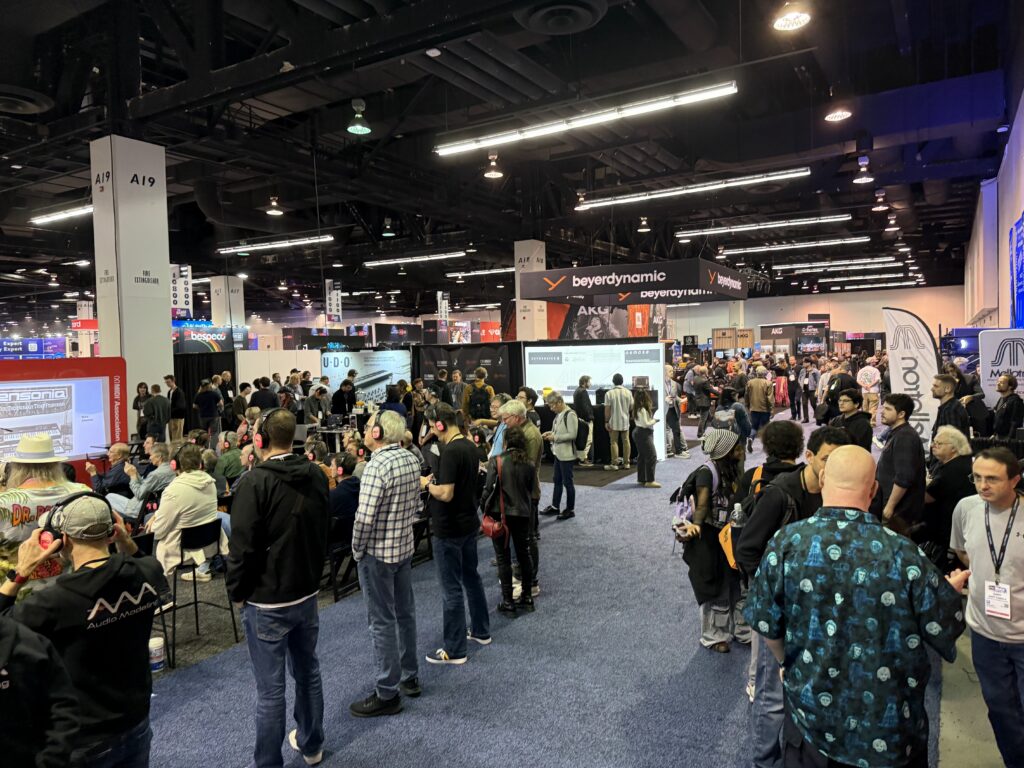
As usual, NAMM 2026 was a blur of activity at The MIDI Association booth.
We hosted 21 events over three days at our booth and participated in many Tec Tracks and A3E sessions as well.
We know this article has a LOT of information in it. But take your time and read through everything. Maybe bookmark it and come back to it a couple of times.
Finally much of the best stuff is at the very end so make sure you see the details of our MIDI In Music Education and Music Accessibility initiatives.
We recorded audio and video or all our sessions and over the course of the next two weeks will be doing articles on each of the events we hosted and participated in.
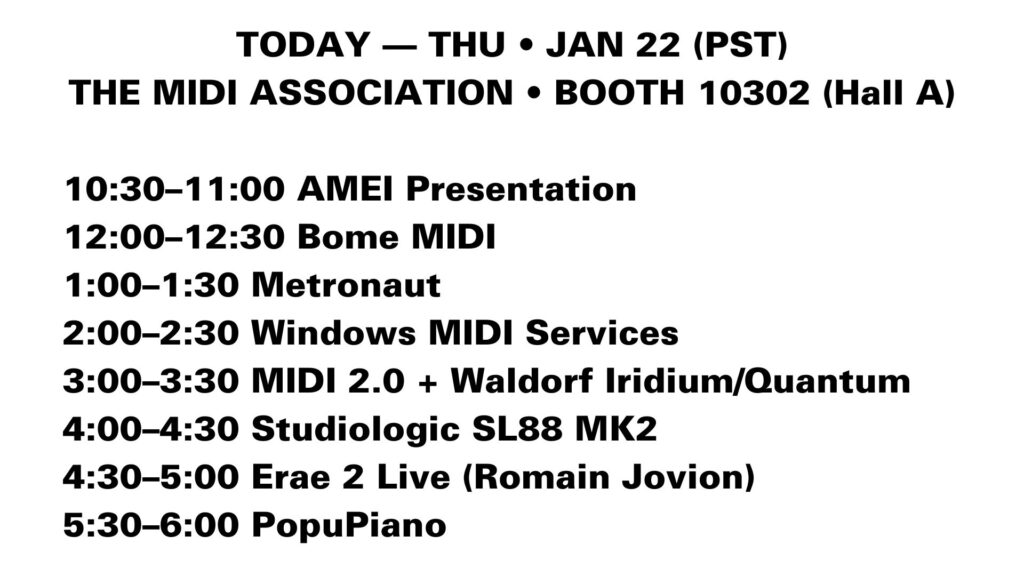
The MIDI Association Thursday Booth Schedule
Day 1 – MIDI 2.0 Product Day
The first day was focused on MIDI 2.0 products in the market.
The day started with a presentation by Takayuki Tomisawa from Roland, Chair of AMEI’s MIDI 2.0 working group who explained their long cooperative relationship with the MIDI Association.
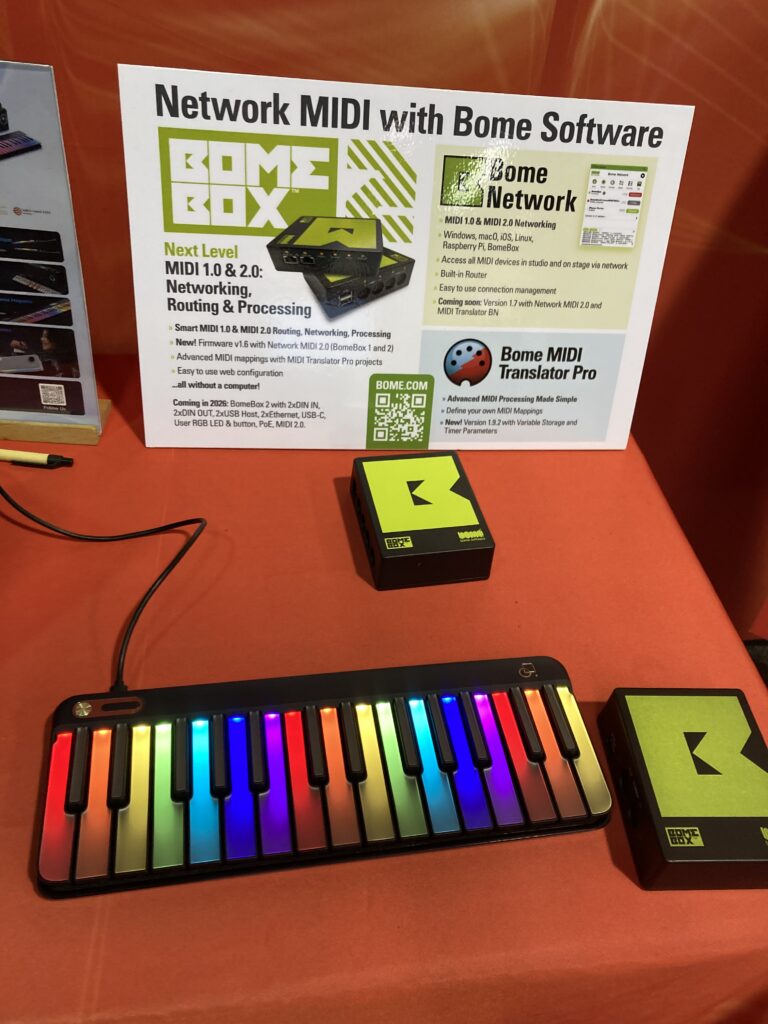
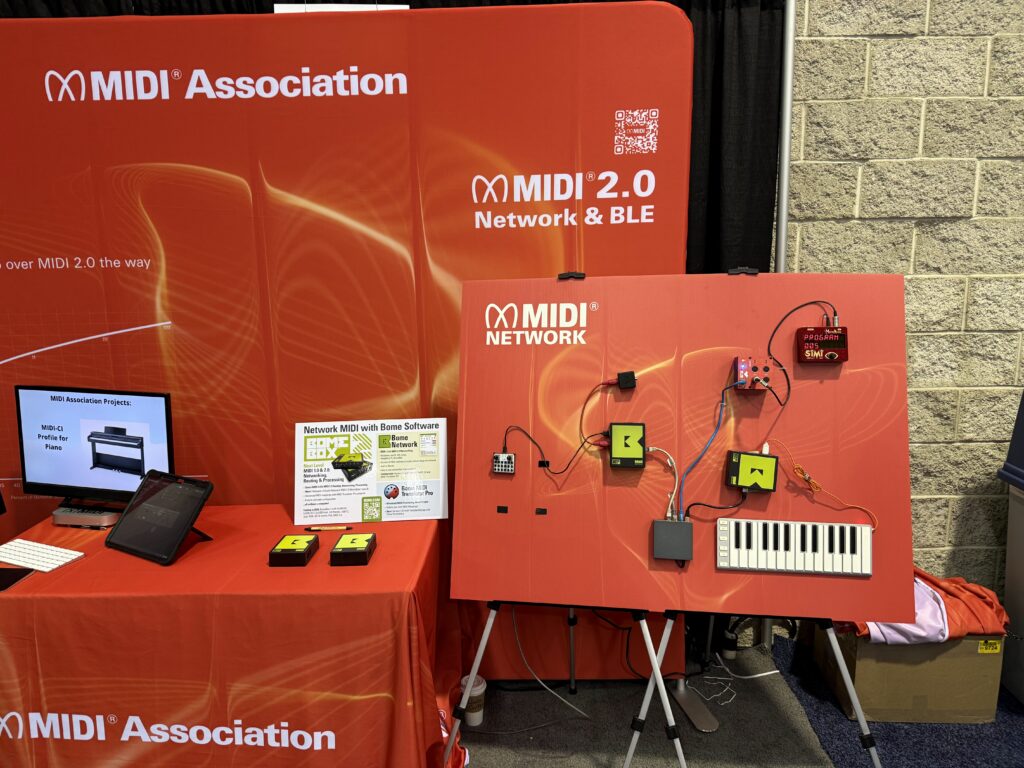
Florian Bomers introduced the Bome MIDI products—Bome MIDI Translator Pro, Bome Network, and the BomeBox—and demonstrated how they can be used individually or together to enable advanced MIDI routing, processing, and control. Using real-world examples, he showed practical solutions before highlighting what’s new and offering an exclusive look at what’s coming in 2026.
One of our newest members is Metronaut which is headed up by Arshia Cont.
Metronaut is a unique AI-Powered mobile App for amateur musicians! Metronaut allows musicians to Practice and learn thousands of masterpieces while getting feedback and being accompanied by high-quality backing tracks that adapts to them as they practice.
Chosen by Apple as Editor’s Choice for two consecutive years, Metronaut is empowering hundreds of thousands musicians worldwide in 21 languages by helping them to enjoy practicing music.
Arshia Cont is the CEO and Co-founder of the Music Tech Startup Antescofo, behind the mobile Application Metronaut. After completing a PhD in Computer Music in UC San Diego, he served as research scientist between 2008 and 2016 at IRCAM, a center dedicated to fostering music technology and artistic creativity; and head of the MuTant research team at INRIA. In the same period, he acted as the director of Research/Creativity Interfaces in the institute where he founded the Ircam Musical Research Residency program and pushed Ircam Forum to the social network era.
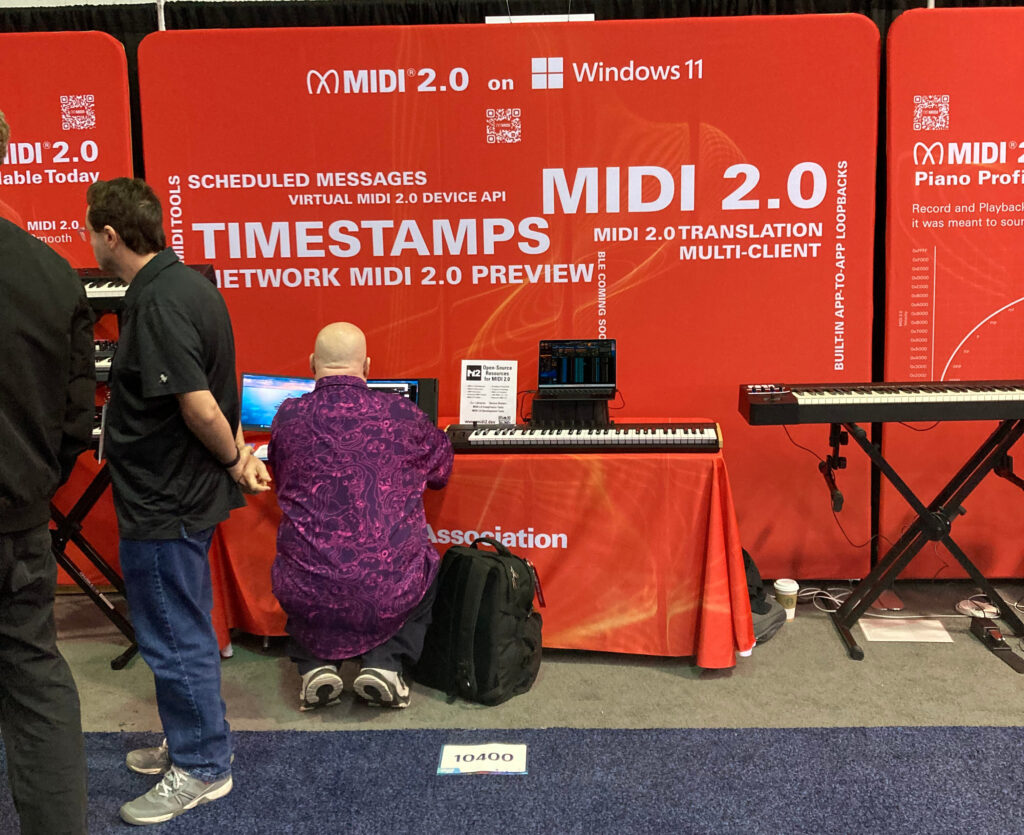
One of the most important announcements about MIDI 2.0 came from Microsoft. We found an excellent article from the European Motion Picture Association.
At NAMM 2026, Microsoft made waves by highlighting a major step forward in music technology: its ongoing Windows MIDI Services initiative — a full-stack integration of MIDI 2.0 support and next-generation MIDI tools into Windows 11.
This represents the most significant update to MIDI on Windows in decades and promises a huge leap for musicians, producers, and developers working in electronic music and digital audio production.
What’s New in Windows MIDI Services
Built-In MIDI 2.0 Support Microsoft has introduced the Windows MIDI Services stack with full support for the MIDI 2.0 standard — offering higher-resolution data messages, bi-directional communication, improved timing, and richer control over musical parameters compared with the decades-old MIDI 1.0 protocol.
Universal USB MIDI 2.0 Class Driver Thanks to a collaboration with AMEI (Association of Musical Electronics Industry) and contributions from partners like AmeNote, the new USB MIDI 2.0 class driver enables both MIDI 2.0 devices and compatible MIDI 1.0 devices to communicate efficiently with Windows applications.
Multi-Client & App Interoperability Windows MIDI Services brings multi-client MIDI support, meaning multiple applications can share access to MIDI endpoints simultaneously — a big improvement for workflows involving DAWs, controllers, and monitoring tools.
Developer Tools & SDK Accompanying the core stack is a Windows MIDI Services App SDK and set of tools that make it easier for developers to build next-generation music apps and utilities with enhanced MIDI features. These include utilities for diagnostics, loopback creation, port management, and more.
Why This Matters to Musicians For the first time, Windows users gain an integrated platform that fully embraces the potential of MIDI 2.0, a standard designed to unlock higher expressiveness, finer control resolution, and modern two-way communication between instruments and software.
While initially available via Windows Insider previews and SDK releases, this technology points toward broader availability throughout 2026 as Microsoft rolls out support into production Windows 11 updates.
Whether you’re using advanced controllers, cutting-edge synths, or complex DAW setups, the new Windows MIDI Services stack promises more reliable timing, better device interoperability, and richer creative potential for electronic musicians and producers everywhere.
Learn more about Windows MIDI Services and the MIDI SDK tools on Microsoft’s official GitHub and documentation pages.
European Motion Picture Association
Here is a bit more detail from MIDI Association Exec Board Chair and Microsoft lead MIDI developer, Pete Brown.
As announced at the NAMM Show, assuming all proceeds as planned, Windows MIDI Services will start rolling out at the end of this week to retail supported Windows 11 builds (24h2, 25h2). This will be installed as a KB update, through Windows Update. If you do not have Windows Update enabled (LTS etc.) you likely will not get the new feature.
Pete Brown
Microsoft
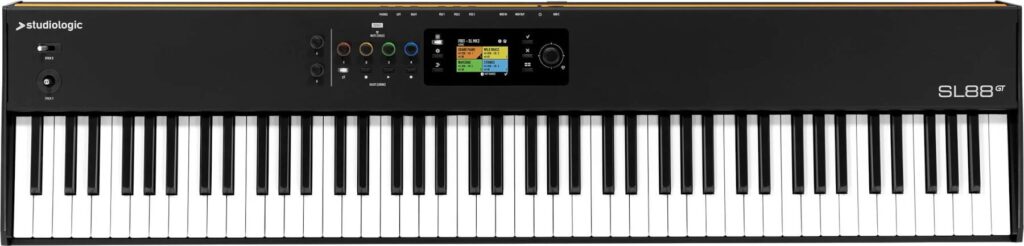
StudioLogic SL88 MK2
There are now a number of MIDI controllers on the market that support MIDI 2.0 hi resolution controllers including the StudioLogic SL88 MK2.
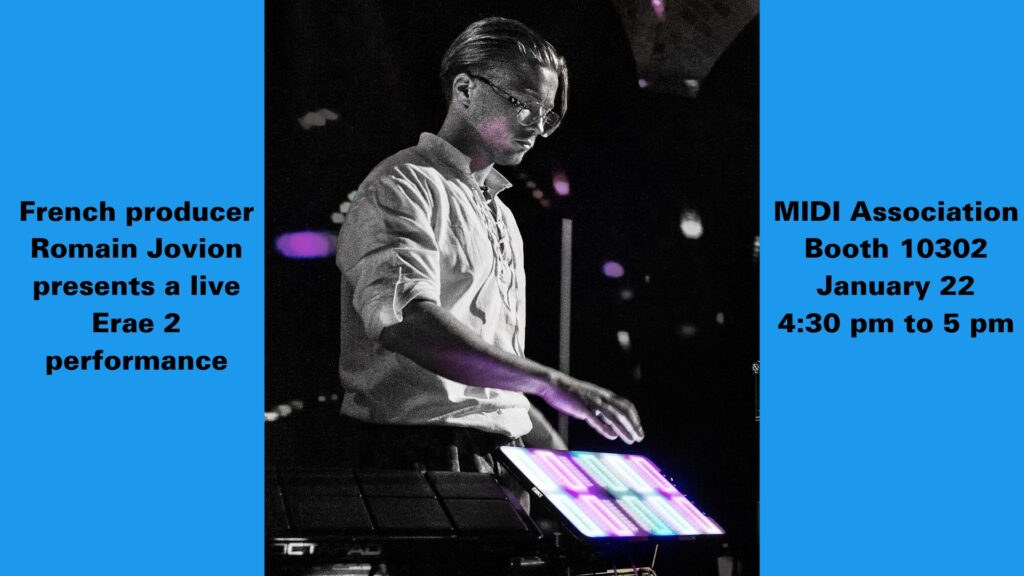
At the end of every day we featured performances showing off MIDI 2.0 in action.
This performance featured French Producer Romain Jovian performing on the Erae Touch.
The multitrack recordings of the performances are currently being mixed and synced with the multi camera video feeds controlled by a Roland video switcher.
We are planning on having all the performance up in the next two weeks.
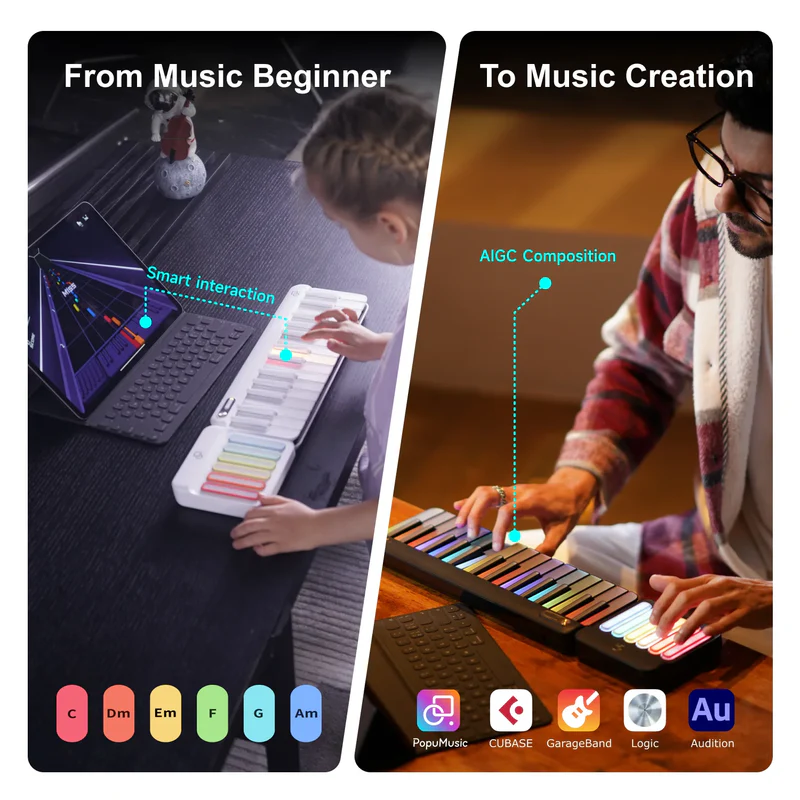
PopuPiano and Party Speaker
New MIDI Association member Popumusic presented their products. On top of doing a presentation, the folks from Popumusic also loaned us lighted keyboards and party speakers for our network display.
The MIDI Association Friday Booth Schedule
Friday focused on MIDI 2.0 specifications and at the end of the day performances from young artists from Smoothloop.
New MIDI 2.0 Transports-BLE, Web MIDI and Transport Remote Management
Members of the Transport working group highlighted the latest progress on MIDI 2.0 transports for Bluetooth, Web MIDI and updates to the Network spec to add remote management capabilities.
SMF2 Container Format
The MIDI Project Container File format is intended to deliver multiple tracks of MIDI data and other media. The set of tracks and media used in the file are enumerated and arranged in a Manifest file in XML format. Media types supported include: ● MIDI Clip Files (for MIDI 1.0 and MIDI 2.0) ● Musical Notation (MusicXML or PDF ) ● Audio Files ● Video Files ● Lyrics: may be in MIDI Clip Files and/or in Musical Notation files. ● Metadata – XML and MIDI Message
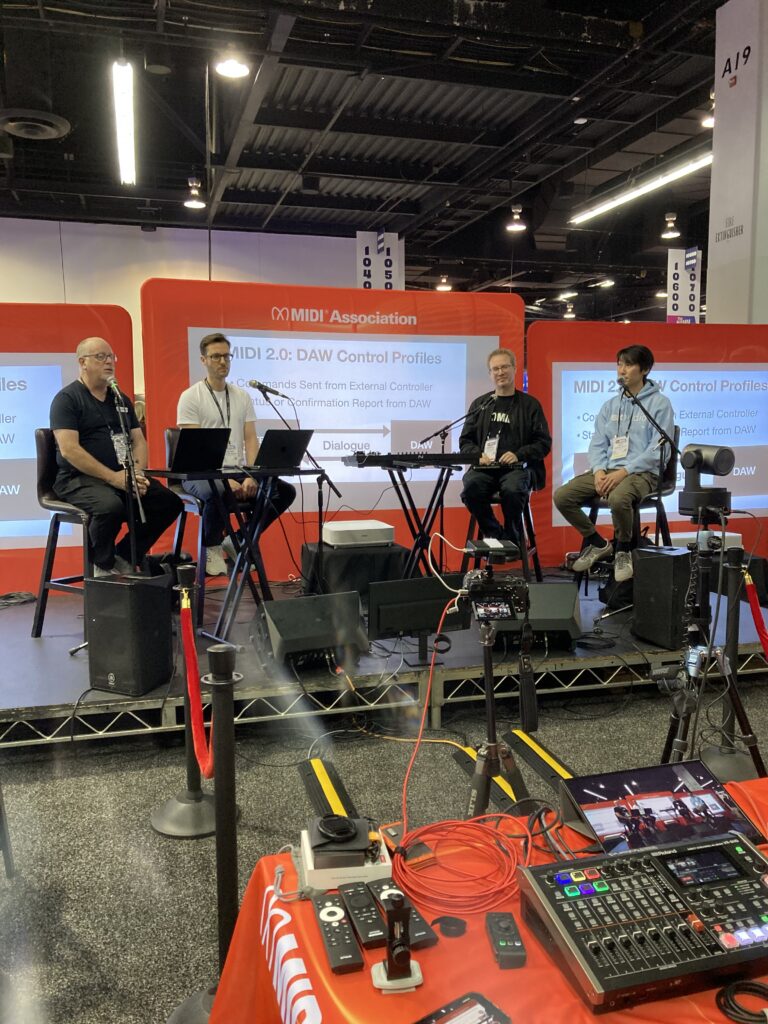
DAW Control Profiles
The MIDI Association is working on a modular set of MIDI 2.0 DAW Control Profiles intended to eventually replace Mackie Control with a unified industry standard for all hardware and software.
MIDI 2.0 WG Chair Mike Kent from Amenote, Jochen Troppe from Steinberg and TSB Chair Andrew Mee
The modular approach was taken because of the wide variety of capabilities of DAW controllers from simple start, stop and record buttons to elaborate devices with multiple displays.
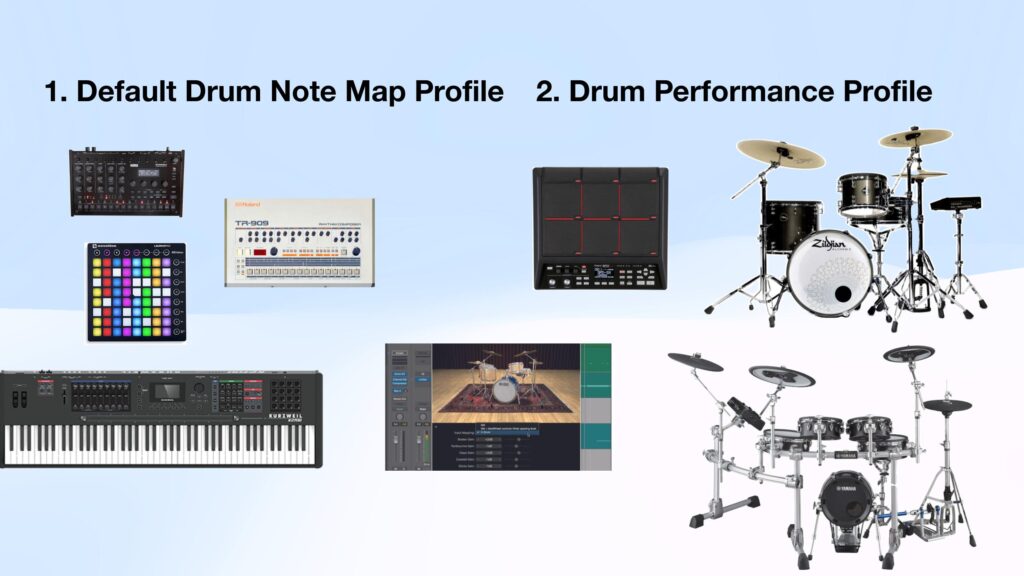
Drum Profiles Update
The MIDI Association has worked on two Drum Profiles in 2025.
The Default Drum Note Map Profile specifies 62 Drum/Percussion Sounds mapped to Specified Note Numbers.
This is the common GM based mapping in many Drum Machines and Synthesizers since the 1980s.
This Profile was adopted in the fall of 2025.
The Drum Performance Profile is focused on the more advanced features available in electronic drums kits which have positional sensing for cymbals and drums and complex hihat configurations.
The Drum Performance Profile design is complete and it should be approved in Q1 of 2026.
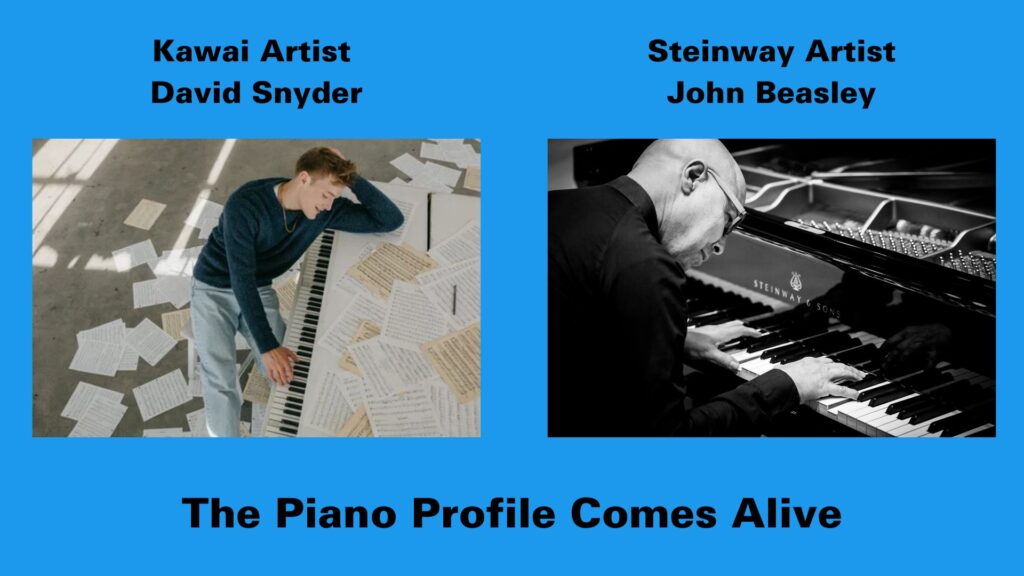
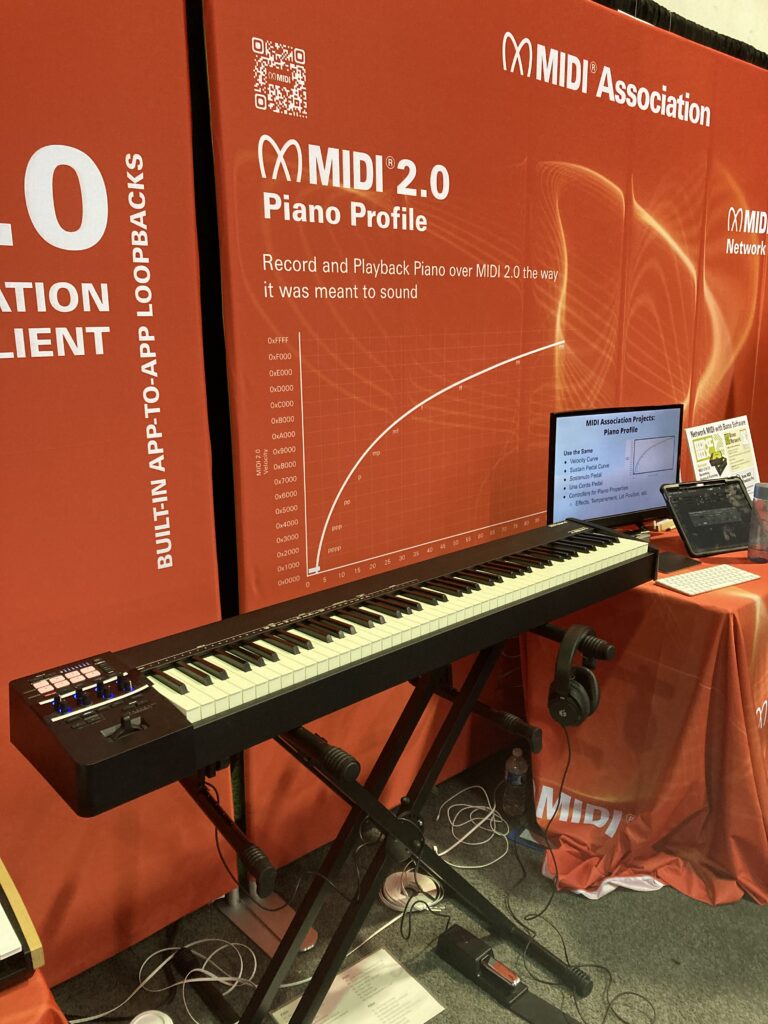
Just before the 2026 NAMM show, The MIDI Association and AMEi passed the Piano Profile specification.
The Piano Profile standardizes the velocity and pedal curves and the registered controllers used to control a piano’s performance via MIDI.
The model is based on the acoustic piano which is why it was important to have Kawai, Steinway and Yamaha involved in the project.
Kawai Artist David Snyder and Steinway Artist John Beasley performed on a Roland A88 MKII and Synthogy Ivory software that supports the Piano Profile.
During the show, both Roland and Synthogy released updates for support of the Piano Profile.
A88 MKII with Registered Controllers for Volume, Dynamic Range, Curve Offset, Lid Position, Hammer Hardness, Thump Noise, Sound Board Resonance, and String Resonance.
Again we will be posting the performances on the Roland A88 MKII and Synthogy Ivory by David Snyder, John Beasley, Lachi and Ellis Hall when the multitrack recordings have been mixed.
Orchestral Articulation Demo
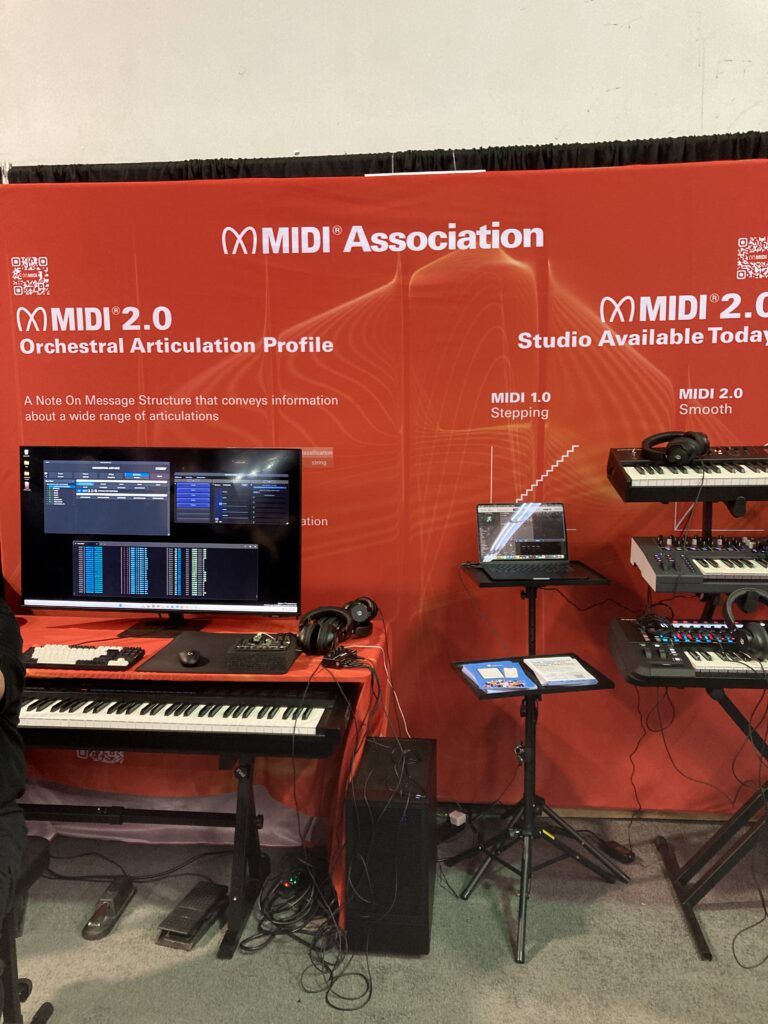
The MIDI Association showed a working demo of the Orchestral Articulation Profile at NAMM 2026.
This profile will standardize the method for embedding articulations directly into the MIDI 2.0 Note On message.
Once implemented by plugin companies using the MIDI -CI helper library being developed by the 4 plugin format companies ( AU, AAX, CLAP and VST), this will provide composers a standardized way to handle orchestral articulations.
MIDI Association member Audio Impressions has developed a sample library that supports a wide range of different articulations and The MIDI Association helped create a hardware prototype that allows switching the articulations by MIDI 2.0 note attributes.
These performances will also be made available soon.
The MIDI Association Saturday Booth Schedule
2026 MIDI Association Lifetime Achievement Awards Ceremony
As you can see from the picture above, it was literally standing room only for 2026 MIDI Association Lifetime Achievement Awards. All 50 seats in the booth were filled and many people were standing in the aisles to see the presentation.
The MIDI Association honored pioneers whose work helped define MIDI, computer music, and modern music production.
• Chris Adam — Co-founder of C-Lab and Emagic, key architect behind Notator and Logic
• Roy Elkins — Connector of artists, technology, and community across the global music ecosystem
• Greg Hendershott — Founder of Cakewalk, who democratized MIDI sequencing on personal computers
• David Kusek — Founder of Passport Designs and pioneer of computer music and MIDI education
• Gerhard Lengeling — Co-founder of C-Lab and Emagic, creator of Logic and architect of modern DAWs
• Dave Oppenheim — Co-founder of Opcode Systems and pioneer of MIDI sequencing and DAW workflows
• Charlie Steinberg — Founder of Steinberg, visionary behind modern MIDI sequencing and virtual studios
• Emile “Dr. T” Tobenfeld — Algorithmic music innovator who expanded MIDI’s creative boundaries
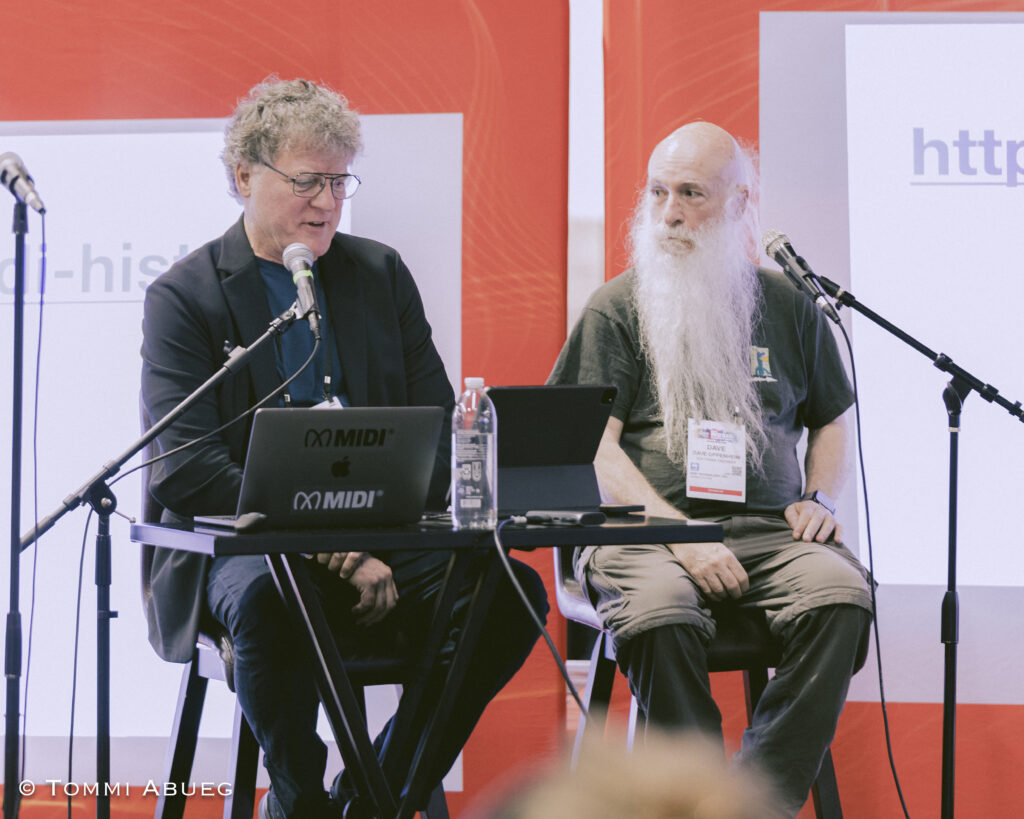
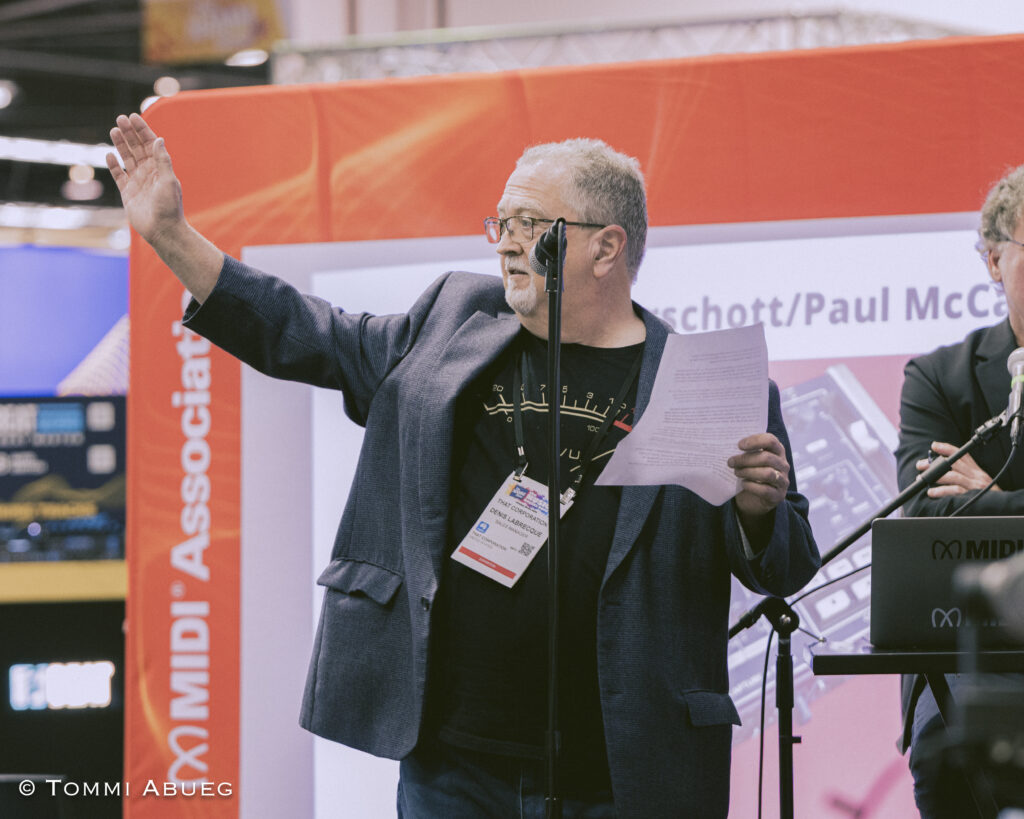
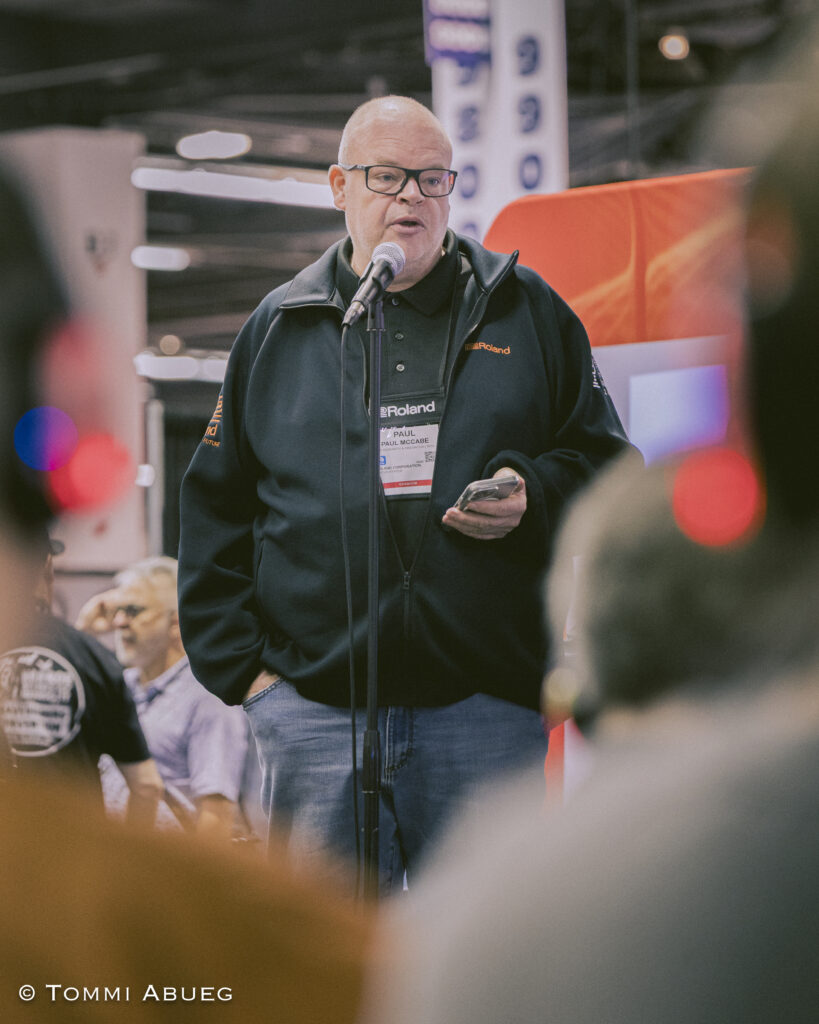
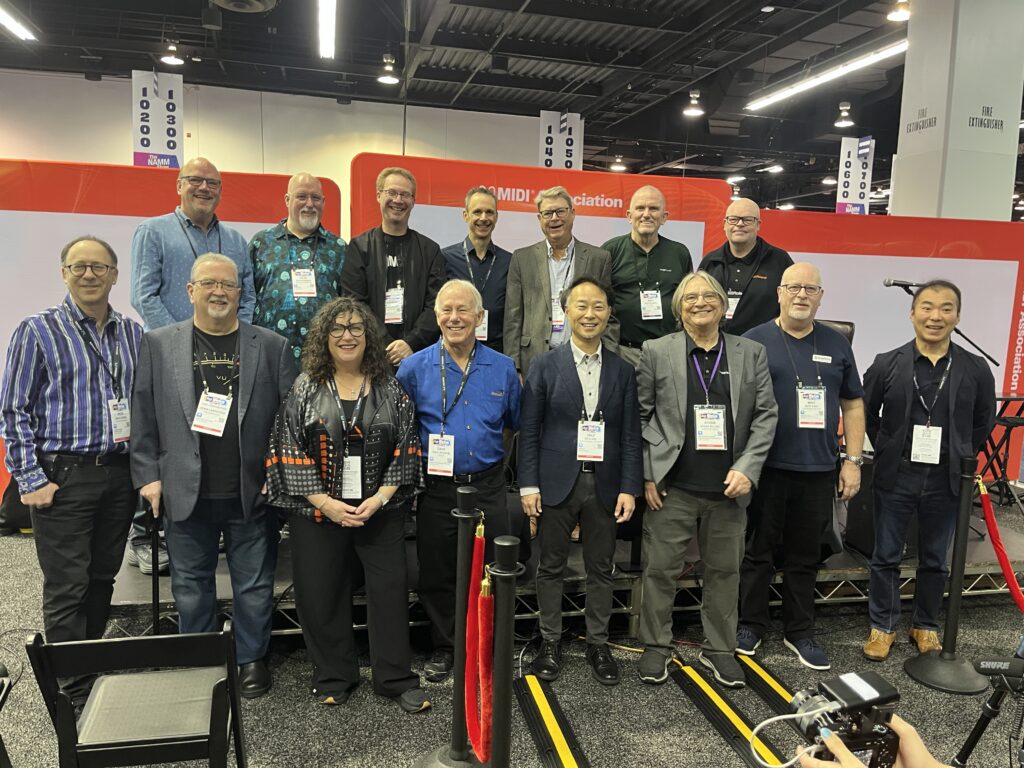
Chris Halaby, panel moderator and David Oppenheim – together they founded Opcode Systems and launched Vision, one of the first DAWs to include audio. Gerhard Lengling and Chris Adam who were the developers behind C-Lab and EMagic. Denis Labreque (former MIDI Association Exec Board member) accepting for David KusekClyde Sendke, managing director of Steinberg accepting on behalf of Charlie SteinbergPaul McCabe from Roland accept on behalf of Greg Hendershott from CakewalkClyde Sendke from Steinberg (accepting on behalf of Charlie Steinberg), Gerhard Lengling and Chris Adams from EMagic, Roy Elkins from Ensoniq, Sonic Foundry and Broadjam an d Dave Oppenheim from Opcode Vision.Gathering of MIDI Association Lifetime Achievement Award winners and TSB and Exec Board members
If you would like to read about the Lifetime Achievement Award winners, there are articles for every Lifetime Achievement Award winner here.
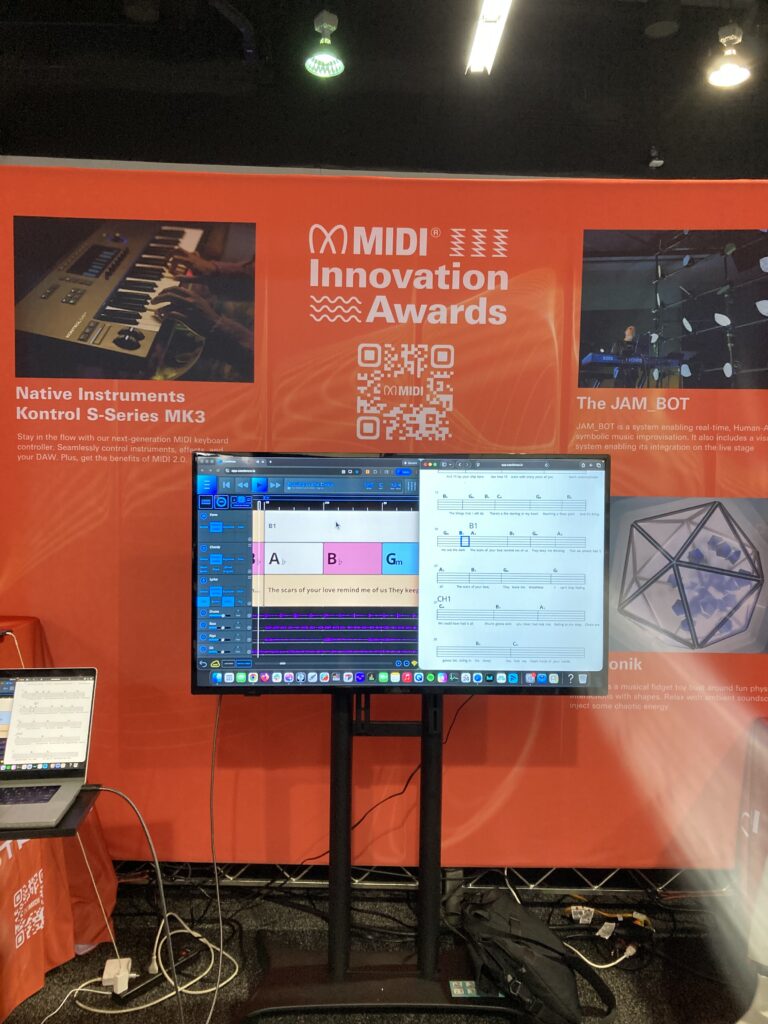
We had a display of MIDI Innovation Awards all three days of the show.
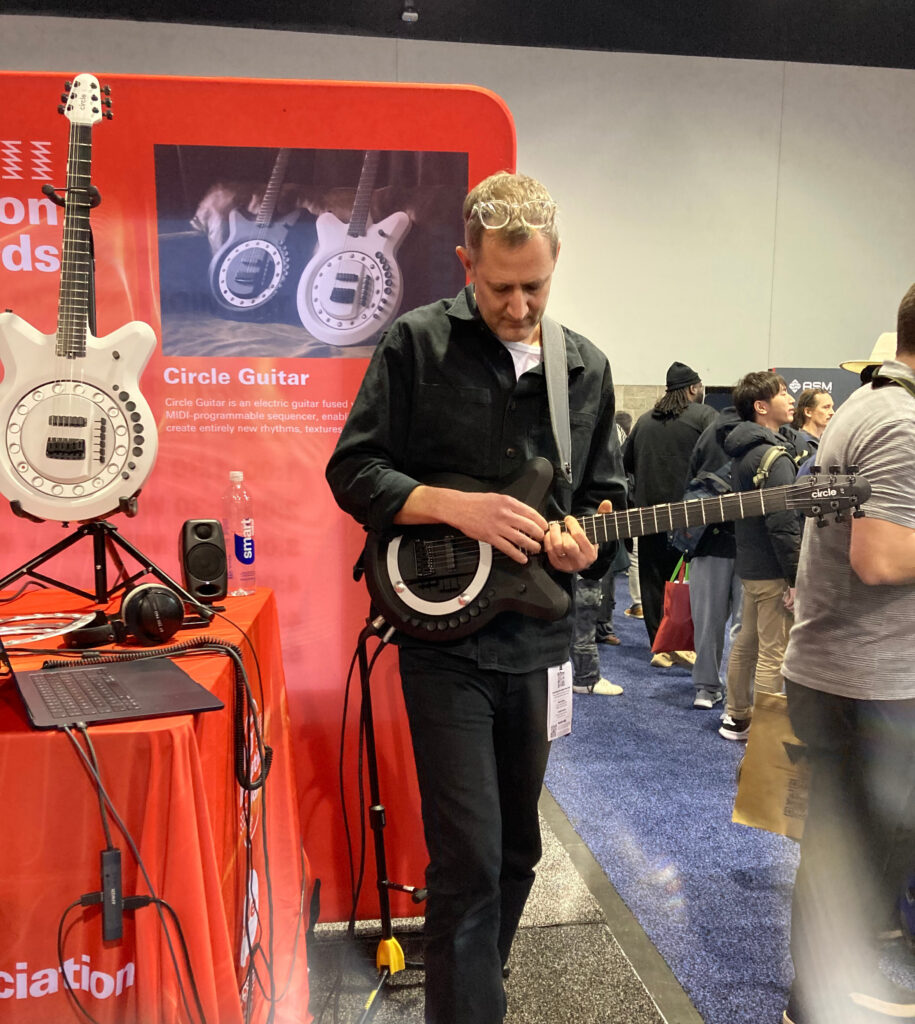
Then Jean Baptiste Thiebaut from Music Hackspace held a panel with MIDI Innovation Award Judge Lucas Cantor Santiago, 2026 MIDI Innovation Award winners Anthony Dickens from Circle Instruments and Mike Venter from Azoteq talked about their experiences with The MIDI Innovation Awards.
Innovators Meetup with Rock Paper Scissors
Our friends from Rock, Paper Scissors held an Innovators Meetup where a whole group of people got to network and share their ideas on Innovation.
Karrie Keyes, long time monitor engineer for Pearl Jam hosted a panel on Sound Girls.
SoundGirls was established to provide women working in professional audio a community to come to for support and advice, and for empowerment and inspiration.
MIDI In Music Education
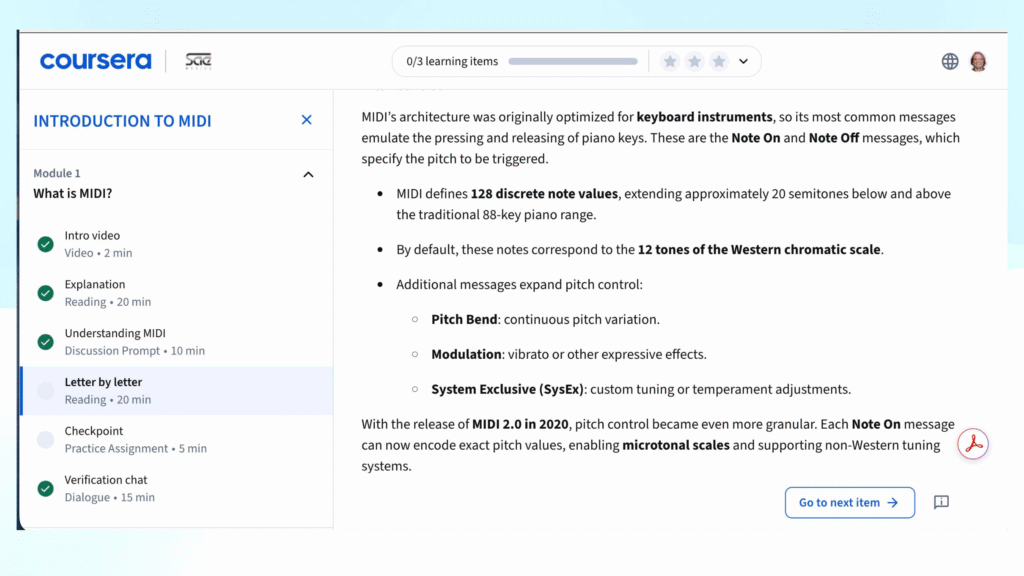
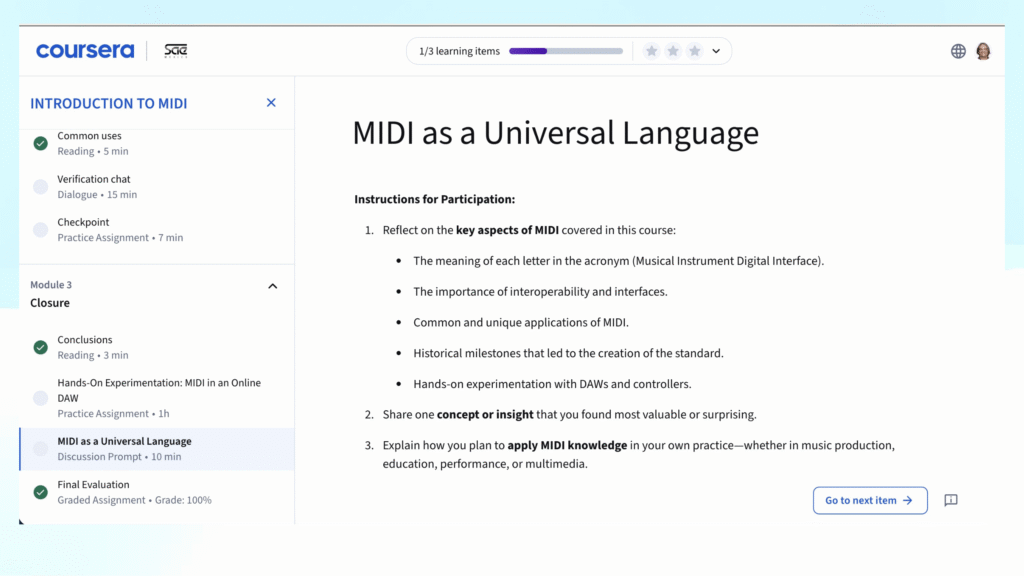
One of our major initiatives this year is the MIDI In Music Education curriculum that we are developing with SAE Mexico.
Our goal is to raise awareness about MIDI in education at schools (secondary, college and university, and pro schools), MIDI Musical Instrument manufacturers and Dealers who sell MIDI products.
SAE Mexico, The NAMM MIDI Fund and The MIDI Association SAE Mexico has been selected to create a MIDI In Music Education curriculum in both English and Spanish by the MIDI Association.
SAE Mexico have a unique relationship with Coursera, the massive open online course provider so the curriculum and certification will be available at no charge.
All of the materials created for The MIDI In Music Education curriculum will also be provided under a Creative Common license.
This means that Universities, Schools, Dealers and digital musical instrument manufacturers can include portions of the MIDI Association materials without any concerns about copyrights or licenses by just a simple Creative Commons attribution.
Again, we will be making the videos of the panel available soon.
We think everyone should be able to experience the joy of making music.
We brought together music accessibility experts from all over the world to meet regularly & discuss how to make digital musical instruments more accessible.
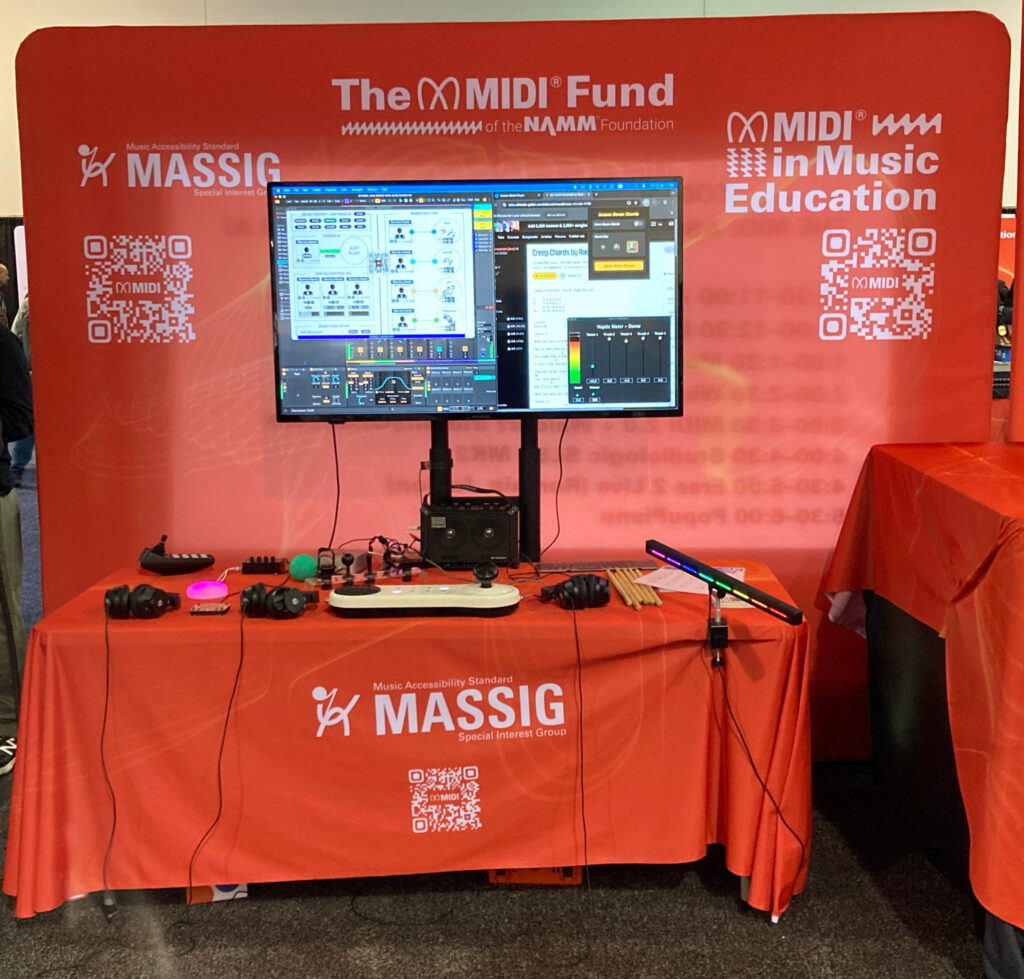
For all three days of the show, we hada MASSIG display that featured the Arcana Strum, Connect Through MIDI, Cosmos Dots, a MIDI Blaster and a Drum Beam. This is the same set up we took to Music China, Tokyo Gakki Fair and Music Tectonics.
Tobi Hunke from AbletonDrummer.com and Haim Kairy from Arcana Instruments
The MASSIG display was always busy and we also had a few well known guests.
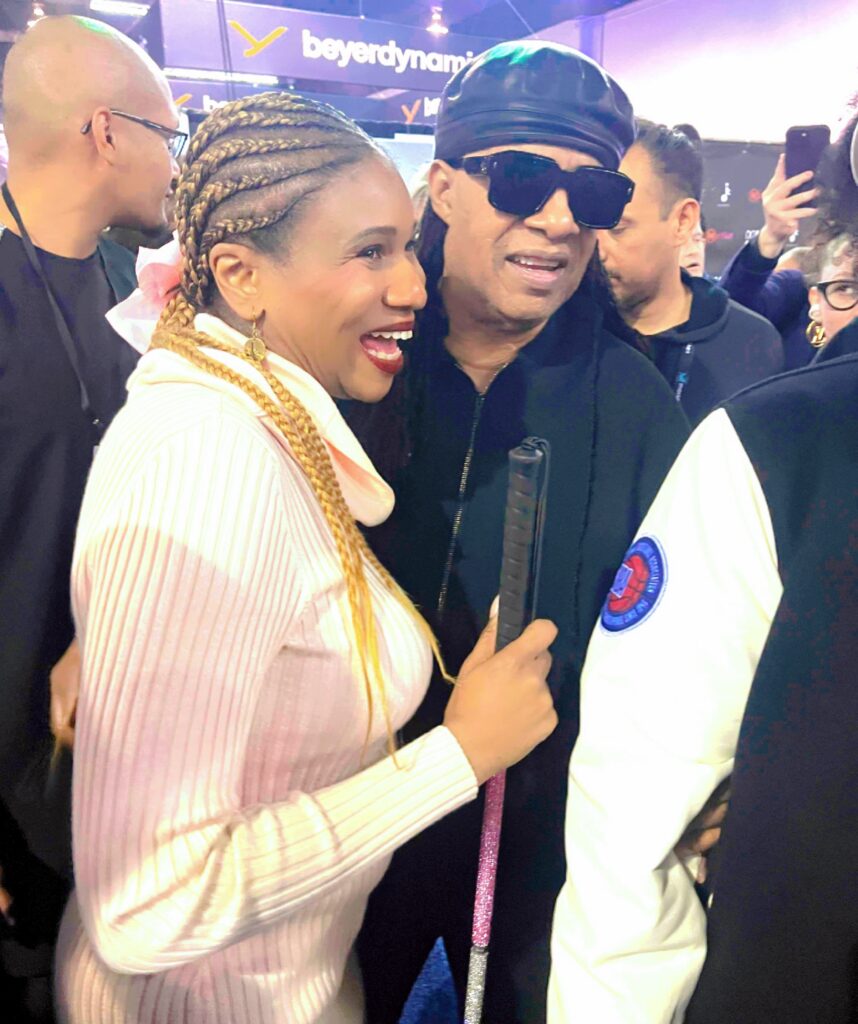
Lachi from RAMPD and Stevie Wonder at NAMM 2026
Athan Billias from the MIDI Association Executive Board, Tobi Hunke from Ableton Drummer and Connect through MIDI, Haim Kairy from Arcana Instruments, and Lachi from RAMPD held a panel discussion on the latest advances in Music Accessibility.
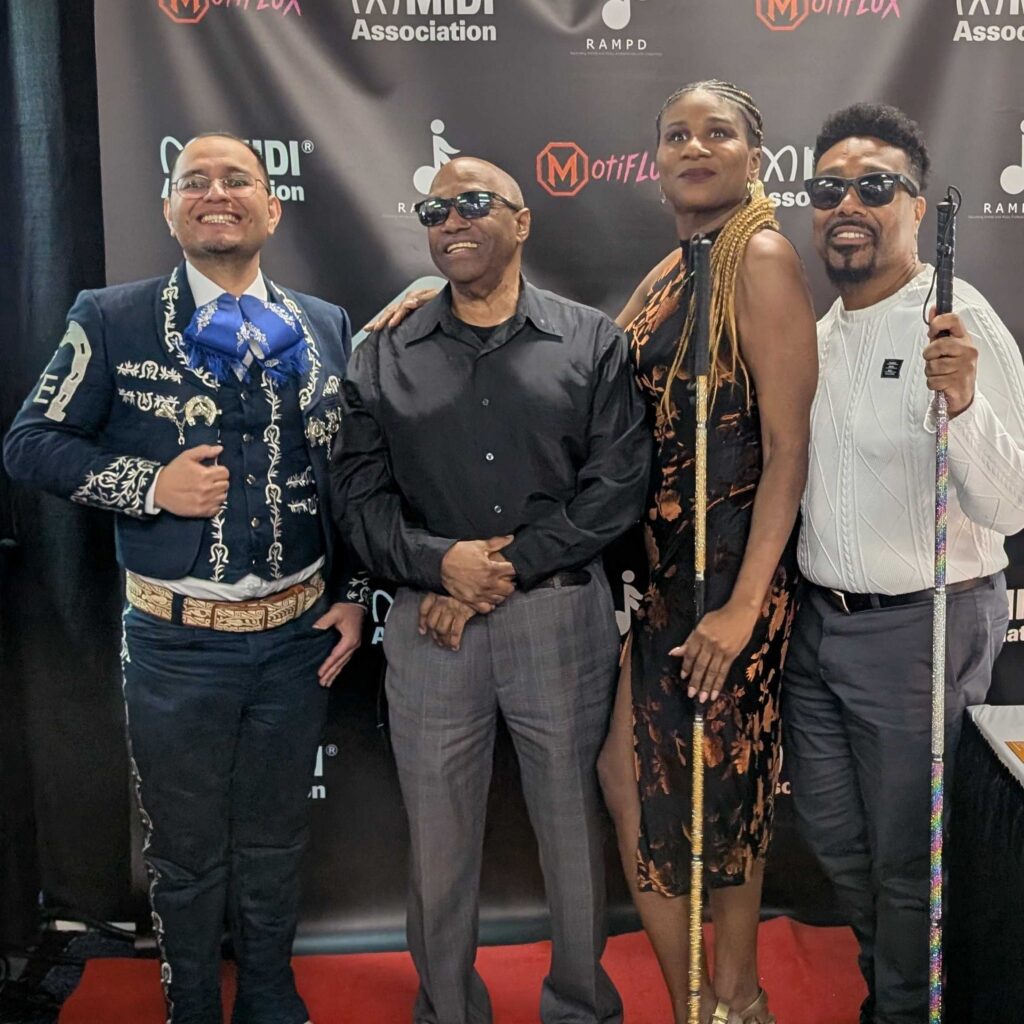
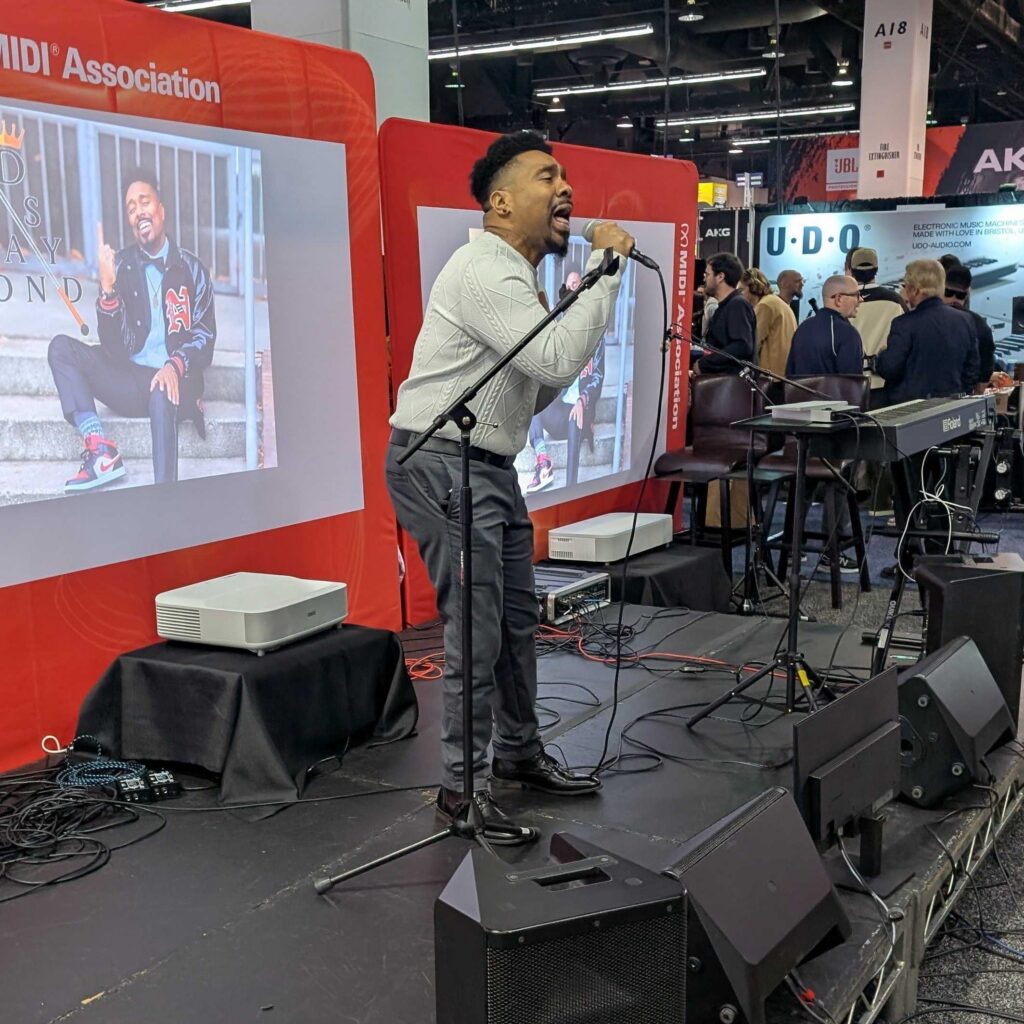
We closed the show with performances by RAMPD members and a finale with the Ambassador of Soul – Ellis Hall.
Deshaymond Solomon Deshaymond is a blind R&B artist, songwriter, producer, entrepreneur, and the visionary founder of Deshaymond Media LLC.
Ivan Estralla, is a Mariachi singer, concert producer, and cultural storyteller dedicated to preserving and sharing the rich traditions of Mexican music.
Indi Robinson is a groundbreaking deaf actress redefining the way music is experienced by blending American Sign Language with expressive artistry.
LACHI Award Winning Artist, CEO RAMPD Lachi is an award-winning recording artist, global renowned disability advocate, Recording Academy National Trustee, who’s produced a GRAMMY-Nominated album. Lachi is the Founder/CEO of the U.N.-recognized organization RAMPD.org—a consultancy group working with music industry giants on disability-inclusive solutions, as well as a global network of music creators and professionals with disabilities and neurodivergence.
Her 2023 peer-reviewed work on accessibility in the recording industry has been published by the Audio Engineering Society. Named a USA Today Woman of the Year and included in Forbes Accessibility 100 list, Lachi’s work amplifying access in the music industry has landed in Billboard, TIME Magazine, Good Morning America and the New York Times.
We can’t wait to share the amazing performances we witnessed during the show so stay tuned here for more details and updates coming in the days ahead.
The MIDI Association Booth on Monday, January 19, 2026
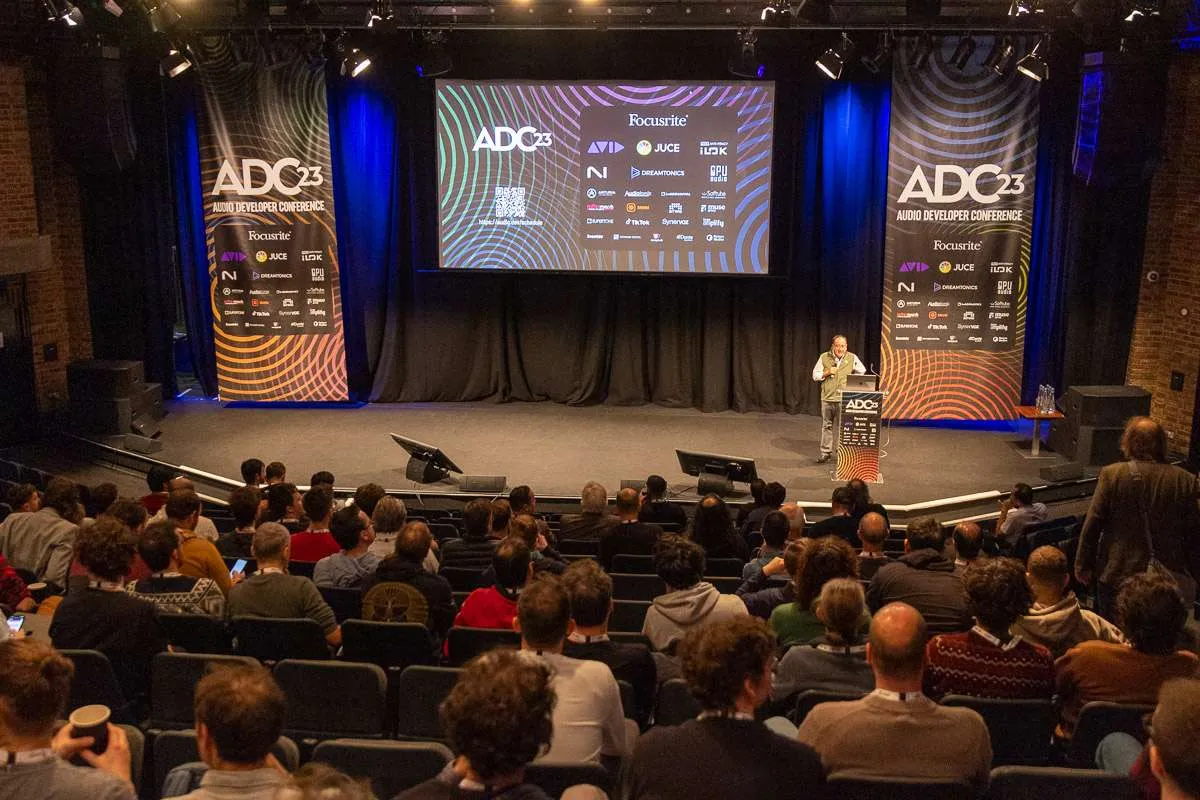
The 10th Audio Developer Conference (ADC) returns in 2024 both in-person and online in a new city, Bristol, UK.
The in-person and online hybrid conference will take place 11-13 November 2024.
Talks at ADC range from audio research, to professional practices, to standards in audio development, as well talks about application areas and career development. Experimental projects are welcome.
Topics include, but are not limited, to:
Digital Signal Processing
Audio synthesis and analysis
Music technology, DAWs, audio plug-ins
Game audio
3D and VR/AR audio
Creative coding
Other applications of audio programming (e.g. telecommunications, multimedia, medicine, biology)
Design and evaluation of audio software and hardware systems
Programming languages used for audio development (e.g. C++, Rust, Python)
Software development tools, techniques, and processes
Performance, optimisation, and parallelisation
Audio development on mobile platforms
Embedded, Linux, and bare metal audio programming
Low-latency and real-time programming
Best practices in audio programming
Testing and QA
Educational approaches and tools for audio and DSP programming
Planning and navigating a career as an audio developer
Other relevant topics likely to be of interest to the ADC audience
The MIDI Association and ADC
The MIDI Association is a community sponsor of Audio Developers Conference and several MIDI Association companies are paid sponsors of the event.
ADC is run by PACE Anti-Piracy Inc., an industry leader in the development of robust protection products, and flexible licensing management solutions. PACE acquired JUCE a few years ago.
JUCE is the most widely used framework for audio application and plug-in development. It is an open source C++ codebase that can be used to create standalone software on Windows, macOS, Linux, iOS and Android, as well as VST, VST3, AU, AUv3, AAX and LV2 plug-ins.
Several MIDI Association companies are sponsors of Audio Developers Conference including Gold Sponsors Juce and Focusrite, Silver sponsor Avid, and Bronze sponsor Steinberg.
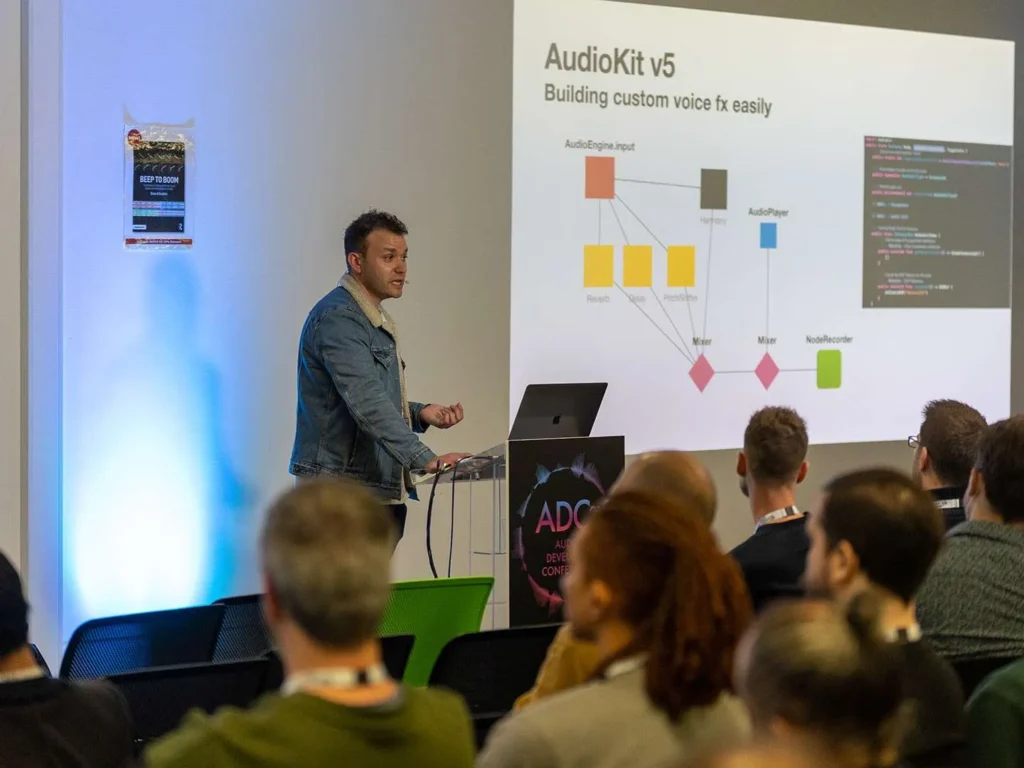
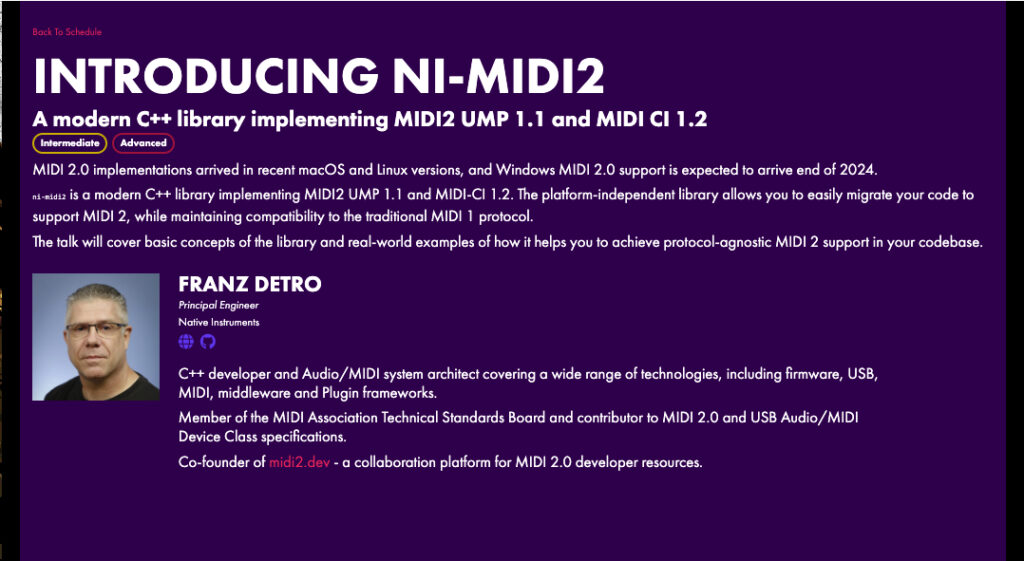
Franz Detro from Native Instruments will be doing a talk introducing ni-midi2, a modern C++ library implementing MIDI2 UMP 1.1 and MIDI CI 1.2 and also the open source software available on MIDI2.dev.
Franz is on The MIDI Association Technical Standards Board and an active participant in the MIDI 2.0 Working Group, the DAW working group which is working on open source software for how plugin formats including Apple Audio Units, Avid Audio Extension, Bitwig CLever Audio Plug-in, and Steinberg VST3.
He will be available at ADC to answer questions about MIDI 2.0 and The MIDI Association. The Interactive Audio Special Interest Group (Tom Poole from JUCE is on the IASIG steering committee) will hold an online meeting during ADC.
The MIDI Association will have both in person and on line representation at ADC and ADCx Gather.
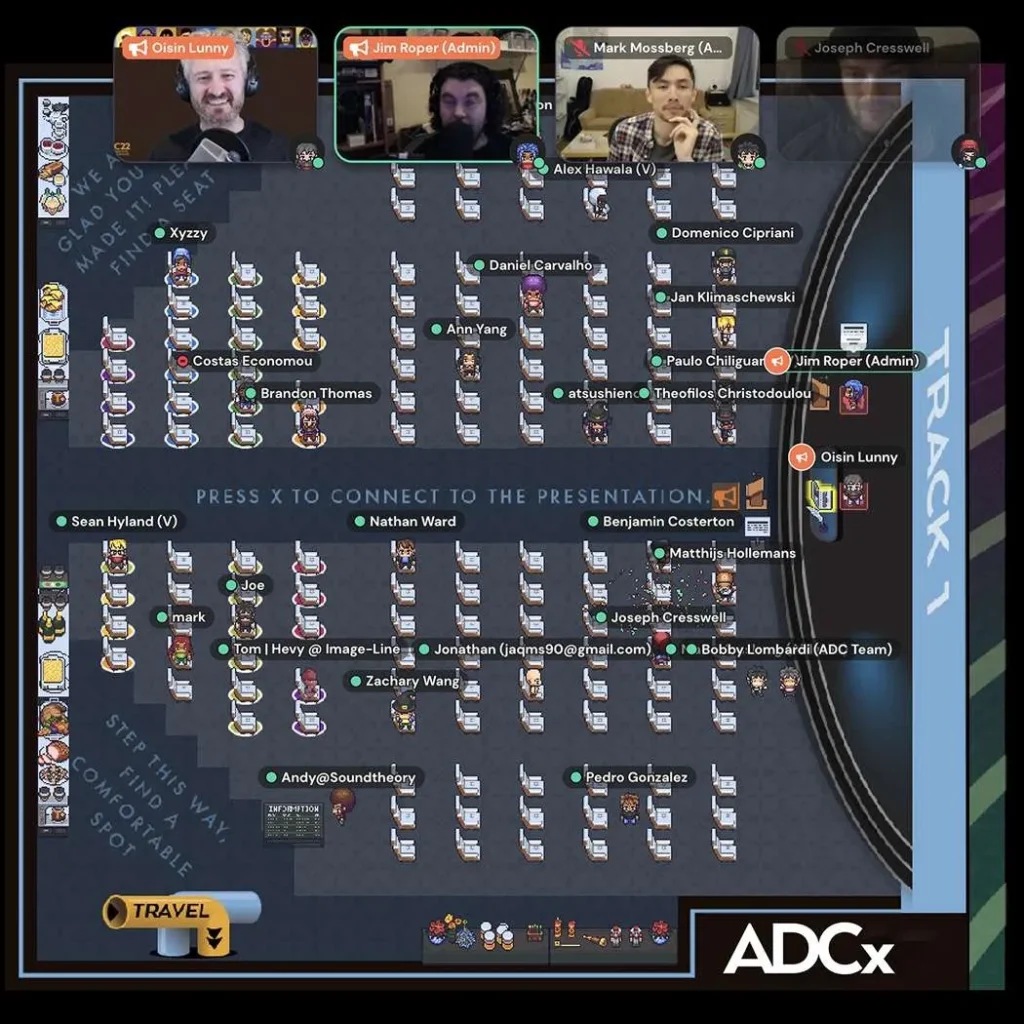
The ADCx Gather one-day online event is free and open to everyone in the audio developer community (registration required). ADCx Gather is hosted in Gather.Town, a browser-based virtual online platform that allows attendees to interact and collaborate in real-time.
ADCx Gather takes place on the 1st of November starting at Noon UTC.
Registration for this event has not yet started. Sign-up for the ADC newsletter and be the first to know when ADCx Gather attendee registrations begin.
Tickets for ADC
There are different tickets available for ADC with in person tickets for corporate, individual, academic and also the same categories for online participation.
In the last part we created a simple set of USB MIDI 2.0 descriptors for a synthesizer. The “ACMESynth” at this stage has one function, the “Monosynth”, and a USB MIDI 2.0 Group Terminal Block was declared for this function.
In this second guide we will cover:
UMP Discovery handling
Function Blocks and how to expand them
UMP Discovery Handling
Our hypothetical ACMESynth is designed to be used primarily as a tone generator connected to a DAW. The goals of discovery are:
We want the DAW to know which UMP Group is in use and information about this Group.
We want the DAW or Operating System (OS) to use MIDI 2.0 Channel Voice messages. (Another article will cover handling of MIDI 1.0 Protocol, MIDI 2.0 Protocol, and translation.)
We want the USB device to provide names and identifiers so that the DAW can store local information about the ACMESynth to help the user when they reload a DAW session.
The UMP and MIDI 2.0 Protocol ver 1.1 specification defines discovery mechanisms so that devices can interrogate each other and present the user options on the best way to connect to a device to achieve the goals listed above.
Note: MIDI-CI is used additionally to discover more information about a device which we will be discussing in another article.
Our device needs to be able to respond to the following Groupless messages:
Endpoint Discovery Message
Stream Configuration Request
Function Block Discovery Message
Let’s relook at the data work our ACMESynth and add the Device Identity data we need:
Detail
Value
Manufacturer Name
“ACME Enterprises”
Product Name
“ACMESynth”
Product Instance Id
“ABCD12345”
Protocol
MIDI 2.0 Protocol (with a fallback to MIDI 1.0 Protocol)
Manufacturer SysEx Id
0x7E 0x00 0x00This example uses the Research Manufacturer System Exclusive Id set by MIDI Association. This System Exclusive Id is often shown as a single byte. However in many MIDI 2.0 Messages single byte id’s are transmitted using 3 bytes. Manufacturers should contact the MIDI Association to get their own Id.
Model Family Id
0x01 0x00
Model Id
0x11 0x22Family Id and Model Id are defined by the Manufacturer and often messages define that these are LSB first. Please review MIDI Specifications for a detailed explanation.
Version
0x01 0x00 0x00 0x00
Function 1
Function 1 Name
“Monosynth”
Function 1 Channels Needed
1 Channel at a time used bidirectionally
Note: This guide shows UMP messages similar to the UMP and MIDI 2.0 Protocol specification. It is recommended that developers use a library such as my AM_MIDI2.0Lib C++ library or ni-midi2 library to help with parsing and creating the UMP messages correctly.
Responding to the Endpoint Discovery Message
One of the first UMP messages that your device may receive is the Endpoint Discovery Message. This example is asking for all information available about the UMP Endpoint.
Endpoint Info Notification Message (filter & 0b1 == true)
In response to the above message, the ACMESynth formulates an Endpoint Info Notification Message:
The Endpoint Info Notification is declaring that the ACMESynth supports both MIDI 1.0 and MIDI 2.0 Protocols and that it has one static Function Block. This is reflected by the Group Terminal Block discussion in part 1.
In response to the above message, the ACMESynth formulates an Device Identity Notification Message:
Endpoint Name Notification Message (filter & 0b100 == true)
In response to the above message, the ACMESynth formulates an Endpoint Name Notification Message:
Product Instance Id Notification Message (filter & 0b1000 == true)
In response to the above message the ACMESynth formulates a Product Instance Id Notification Message:
Stream Configuration Notification Message:
While the Endpoint Info Notification messages inform the other UMP Endpoint of its support for different Protocols and JR Timestamps, the Stream Configuration Notification informs the other UMP Endpoint of its current Protocol and JR Timestamp configuration.
In our startup state of the ACMESynth it will be using MIDI 1.0 Protocol. JR Timestamp is not supported so it will set this to off.
Responding to the Stream Configuration Request
The device connected to the ACMESynth may wish to change from MIDI 1.0 Protocol to MIDI 2.0 Protocol. It achieves this be sending a Stream Configuration Request:
If ACMESynth agrees with this change then it will change its Protocol in use an send a Stream Configuration Notification Message in response:
If ACMESynth was unable to change with the Protocol change it should send a response with the Protocol set to 0x01.
Responding to the Function Block Discovery
The Endpoint Info Notification message declares how many Function Blocks ACMESynth has. A separate message is received that asks us to respond with the Function Block information:
The Function Block Number (FB#) could have also been 0x00 to represent the first (and only) Function Block. This request is also asking to return both the Info and the Name of the Function Block. This request result in two replies:
Function Block Info Notification
This Function Block is providing the direction (0xb11 – bidirectional), an indication if the Function block represents a MIDI 1.0 (0b00 – Not MIDI 1.0) and Groups in use.
As Function Blocks provide more information than USB Group Terminal Blocks it also provides
a UI Hint (0b01 – primarily a Receiver or destination for MIDI messages) – While our Monosynth supports bidirectional MIDI Messages, it mainly acts as a Tone Generator. A DAW can look at this field and have a better understanding and representation of the Devices connected.
a the MIDI-CI Version (0x00 none or unknown) – currently set to none. Later articles will look at MIDI-CI support and how this value is affected.
Max number of SysEx8 Streams – Our Monosynth does not support SysEx8 so this is set to zero.
Function Block Name Notification
Function Blocks and How to Expand Them
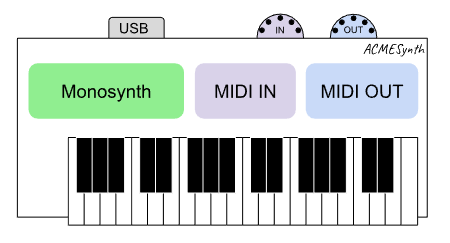
So far in the ACMESynth we have only declared a single Monosynth function. However many devices may require more than one function. Let’s take our device and add 2 more functions, a “MIDI IN” Din Port, and a “MIDI OUT” Din Port:
Let’s assume that the reason to add these functions is that we want our MIDI Application to use these DIN ports as a USB MIDI Adaptor for external MIDI 1.0 gear.
Our table of functions for the ACMESynth now looks like:
Detail
Value
Function 1
Function 1 Name
“Monosynth”
Function 1 Channels Needed
1 Channel at a time used bidirectionally
Function 1 Groups used
Only one Group is used on Function 1
Function 2
Function 2 Name
“MIDI IN”
Function 2 Channels Needed
16 Channel at a time may used in one direction (inwards)
Function 2 Groups used
Only one Group is used on Function 2
Function 3
Function 2 Name
“MIDI OUT”
Function 3 Channels Needed
16 Channel at a time may used in one direction (outwards)
Function 3 Groups used
Only one Group is used on Function 3
By making this change our Endpoint Info Notification Message should declare three Function Blocks:
And our Function Block Info Notification and Function Block Name messages also needs to handle the two new Function Blocks:
Function Block 2: Function Block Info Notification
Pay attention to the settings of MIDI 1.0, UI hint and Direction fields. For this Function Block we have set the direction as Input and the UI Hint also as Input.
Function Block 3: Function Block Info Notification
Function Block 3: Function Block Name Notification
What about the USB Group Terminal Blocks?
To make the USB Group Terminal Blocks reflect our new set of static Function Blocks we should extend the Group Terminal Block descriptor from part 1 (which already contained a bidirectional Group Terminal Block for the Monosynth) with the following:
Detail
Meaning
Value
bGrpTrmBlkID
Block Id
2
bGrpTrmBlkType
Block Type
0x01 – IN Group Terminals Only
nGroupTrm
Group Terminal Block Start
0x01 – Group 2
nNumGroupTrm
Number of Group Blocks
1
iBlockItem
Function 2 Name
Id of String Descriptor Referenced Value – “MIDI IN”
bMIDIProtocol
Block Protocol*
0x01 (MIDI 1.0 Protocol)
Detail
Meaning
Value
bGrpTrmBlkID
Block Id
3
bGrpTrmBlkType
Block Type
0x02 – OUT Group Terminals Only
nGroupTrm
Group Terminal Block Start
0x01 – Group 2
nNumGroupTrm
Number of Group Blocks
1
iBlockItem
Function 3 Name
Id of String Descriptor Referenced Value – “MIDI OUT”
bMIDIProtocol
Block Protocol*
0x01 (MIDI 1.0 Protocol)
USB Endpoints under the Interface will also need the following updates to their values values:
IN Endpoint:
Detail
Meaning
Value
bNumGrpTrmBlock
2
baAssoGrpTrmBlkID[0]
Block Id
1
baAssoGrpTrmBlkID[1]
Block Id
3 (MIDI OUT)
OUT Endpoint:
Detail
Meaning
Value
bNumGrpTrmBlock
2
baAssoGrpTrmBlkID[0]
Block Id
1
baAssoGrpTrmBlkID[1]
Block Id
2 (MIDI IN)
Note: you may also wish to update the USB MIDI 1 Descriptors to have these new functions on separate MIDI 1.0 Ports.
Static vs Non-Static Function Blocks
Up to this point we have been using static Function Blocks when declaring the functions of ACMESynth. When connecting to a DAW that is the central manager and handling the routing of MIDI Messages this is unlikely to present any problems.
This is because a DAW is likely to adapt to the devices connected to it. In this case the ACMESynth declares it has the Monosynth on Group 1 and the DAW will send MIDI Messages on Group 1.
However static Function Blocks have limitations when connecting between other devices. Much like when two devices that connect to each other must use the same channels – two UMP enabled devices must use the same Groups (and Channels) to communicate effectively.
Function Blocks also have the ability (unlike USB Group Terminal Blocks) to overlap. For example we may want a setup where the Monosynth and MIDI IN and MIDI Out functions all use the same Group. By using non-static Function Blocks the user can move these functions to the same Group.
This ability to reconfigure Function Blocks may become more important with other (upcoming) UMP transports.
Group Terminal Blocks for Non-Static Function Blocks
When using static Function Blocks it is easy to see that having matching USB Group Terminal Blocks makes sense. When Function Blocks are non-static it is best to have one bidirectional Group Terminal Block that covers all 16 Groups.
Detail
Meaning
Value
bGrpTrmBlkID
Block Id
1
bGrpTrmBlkType
Block Type
0x00 – Bidertional
nGroupTrm
Group Terminal Block Start
0x00 – Group 1
nNumGroupTrm
Number of Group Blocks
16
iBlockItem
Function 2 Name
Id of String Descriptor Referenced Value – “ACMESynth”
bMIDIProtocol
Block Protocol
0x11 (MIDI 2.0 Protocol)
4Endpoint Info Notification Message should declare three non-static Function Blocks:
As macOS only provides MIDI 1.0 compatibility to Groups declared by a Group Terminal this allows Functions blocks to move around freely to different Groups while still allowing MIDI 1.0 compatibility.
The downside of this is that all 16 Groups are presented as MIDI 1.0 ports even though only a handful may be connected to an internal function like the Monosynth.
Linux works somewhat differently in that all UMP connections automatically set up all 16 Groups as ALSA ports for MIDI 1.0 compatibility. These ALSA ports are then displayed to the user only if they are active. When a USB MIDI 2.0 device is first connected, it will activate the ALSA Ports based on Group Terminal Block information. It will then attempt to retrieve the current Function Blocks and then update the list of active ALSA Ports. These ALSA ports are then updated immediately based on any Function Block changes.
What to look at next…
In part 3 of this series we are going to look at how to handle advanced USB set-ups, and also look at other gotchas that a developer needs to be aware of.
This series (based on the work of the OS API Working Group of the MIDI Association) focuses on configuring the USB descriptors to provide the best experience for your users. It shows you how to handle Group Terminal Blocks and Function Blocks, Multiple UMP Endpoints and compatibility with USB Hosts that can only handle USB MIDI 1.0, as well MIDI 1.0 Applications.
This guide assumes that the reader is familiar with the following specifications:
Universal MIDI Packet (UMP) Format and MIDI 2.0 Protocol v1.1
MIDI Capability Inquiry (MIDI-CI) v1.2
Universal Serial Bus Device Class Definition for MIDI Devices v2.0 (USB MIDI 2.0)
Planning your MIDI 2.0 Device
In MIDI 1.0 most Devices present an IN port and an OUT port and that is all that is required. In MIDI 2.0 there are several factors to consider:
What are the details of your Device? This includes the product name and other similar details.
How many functions does your Device have? Initially think of functions as destinations and/or sources in your Device. For example a simple single channel mono synthesizer has a tone generator – this is one function. However this hardware Device may also have external MIDI IN/OUT Din ports – this could be classed as more functions. A Workstation may have many more functions. Note: Ultimately, these functions are represented by Function Blocks, which should drive your Group Terminal Block design. But for purposes of this article, we’ll cover only the USB descriptors, and the Group Terminal Blocks
How many channels are needed for each function? With the ability to utilize more than 16 Channels a multitimbral tone generator may have 32 Channels (or indeed up to 256 channels!)
Do you want/need the user to access all 256 channels or just a subset? For example maybe the tone generator can be accessed on any of the 256 Channels
How do you want these functions accessed when using MIDI 1.0? This is explained in greater detail below.
What MIDI 2.0 features are used for this function? MIDI-CI, MIDI 2.0 Protocol, JR Timestamps etc
Design of a simple Desktop Monosynth
Let’s imagine we have a simple single channel desktop monosynth. We want to use MIDI 2.0 Protocol where we can because the parameters (e.g. filter cutoff frequency) benefit from having more than 128 steps. While the MIDI 2.0 Protocol boasts a massive improvement in resolution and capabilities and allows us to future-proof the product, we also need to have MIDI 1.0 compatibility for both older OS’s and MIDI 1.0 Applications.
First, we start gathering the details of the synth. These values will be repeated into several different fields. They have been color-coded so you can easily refer to the source of information.
Detail
Value
String Rules
Manufacturer Name
“ACME Enterprises”
UTF16, Max Length: 254 bytes
Product Name
“ACMESynth”
UTF-8, Max Length: 98 bytes
Product Instance Id
“ABCD12345”
The Product Instance Id of a device is any unique identifier the Device has. This may be Microcontroller Id or a built in MAC address. Please read Pete Brown’s excellent article on why this is critical.
ASCII, Max Length: 42 bytes
don’t include characters that are:
Less than or equal to 0x20
Greater than 0x7F
Equal to 0x2C (‘,’)
Protocol
MIDI 2.0 Protocol (with a fallback to MIDI 1.0 Protocol)
Function 1
Function 1 Name
“Monosynth”
UTF-8, Max Length: 98 bytes
Function 1 Channels Needed
1 Channel at a time used bidirectionally
String Values
The string values in this table will be used in USB descriptors, UMP messages, and MIDI-CI messages. Each of these systems have limitations that should be adhered to. The table above provides a set of rules that best suits all strings used in a new device.
USB String Descriptors use UNICODE UTF16LE encodings, not NULL-terminated up to 254 characters
UMP Endpoint Name Notification and Function Block Name Notification Messages are UTF-8 up to 98 characters
UMP Product Instance Id Notification Message is ASCII up to 42 characters.
It is recommended that Product Instance Id is used as the USB iSerial value. For compatibility with Windows it is suggested iSerial numbers don’t contain characters that are:
Less than or equal to 0x20 (‘ ‘)
Greater than 0x7F
Equal to 0x2C (‘,’)
USB Descriptors
In USB MIDI 1.0, devices can present a USB IN Data Endpoint and/or a USB OUT Data Endpoint with up to 16 virtual MIDI cables each. Note that USB IN and USB OUT refer to data direction from the point of view of the USB Host. Each virtual MIDI cable can be considered equivalent to a MIDI DIN jack with streaming MIDI 1.0 for up to 16 channels each. In USB MIDI 2.0, the device can present a single USB IN Data Endpoint and/or a single USB OUT Data Endpoint that represents a single Universal MIDI Packet (UMP) data stream. It is strongly recommended that an IN/OUT Data Endpoint pair is presented to create a bi-directional UMP Endpoint to fully take advantage of MIDI 2.0.
At this point we start building the USB Descriptors. Developers should ensure that the following fields are filled out with the information above.
When defining the USB descriptors we can see that this Device only needs to set-up a single Interface.
Note some USB details in this document use an id reference for a separate string descriptor. The strings are shown for brevity. If the value is omitted, the id should be set to 0, not to an entry with a blank string.
Detail
Product Detail Value
Id of String Descriptor Referenced Value
iManufacturer
Manufacturer Name
“ACME Enterprises”
iProduct
Product Name
“ACMESynth”
iSerialNumber
Product Instance Id
“ABCD12345”
iInterface
Model Name*
“ACMESynth”
*More complicated setups with multiple interfaces (and multiple UMP endpoints) will be discussed in a followup article. For a simple Device the iInterface and the iProduct can be the same.
MIDI 1.0 Class Specific Descriptors (on Alternate Setting 0)
A USB MIDI 2.0 Device should include a set of USB MIDI 1.0 Class Descriptors so that when it is plugged into a Host which does not understand MIDI 2.0, it can operate as a MIDI 1.0 Device.
When declaring MIDI 1.0 Class Specific Descriptors, you should provide a text string name for all Embedded MIDI Jacks.
Detail
Product Detail Value
Id of String Descriptor Referenced Value
iJack
Function 1 Name
“Monosynth”
Most Host MIDI 1.0 Class drivers do not collect information about the topology inside the MIDI Function, such as External MIDI Jacks or Elements.
MIDI 2.0 Descriptors (on Alternate Setting 1)
For the best compatibility on OS’s, each UMP Endpoint is represented by a single Interface. The Interface has an In and an Out USB Endpoint that represents a bidirectional UMP Endpoint.
Devices expose their functions and topology using Function Blocks regardless of transport. USB MIDI 2.0 has the additional requirement of Group Terminal Blocks which are declared in the Device descriptors and designed in consideration of the device’s Function Blocks.
Each USB Endpoint declares the Group Terminal Block Id’s used. The USB Device has a list of Group Terminal Block descriptors that match these Id’s.
In our example, the Monosynth function only uses one channel, so we only need to declare the use of one UMP Group. While there are different ways of declaring Group Terminal Blocks we will look at just one way first and revisit with different configurations with the pros and cons of each at another time.
Option 1: Declare a Single Group Terminal Block on Group 1 with a length of 1 Group
For simple Devices like our Monosynth that only connect over USB this may be the most straightforward way of connecting to a computer and provides the best backwards compatibility to MIDI 1.0 Applications.
The Group Terminal Block should have the following settings:
Detail
Value
String Rules
bGrpTrmBlkID
Block Id
1
bGrpTrmBlkType
Block Type
0x00 – bidirectional
nGroupTrm
Starting Group
0x00 – Group 1
nNumGroupTrm
Number of Groups Spanned
1
iBlockItem
Function 1 Name
Id of String Descriptor Referenced Value – “Monosynth”
bMIDIProtocol
Block Protocol*
0x11 (MIDI 2.0 Protocol)
USB Endpoints under the Interface should have the following values:
Detail
Value
String Rules
bNumGrpTrmBlock
Number of GTB’s
1
baAssoGrpTrmBlkID
Block Id
1
With the descriptors now defined, let’s observe the interaction with an OS that supports MIDI 2.0.
While MIDI 2.0 Protocol is declared in the Monosynth Group Terminal Block, a host Application may send MIDI 1.0 Channel Voice Message either intentionally or accidentally. In UMP 1.1 Stream Configuration messages may also be used to switch Protocols. To ensure the best compatibility with incoming messages a MIDI 2.0 Device supporting MIDI 2.0 Protocol should also handle and process MIDI 1.0 Channel Voice messages. We will discuss handling this in a follow up article.
OS’s That Support MIDI 2.0
Accessing MIDI 2.0 Devices in Software
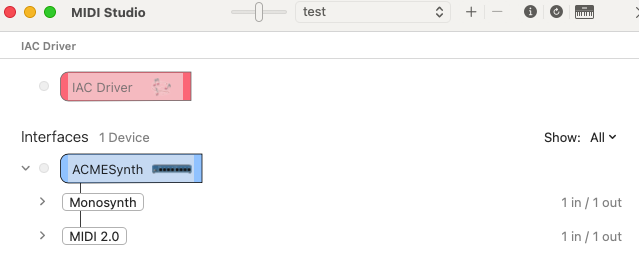
MIDI 2.0 applications should, where possible, connect to the connection labelled “MIDI 2.0” (as seen below). MIDI 1.0 applications are generally only able to connect to the “Monosynth” connection and talk using MIDI 1.0 Protocol. The OS converts these MIDI 1.0 byte stream messages to UMP format between the Device and the application.
MAC OSX 14+
In Mac OSX 14+ (developer release) this looks like the following:
Hint: More detailed information can be seen in Mac OSX MIDI Studio by selecting List View.
Note: OSX has supported USB MIDI 2.0 since OSX 11. Prior to OSX 14 (developer release) only the “Monosynth” entity is shown.
Linux (6.5+) / ALSA
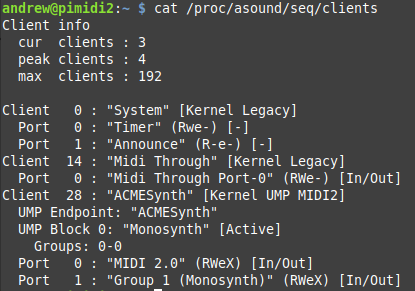
In Linux this shows up as:
Android 13+
Android 13+ currently connects to the USB MIDI Interface and can use either the USB MIDI 1.0 function on Alternate Setting #0 or use the USB MIDI 2.0 function on Alternate Setting #1 on a per application basis. When apps call midiManager.getDevicesForTransport( MidiManager.TRANSPORT_UNIVERSAL_MIDI_PACKETS), they see the USB MIDI 2.0 device as a MIDI 2.0 device. If they call midiManager.getDevicesForTransport( MidiManager.TRANSPORT_MIDI_BYTE_STREAM), they see the device as a MIDI 1.0 device. A device can be opened as only one of the two modes at once.
In OS’s that don’t yet support MIDI 2.0, the USB MIDI 1.0 function may be loaded to expose MIDI 1.0 Ports as declared in the MIDI 1.0 Class Specific Descriptors (on Alternate Setting 0). Currently in Windows this looks like:
While in current versions of Linux this looks like:
Where to next…?
These USB settings form the beginnings of a USB MIDI 2.0 Device. In the next part of this series we look at recommended UMP Endpoint messages and how Function Blocks interact with Group Terminal Blocks to extend the usability of MIDI 2.0. We will look at other options for having more functions in your Device and how best to support them.
As computers have become central components in many MIDI systems, USB has become the most widely used protocol for transporting MIDI data. With the introduction of MIDI 2.0, the USB Implementers Forum’s USB MIDI 2.0 working group, headed by members o
MIDI has stayed relevant for over 30 years by adapting to the different ways that computers send information to and from external devices. MIDI can now be sent over 5 Pin DIN, Serial Ports, USB, Firewire, Ethernet, Bluetooth and more. But currently the most prevalent way to connect to computers, tablets and smartphones is USB. This article will cover the basics of USB-MIDI.
Why USB came about
In the early 1990’s, there were far too many types of connectors on computers. There were separate serial ports, parallel ports, keyboard and mouse connections, and joystick ports, It was hard for people to tell whether the peripheral they were buying would actually work with their computer. So Compaq, Intel, Microsoft and NEC ( joined later by Hewlett-Packard, Lucent and Philips) formed the USB Implementers Forum, Inc, a non-profit corporation to publish the specifications and organise further development in USB. Similar to the MIDI Manufacturers Association, the USB-IF makes sure that there is interoperability between USB devices.
Goals of USB
The USB-IF had some clear goals when first developing the USB specification
Standardize connector types: There are now several different types of USB connectors, but they are all standardized by the USB-IF
Hot-swappable: USB devices can be safely plugged and unplugged as needed while the computer is running. So there is no need to reboot.
Plug and Play: USB devices are divided into functional types (Audio, Image, Human User Interface, Mass Storage) and then operating system software can automatically identify, configure, and load the appropriate device driver when a user connects a USB device.
High performance: USB offers low speed (1.5 Mbit/s), full speed (12 Mbit/s) and high speed (up to 480 Mbit/s) transfer rates that can support a variety of USB peripherals. USB 3.0 (SuperSpeed USB) achieves the throughput up to 5.0 Gbit/s.
Expandability: Up to 127 different peripheral devices may theoretically be connected to a single bus at one time
USB System Architecture
The basic USB system architecture is actually pretty simple and consists of the following main components:
A Host Computer, Smartphone or Tablet
One or more USB Devices
A physical bus represented by the USB Cable that links the devices with the host
The Universal Serial Bus is a host controlled bus. All data transfers are initiated and controlled by the host and USB peripherals are slaves responding to host commands. So for USB MIDI peripheral devices you need a computer, smartphone or tablet in the system to control and initiate USB communication.
USB Device Classes
USB devices are defined into specific functional classes, for example image, human interface devices (keyboard, mouse, joystick), mass storage, and audio. The operating system can then know what the devices is designed to do and automatically load what is called a class compliant driver for that type of devices. In 1999, the MIDI specification was developed by the USB-IF in cooperation with the MIDI Manufacturers Association and included in the Audio class of devices. That is why sometimes when you connect a USB-MIDI peripheral, the OS will display a message that says USB-Audio devices connected. As far as USB is concerned MIDI is an Audio Class Compliant device.
Class Compliant Drivers versus Manufacturer Specific Drivers
Class compliant drivers are convenient because you don’t have to download any external software. But often manufacturer specific drivers provide added functionality. Let’s use Yamaha has an example. Because data transfer on USb is much faster than 5 pin DIN it is possible to have multiple ports of MIDI (a port is a group of 16 MIDI channels) on a single USB cable. The dedicated Yamaha USB Driver provides for 8 ports of high speed USB, includes the names of all the devices that are compatible with the driver and has some routing capabilities. These features are only available if you download the driver from Yamaha’s website. Also many audio interfaces are also MIDI interfaces and audio and MIDI travel over the USb cable. So if you purchase a MIDI or Audio interface you should always check the product manual and manufacturer’s website to see if there is a dedicated USB driver for your product that provides added functionality. Often even if the manufacturer specific driver is available when connected to a device which don’t allow driver downloads into the operating system (for example iOS devices), the product will still work as a class compliant USB device.
Types of USB MIDI connectors
Over the years, USB has developed and there are now a number of different cable types and USB specifications. Let’s take a look at the different connectors.
Originally most desktop and laptops computers had the standard sized Type A USB connector. A standard USB cable has a Type A connector on one end to connect to the host and a Type B connector on the other end to connect to the peripheral device. This is still the most common cable to connect a MIDI instrument to a computer.
USB Type A host connector
Type B USB peripheral connector
The Type A connector has a pin that supplies power to external peripherals so you need to be carefully about trying to connect two hosts via a Type A to Type A cable. This can cause serious damage to your gear so consult the manufacturer and manual before attempting this.
The Type A connector is for host controllers (computers, smartphones, tablets and some digital musical instruments that act as hosts) and USB hubs. A USB hub is a device that expands a single (USB) port into several so that there are more ports available to connect devices to a host system.USB hubs are often built into equipment such as computers, computer keyboards, monitors, or printers. When a device has many USB ports, they all usually stem from one or two internal USB hubs rather than each port having independent USB circuitry. If you need more USB ports, there are also external hubs that you can buy. You need to check to see if your USB peripherals need to be powered by USB and if they do you may need a powered USB hub.
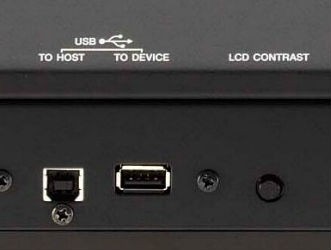
On many digital musical instruments you find two USB connectors – one Type A connector labeled To Device and one Type B labeled To Host . The To Host is usually used to send MIDI, Audio or both Audio and MIDI to a computer, smartphone or tablet. If your digital music product sends both MIDI and Audio over USB, you will almost certainly need a manufacturer specific driver.
The To Device is usually used for USB Storage devices like Flash Thumb drives, but it can be used for other things depending on what the Host music product supports for device classes.
USB A-Type
Considered the standard and most common type of connector, A-style connectors are found on the PC or charger side of most cables. This flat, rectangular interface is held in place through friction. Durable enough for continuous connection but easy enough for users to connect and disconnect, this connector type is also available in micro variations.
USB B-Type
Type-B USBs were traditionally used with printer cables but, they’re now found on many popular models of Android™ smartphones and external hard drives. These USBs feature a square interface and are available as a Micro-USB B, USB Mini-b (5-pin), and USB Mini-b (4-pin).
USB C-Type
The newest type of connector on the market, Type-C is a one-size-fits-all solution. Developed to support devices with a smaller, thinner and lighter form factor. Type-C is slim enough for a smartphone or tablet, yet robust enough for a desktop computer. It also has the advantage of a reversible plug orientation and cable direction, eliminating the guesswork about which direction the connection goes.
The future of USB Connectivity
USB Type-C is designed as a one-size-fits-all solution for data transfer and power supply on any device. Featuring a smaller connector, Type-C fits into one multi-use port to simultaneously charge devices and transfer data and also offers backward compatibility to support previous USB standards (2.0, 3.0, and 3.1).
Type-C is quickly becoming the new standard for operating systems and hardware providers; Intel’s Thunderbolt recently switched to USB Type-C ports while enabling cross compatibility with USB 3.1. The new Apple MacBooks feature a Type-C port.
The USB-IF predicts that by 2019, all laptops, tablets, mobile phones, and other consumer electronics will be equipped with USB Type-C.
In the meantime, if you have a newer computer, you may need an adapter to connect your MIDI gear to your computer.