Elevator Pitch

Product Description
Loom – Multidimensional MPE MIDI Controller
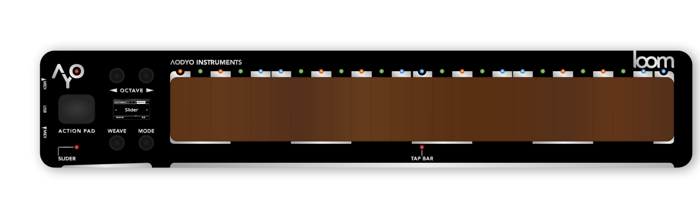
Loom is a multidimensional MPE MIDI Controller designed for immediate playability and expressiveness.
MPE synthesizers and virtual instruments offer you rich sounds that respond to the slightest variation, but there are few controllers fit to the task.
At Aodyo Instruments, we have drawn on our previous experience with the Sylphyo and the Anyma synthesizers to offer musicians a versatile and powerful device.
Whether you play live, record in the studio or compose music in your bedroom, Loom will become a flexible and original addition to your setup.
FEATURES
Don’t be fooled by its simple appearance: Loom’s magic lies in the synergy between its surfaces and sensors, offering you different playing modes that will allow you to play almost any kind of virtual instrument or synthesizer.
PLAYING MODES
Unravel evolving chords, weave intricate melodies, craft expressive rhythms. Any way you choose to approach it, Loom is designed as an extension of your hands.
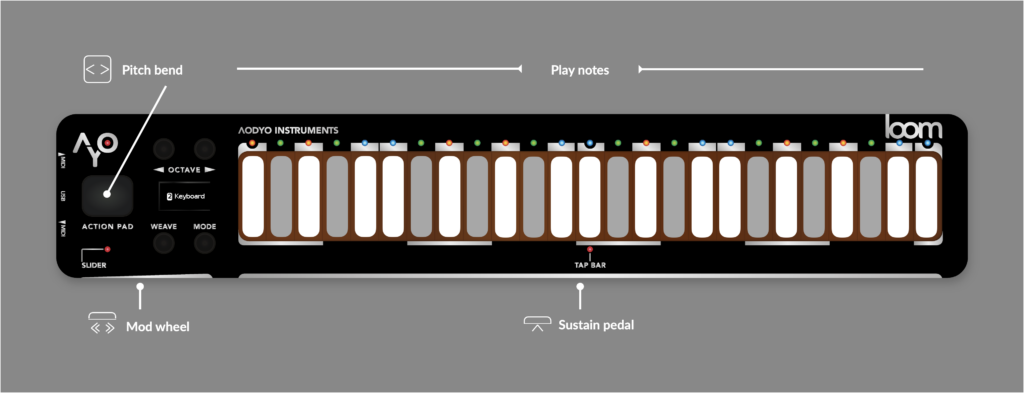
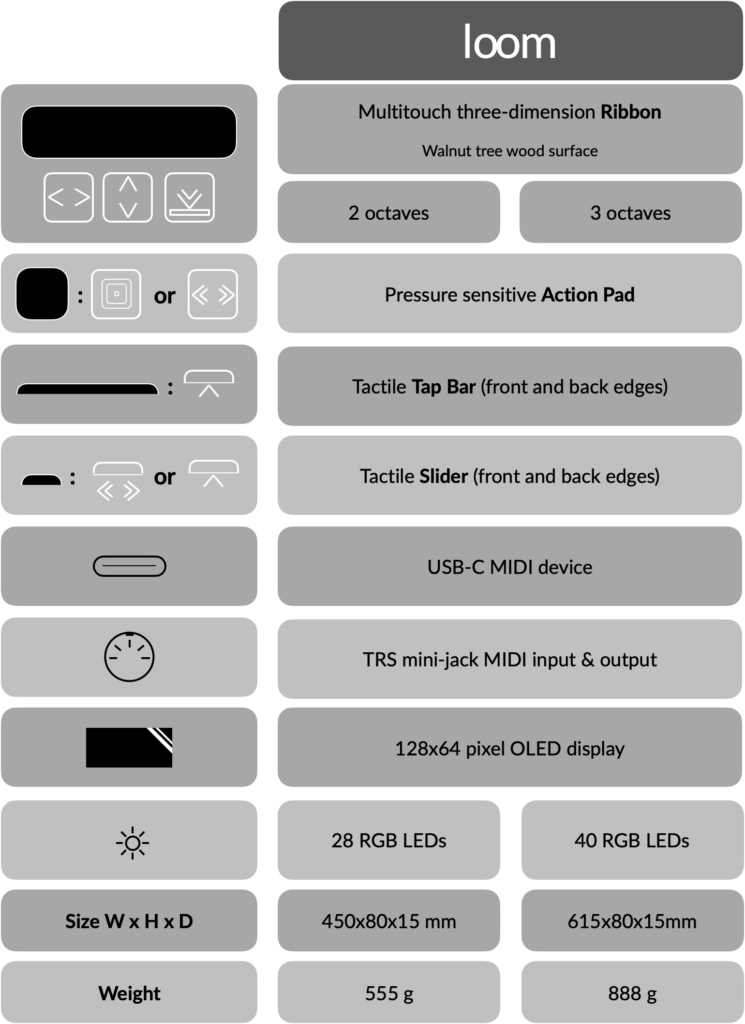
Loom can function as a MIDI Keyboard, offering access to a two or three-octave range. You can play notes, bend them, nuance your attack, and add expression by sliding along the keys.
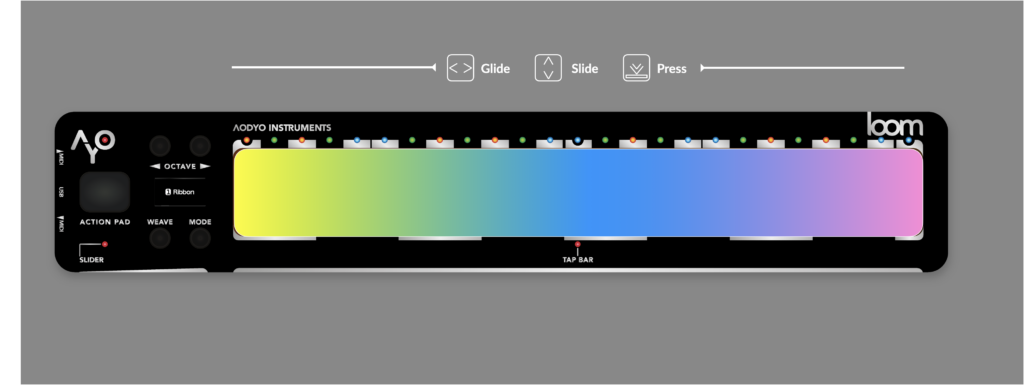
But if you want to break free from the keys, Loom can also work as a MIDI Ribbon, allowing for smooth sliding across its surface. Optionally, it can make sure you land on the right note, making it easier to play with others without losing the free-form nature of the ribbon.
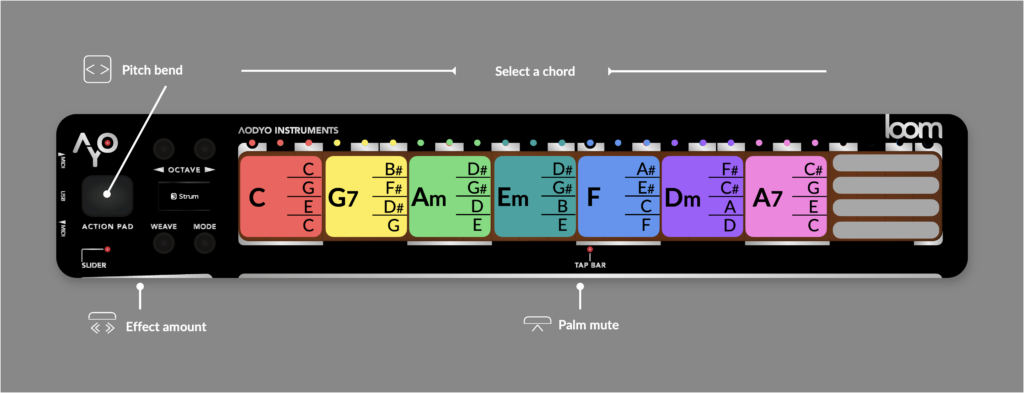
If you want to play chords like a guitar, Loom offers a MIDI Strum mode, where you can choose a chord with one hand and strum virtual strings with the other. Or you can play it like a harp, directly sliding your fingers across the chord.
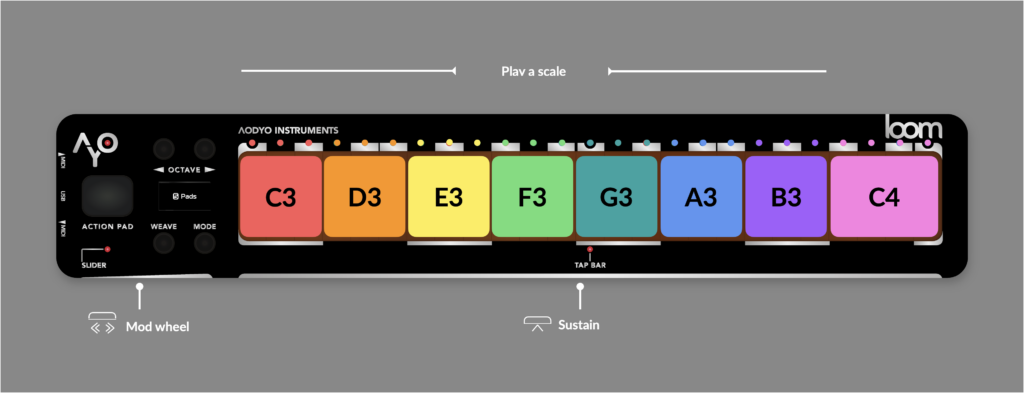
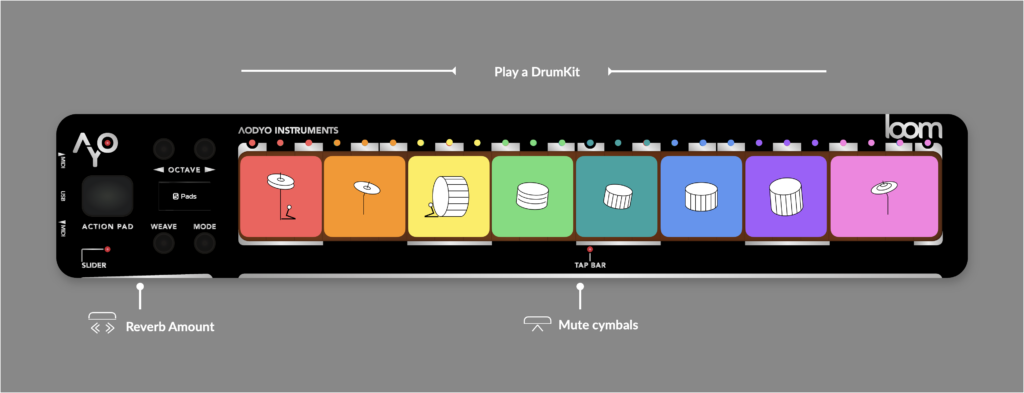
Another playing mode is the MIDI Pad mode, where the Loom is splitted into eight square pad zone to trigger drums or play some simplified note scales
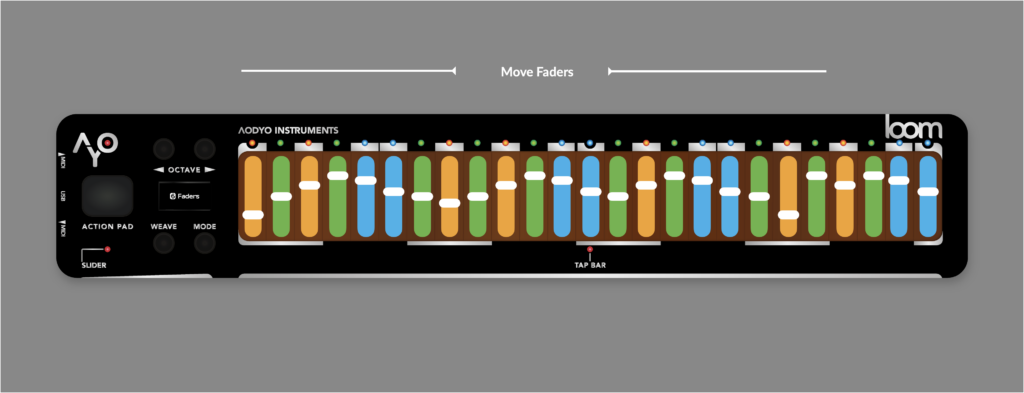
Fader mode is perfect for graphical EQs, organ drawbars, resonator filter banks, vocoders or mixers. After selecting your layout and mappings, you can move faders with several fingers at a time, and even draw a shape by dragging a finger horizontally if your thumb touches the front bar.
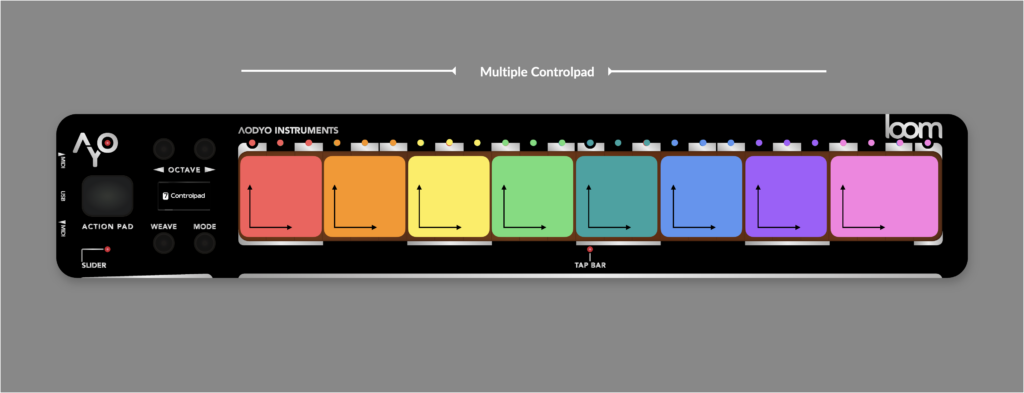
And finally, if you just need to get XYZ coordinates from the touch surface, you can use the controlpad mode. But you can also divide the surface in several pads, allowing you to explore a large number of dimensions at once, making this mode especially suited to sound design tasks.
MULTIDIMENSIONAL AND MULTITOUCH TACTILE SURFACE
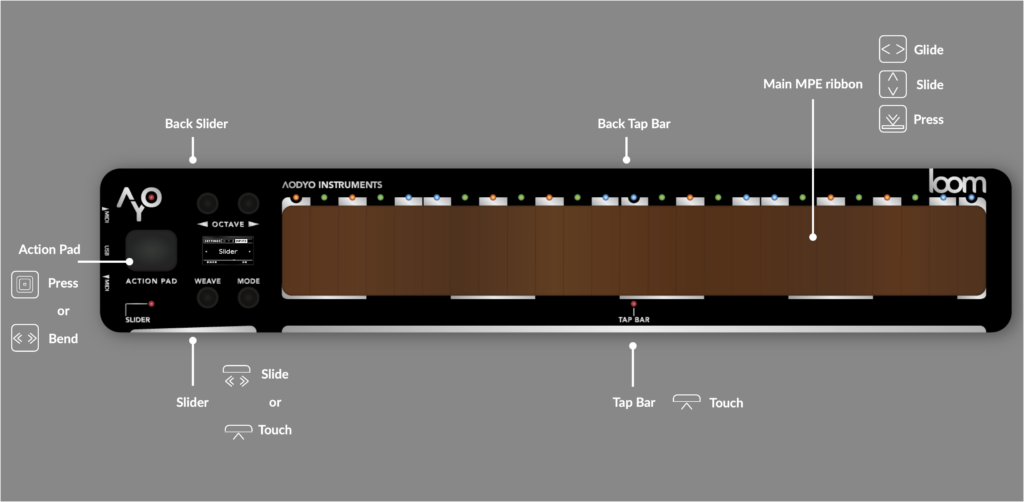
Loom features a multidimensional tactile surface, enabling each finger to control pitch (X axis), timbre (Y), and dynamics(Z) independently. In addition, a patent-pending dynamic sensing system analyzes when your fingers land to determine impact force.
SLIDERS AND BARS (FRONT/BACK)
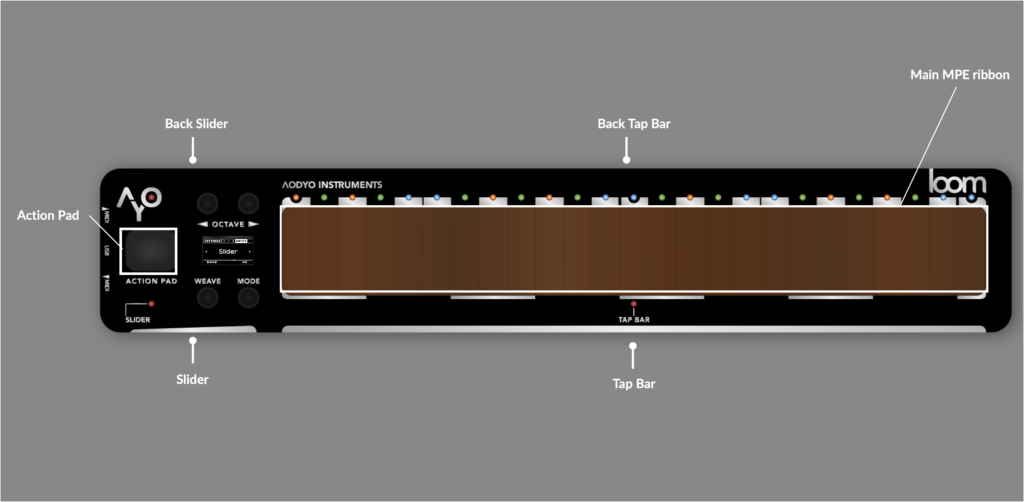
Loom’s uniqueness stems from its additional controls on the front and back sides, making your thumbs play a pivotal role. The slider on the left can be used as a modulation wheel, and the bar on the right can be your sustain pedal or a way to mute cymbals. You can make the back slider and bar do the same thing, or something entirely different. With these, thumb twiddling is not an option.
ACTION PAD
To the left of the surface lies a pressure-sensitive squishy square area called the action Pad. Press it to have nuanced control over dynamics or effects.
BUILT FOR MPE AND LEGACY MIDI
MIDI MPE (MIDI Polyphonic Expression) is an extension of the MIDI (Musical Instrument Digital Interface) standard that enables more nuanced and expressive performance capabilities for electronic instruments.
Traditional MIDI communication allows for control changes to be applied globally across all notes of an instrument. In contrast, MPE assigns each note its own unique channel, allowing for individual control of pitch, volume, and timbre per note.
This innovation opens up a new realm of expressive possibilities, letting musicians bend, slide, and modulate notes independently, much like on acoustic instruments. By providing detailed control over each note’s parameters, MPE enhances the expressiveness of electronic music performances.
Loom is designed from the ground up for MPE, but it also works very well with any non-MPE MIDI instruments, even monophonic ones!
DEVELOPER-FRIENDLY
You’re not limited to the modes we’ve designed. If you know your way around code, you can also take over and create your own. You can also use the developer mode, where every input will be sent as-is, and you’ll be able to control the LEDs and display by sending MIDI SysEx messages to the Loom from your own program or script running on your computer. This way, you can entirely control what’s happening on your Loom, design new playing modes that you can distribute to others, or use Loom as an experimentation platform.
CONNECTIVITY
Using a USB or MIDI cable, you can easily connect your Loom to all your hardware and software: VSTi, Audio Units, hardware, etc.
Here are a few demos that showcase examples of how Loom can be used and setup:
examples of Loom in use with hardware or software synth
TECHNICAL SPECIFICATIONS
OVERVIEW
DETAILS
Designed and made in France by AODYO SARL.
How It’s Innovative
MPE synthesizers and virtual instruments have become genuinely expressive, responding to the smallest gesture — but the controllers able to drive them properly remain scarce. Loom exists to close that gap.
Its multidimensional multitouch wooden surface gives every finger independent control of pitch on the X axis, timbre on Y and dynamics on Z, so a chord is not one gesture but several simultaneous, separately shaped voices. Layered on top is a patent-pending dynamic sensing system that analyses how the fingers land to determine impact force, capturing the attack of a performance rather than inferring it from pressure alone. The wooden touch surface has been designed to let musicians feel the right resistance to their musical gesture, thus allowing fast and accurate control on sounds.
Loom also puts the thumbs to work, which most controllers leave idle. Sliders and bars on both the front and back edges can act as modulation wheel, sustain, or cymbal mute, and the front and back pairs can be assigned independently. A pressure-sensitive Action Pad beside the surface adds another axis of nuanced control over dynamics and effects.
The result is that one instrument covers roles usually requiring several. The same surface plays as a two- or three-octave keyboard, a free-sliding ribbon with optional note-snapping so it stays usable in an ensemble, a strum mode for choosing chords with one hand and strumming or harping with the other, eight drum pads, a multi-finger fader bank for EQs, drawbars and vocoders, and an XYZ control pad for sound design. Built for MPE and legacy MIDI alike, it drops into existing rigs rather than replacing them.