

Part 5 of five. The MIDI Association at Music China, Shanghai, 28–31 October 2026.
The fourth face of the Lab 99 booth made a claim and then had to back it up, which is the best kind of trade show demo.
Today’s MIDI 2.0 Studio — 今天的 MIDI 2.0 工作室
Everything here you can buy today — 今天就能买到的 MIDI 2.0 产品
Try a MIDI 2.0 studio here — 在这里体验 MIDI 2.0 工作室
Not a technology preview. A working studio assembled from shipping products, running all four days aat Music China.
What was running at “Today’s MIDI 2.0 Studio“
The Orchestral Articulation Profile
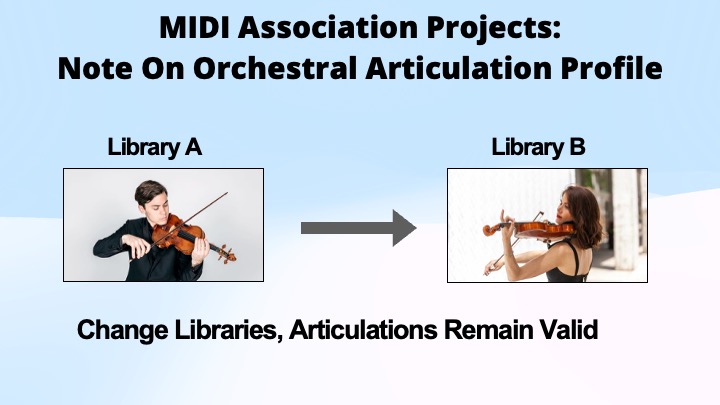
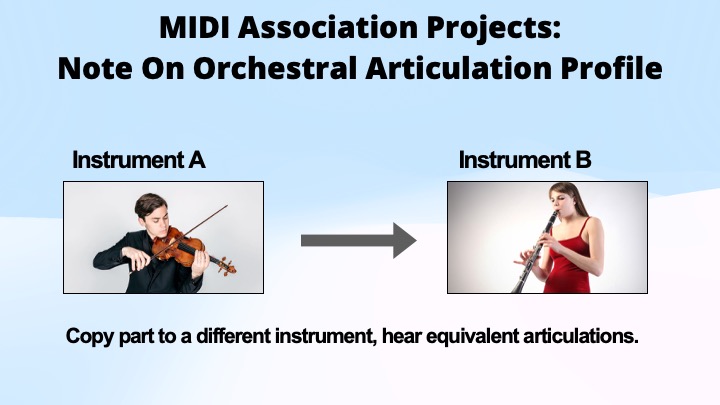
Telling a sample library to play staccato or pizzicato has always meant key switches, and every library does it differently. Change library and the part breaks; move a line from violins to violas and the switches mean something else, or nothing.
The Note On Orchestral Articulation Profile puts the articulation inside the note itself, so it travels as MIDI data and can be edited like any other MIDI data. Two consequences, and they are the entire point:
- Change libraries, and the articulations remain valid.
- Copy a part to a different instrument, and you hear equivalent articulations.
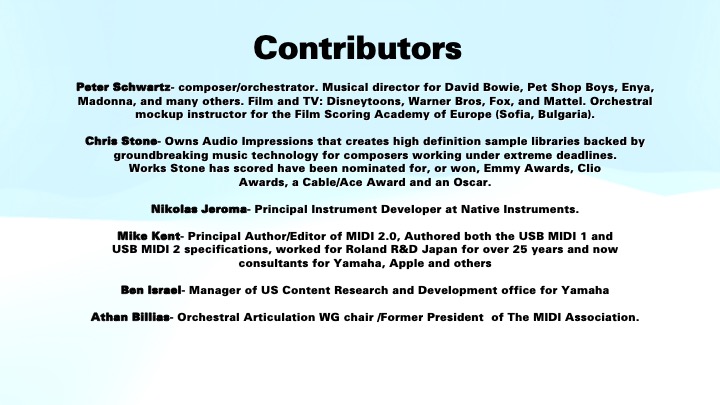
MIDI Association member Audio Impressions has developed a library that supports every articulation in the Orchestral Articulation specification. That’s not surprising give that Chris Stone, CEO of Audio Impressions was on of the main members of the Orchestral Articulation specification.
The demo also ran a prototype version of Cubase 15 that supports the Note On Orchestral Articulation profile. As there are rumors that Cubase 16 will be released very soon (as has been the case with Cubase new versions for many years), it may only be a week or so before people will be able to experiment with the Orchestral Articulation profile.
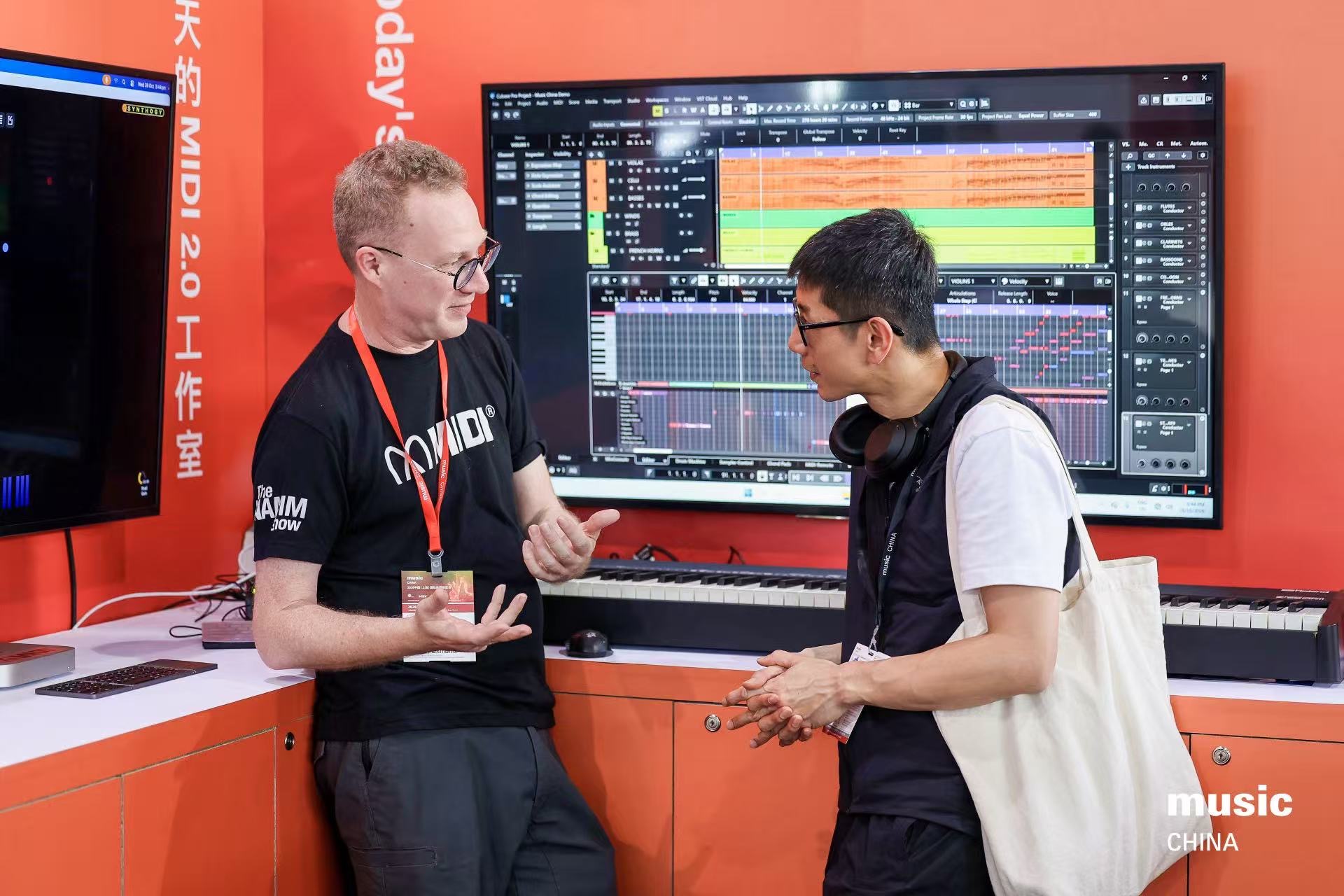
On the booth this ran as a Cubase Pro session called “Music China Demo” — an orchestral template of violins, violas, celli, basses, flutes, oboes, clarinets, bassoons and horns, with an articulation lane sitting in the editor right next to the notes, where you can see it and change it.
Network MIDI 2
Now built into Windows and macOS rather than added on. The demo routed a Roland A-88 through Cubase on a Windows machine, across Network MIDI 2 to a Mac running Ivory 3 — carrying full-resolution MIDI 2.0 data, including 16-bit velocity and 32-bit controller messages.
It is peer-to-peer, runs over Ethernet and wireless LAN. Network MIDI is aimed at local area networks and has a couple of advantages over USB. The first is distance. Ethernet cables can run for long distance. Compoare these figures- The maximum recommended length for a standard copper Ethernet cable is 100 meters (328 feet) before signal degradation or speed loss occurs. For USB that is only
The maximum length you can run a passive USB cable without digital signal degradation depends entirely on the USB generation and transfer speed. As speed increases, the physical limit drops significantly due to electrical resistance, attenuation, and timing constraints.
The maximum recommended lengths for passive (standard) USB cables are outlined below:
| USB Version | Max Speed | Max Recommended Passive Length |
|---|---|---|
| USB 2.0 | 480 Mbps | 16.4 feet (5 meters) |
| USB 3.0 / 3.1 / 3.2 (Gen 1) | 5 Gbps | 9.8 feet (3 meters) |
| USB 3.2 (Gen 2) | 10 Gbps | 3.3 feet (1 meter) |
| USB4 / USB 3.2 (Gen 2×2) | 20 to 40 Gbps | 2.6 feet (0.8 meters) |
| USB4 Version 2.0 | 120 Gbps | 3 feet (1 meter) |
Although USB MIDI 2.0 is fine with USB 2.0 that is still only 16 feet.
The other issues is grounding. USB can absolutely experience grounding issues. While a standard USB cable includes a dedicated ground wire, combining data transmission and power delivery over a single interface makes it highly susceptible to electrical interference when connected to multiple powered devices.
Grounding issues in USB setups typically manifest as audible noise/buzzing in audio equipment, flickering video in capture cards, or intermittent device disconnections.
Unlike USB, standard Ethernet is inherently immune to most common grounding issues like ground loops. This is because the Ethernet standard (IEEE 802.3) mandates galvanic isolation. Inside every Ethernet port (on your computer, router, or switch), the signal passes through tiny isolation transformers. This means there is no direct electrical or DC connection between the two connected devices, preventing electrical current from flowing between different power outlets.
The final advantage is that it can run over the same cables as audio prototocols. Network MIDI 2.0 runs as its own UDP stream alongside Dante or AES67 flows — it isn’t encapsulated inside them. But if you have already run Ethernet cables in an installation, it is trivial to add MIDI 2.0 network adapters (Network MIDI to USB and 5 PIn DIN MIDI adapters) at both ends of the installation.
This is are three huge advantages for Network MIDI.
The MIDI Association anticipates many network MIDI to USB and 5 PIN DIN adapters will be available in the near future along side products like the Bome Box and Kiss Box that already support network MIDI. It’s also important to note that the Network MIDI is being builtin to both the Mac and Windows operating systems.
The Piano Profile
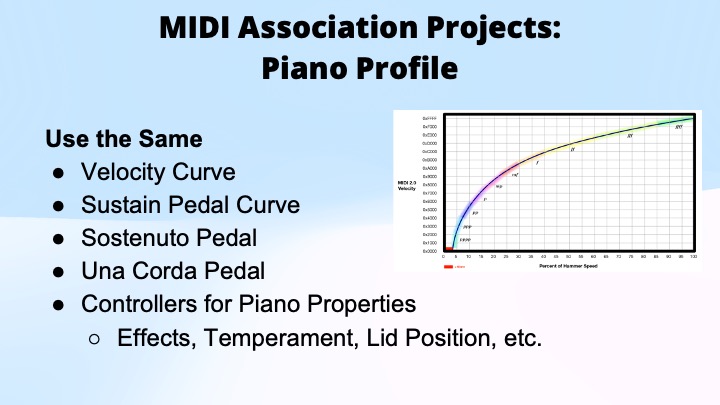
Working prototypes of the Piano Profile were on the stand. The Piano Profile standardises how a piano responds — velocity curve, sustain, sostenuto and una corda pedal behaviour, and controllers for piano properties such as effects, temperament and lid position — so that MIDI acoustic, digital and software pianos all behave the same way.
It enables compatible content for piano education, play-along, player piano and DAW production: the same performance file meaning the same thing wherever it lands.
Bluetooth
With USB and Network finalized the MIDI Association has been working on Bluetooth MIDI 2.0.
Torrey Walker from Apple is the working group chair and Pete Brown from Microsoft is a regular participant so we anticipate that BLE MIDI 2.0 will be integrated in to the operating system in the near future.
BLE MIDI 2.0 works in a similar fashion as USB MIDI falling back to MIDI 1.0 on older gear.
On the X Stage: the state of MIDI 2.0
The MIDI 2.0 session was the technical spine of the week.
What MIDI 2.0 is: bidirectional communication, auto-configuration, and a new protocol with higher resolution, more expression and new messages — all of it compatible with MIDI 1.0. Where MIDI 1.0 steps audibly, MIDI 2.0 moves smoothly, like analogue.
MIDI-CI carries the two ideas that make the rest work:
- Profiles let similar devices agree on the same messages. One device says I am a piano; the other answers I am a piano too, and they both know what the controls mean.
- Property Exchange lets a device be asked for its list of controllers and answer in detail, which is what makes remote management possible.
New messages matter as much as the resolution: informative text, lyrics, markers, time and key signature, up to 32-bit resolution, and per-note controllers.
Where it runs: Apple, Google, Linux and Microsoft all build MIDI into the operating system. MIDI 2.0 travels over class-compliant USB MIDI 2.0 defined by the USB-IF, over Network MIDI 2.0 on Ethernet and wireless LAN, and from 2027 over Bluetooth — each falling back to MIDI 1.0 where it has to.
Developer resources, including open-source libraries, software and hardware: midi.org and midi2.dev.
Windows MIDI Services
Microsoft’s pitch was about not making customers care. In Windows, conversion between MIDI 2.0 and MIDI 1.0 happens automatically: support MIDI 2.0 and Windows handles the rest, so a MIDI 2.0 device simply appears more expressive rather than different in kind.
The transport list is comprehensive — MIDI 1.0 USB and kernel streaming, MIDI 2.0 USB, MIDI 1.0 and 2.0 loopbacks, virtual MIDI 2.0 devices, Bluetooth LE MIDI, Network MIDI 2.0 and RTP-MIDI 1.0.
What has shipped around it is a full set of tools, all handling MIDI 1.0 and 2.0 equally:
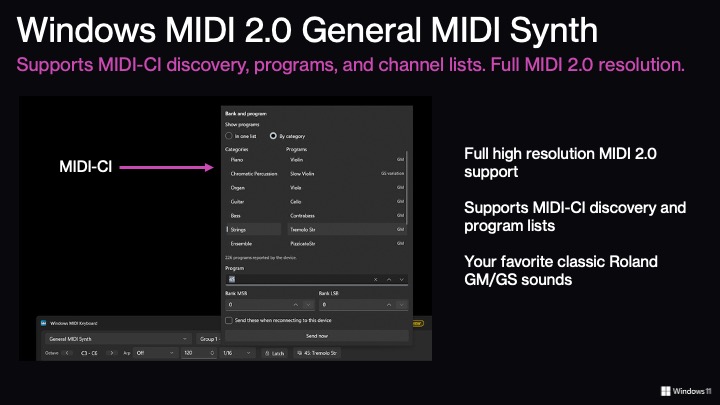
- General MIDI synth — full MIDI 2.0 resolution, MIDI-CI discovery and program lists, playing the classic Roland GM/GS sounds
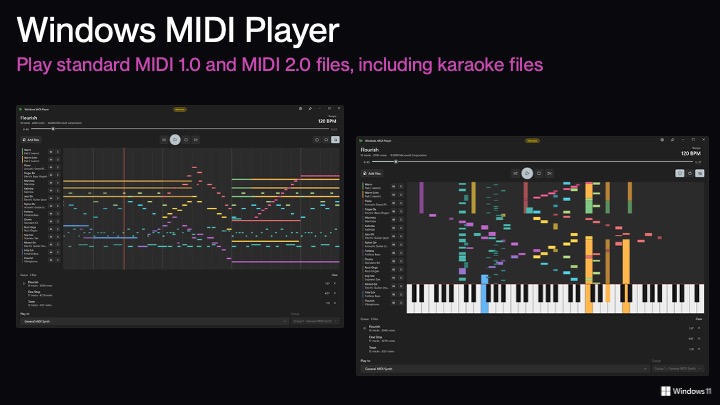
- MIDI Player — standard MIDI 1.0 and 2.0 files, including karaoke files
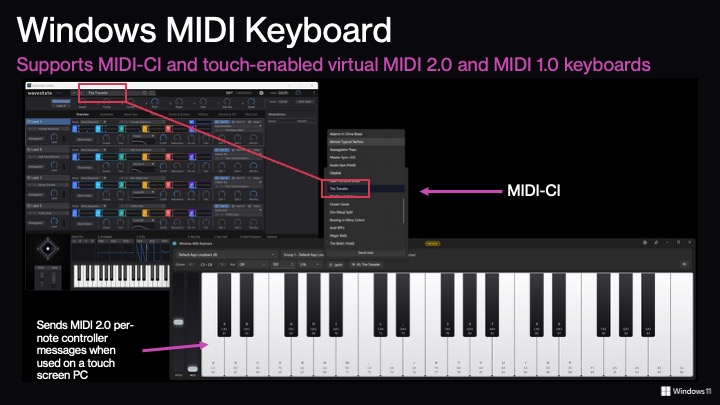
- MIDI Keyboard — touch-enabled and virtual, sending per-note controller messages on a touchscreen PC
- MIDI Monitor — displays the UMP format natively, which doubles as a teaching tool
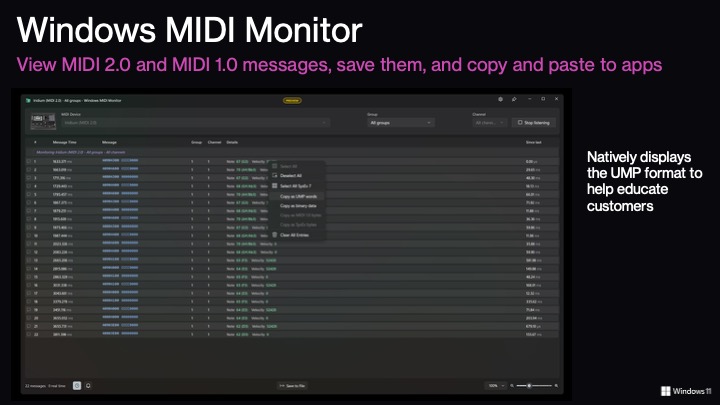
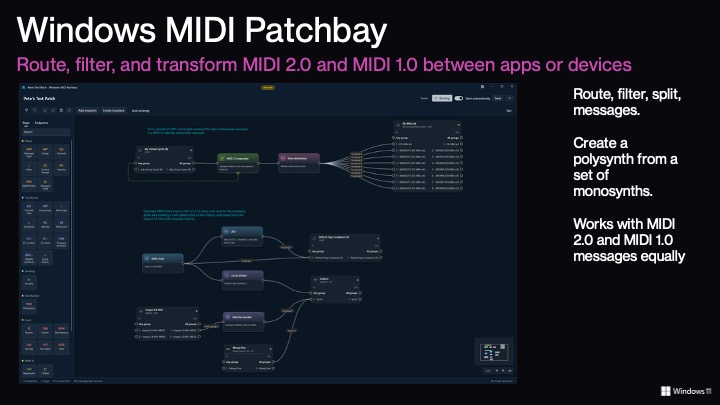
- Patchbay — route, filter, split and transform messages between apps and devices; build a polysynth out of a set of monosynths
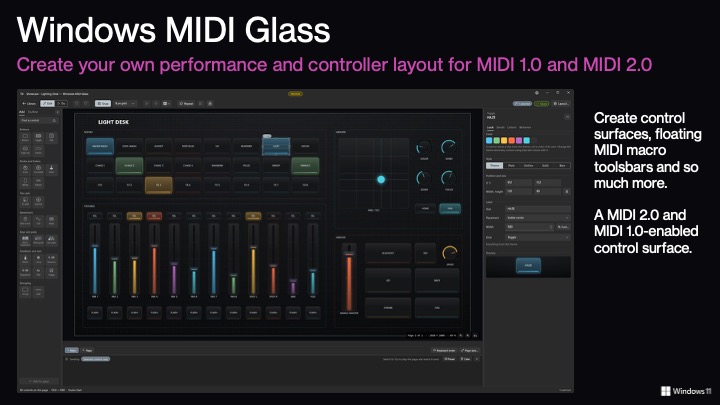
- MIDI Glass — build your own control surfaces and floating macro toolbars
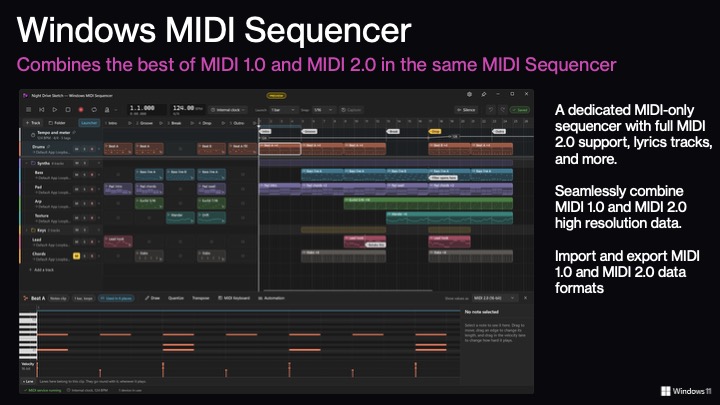
- Sequencer — a MIDI-only sequencer with full MIDI 2.0 support and lyrics tracks, importing and exporting both formats
- SysEx Tool and Scratchpad — for classic SysEx work and for testing
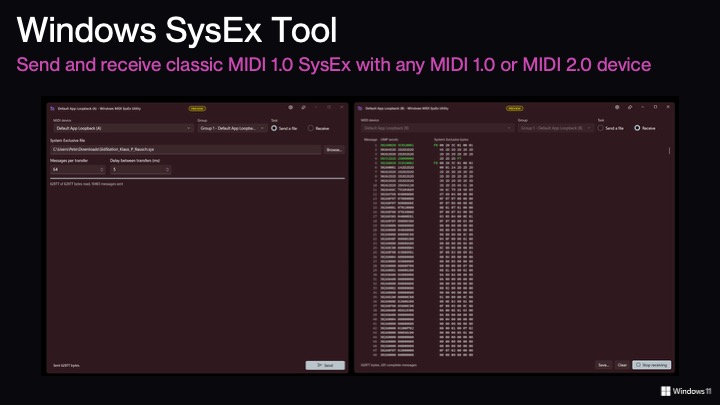
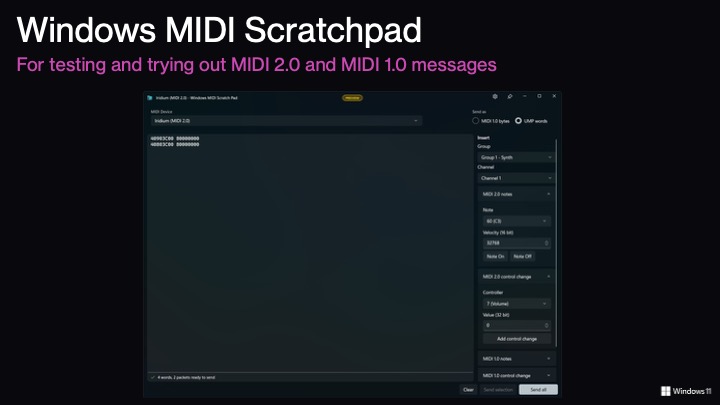
The point of the corner

Everything above is buyable or downloadable now, which was the argument the wall was making. MIDI 2.0 stopped being a thing to wait for somewhere between the last two Music Chinas; the remaining work is Profiles, and those have dates on them — see the Forum roadmap in part 1.
The rest of this series
- Hall N2, Music X and Lab 99 — the booth, the stage and the Forum
- Music Accessibility and MIDI In Music Education at Lab 99 — who gets to make music, and what is standing in the way
- The MIDI Innovation Awards at Lab 99 — and the VR demo that drew a queue all week
- MIDI 2.0 Innovative Products at Lab 99 — Sleight and MIDISketch
Sources
MIDI_2.0_X_Stage_Presentation_2026.pptxandEN_Windows-MIDI-Services_Music-China.pptx, session decks- Sonic State, MusicChina26: MIDI Association Latest News, 29 October 2026 — https://sonicstate.com/news/2026/10/29/musicchina26-midi-association-latest-news
- Photos supplied by Athan Billias, 1 November 2026